Known Participant
August 18, 2025
Answered

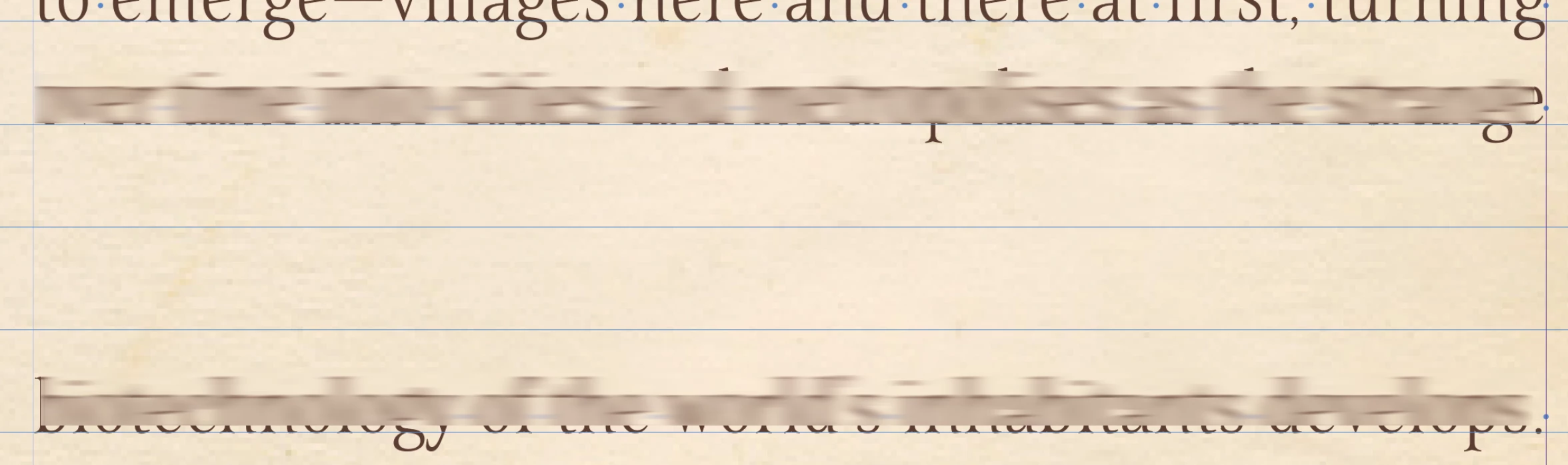
What is causing this huge space between two lines of the same paragraph?

  • August 18, 2025
  • 4 replies
  • 764 views

Edit to add it must be something to do with the page or on the page, because I shifted all the text to the next page and there was no gap or split and the gap is in the same place on that left page regardless of where the text is. I'm thinking it must be a bug, I deleted the pages so everything moved to the next spread and it's fine!


Hi everyone,


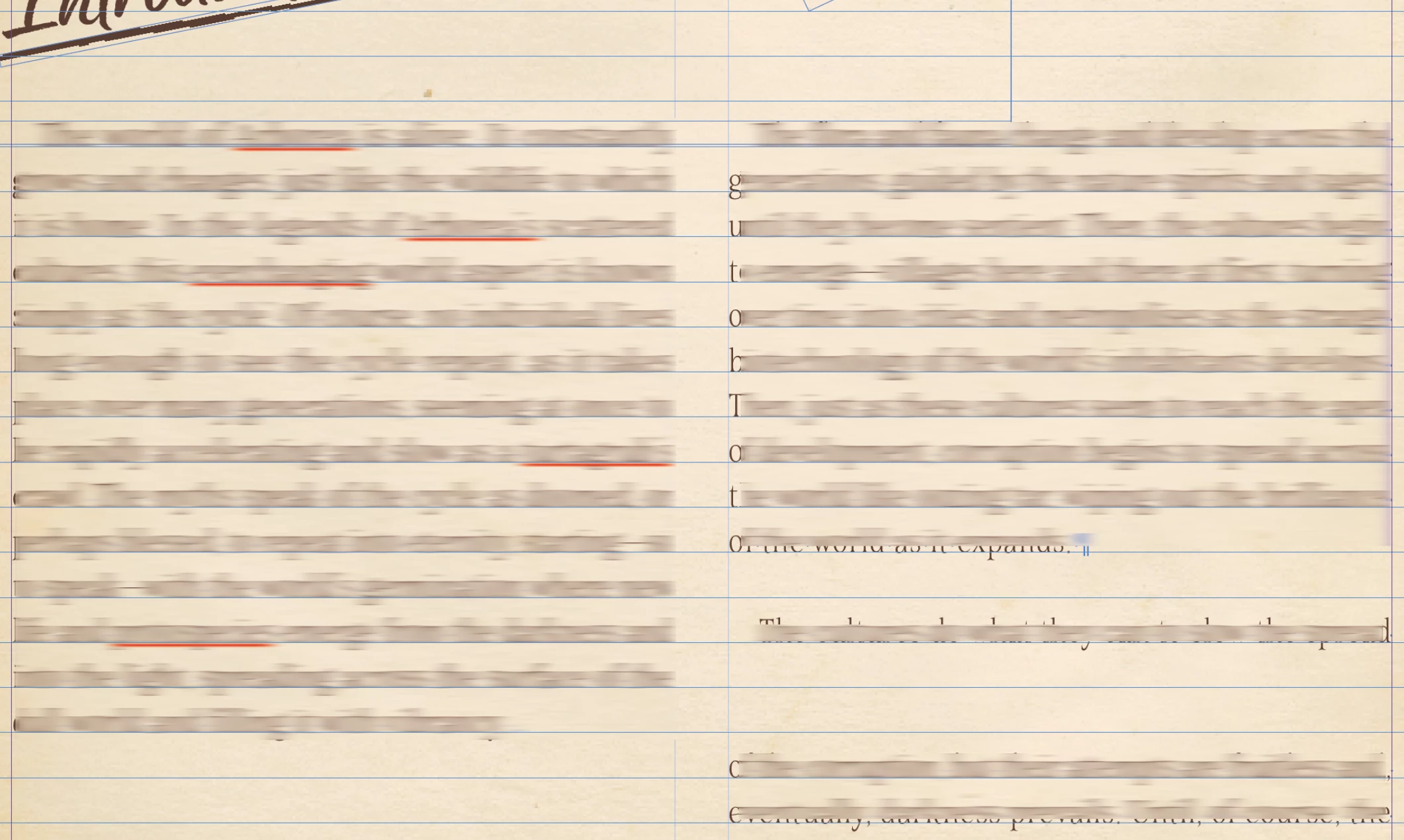
I have a really weird one I'm hoping someone can figure out for me! I have this page set up, the text in the right column is all the same paragraph, there are no returns or any other spaces of any kind other than a normal space between words, but there is a 2 line gap which I can't figure out. You can see the hidden characters are just normal spaces in the 2nd screenshot.


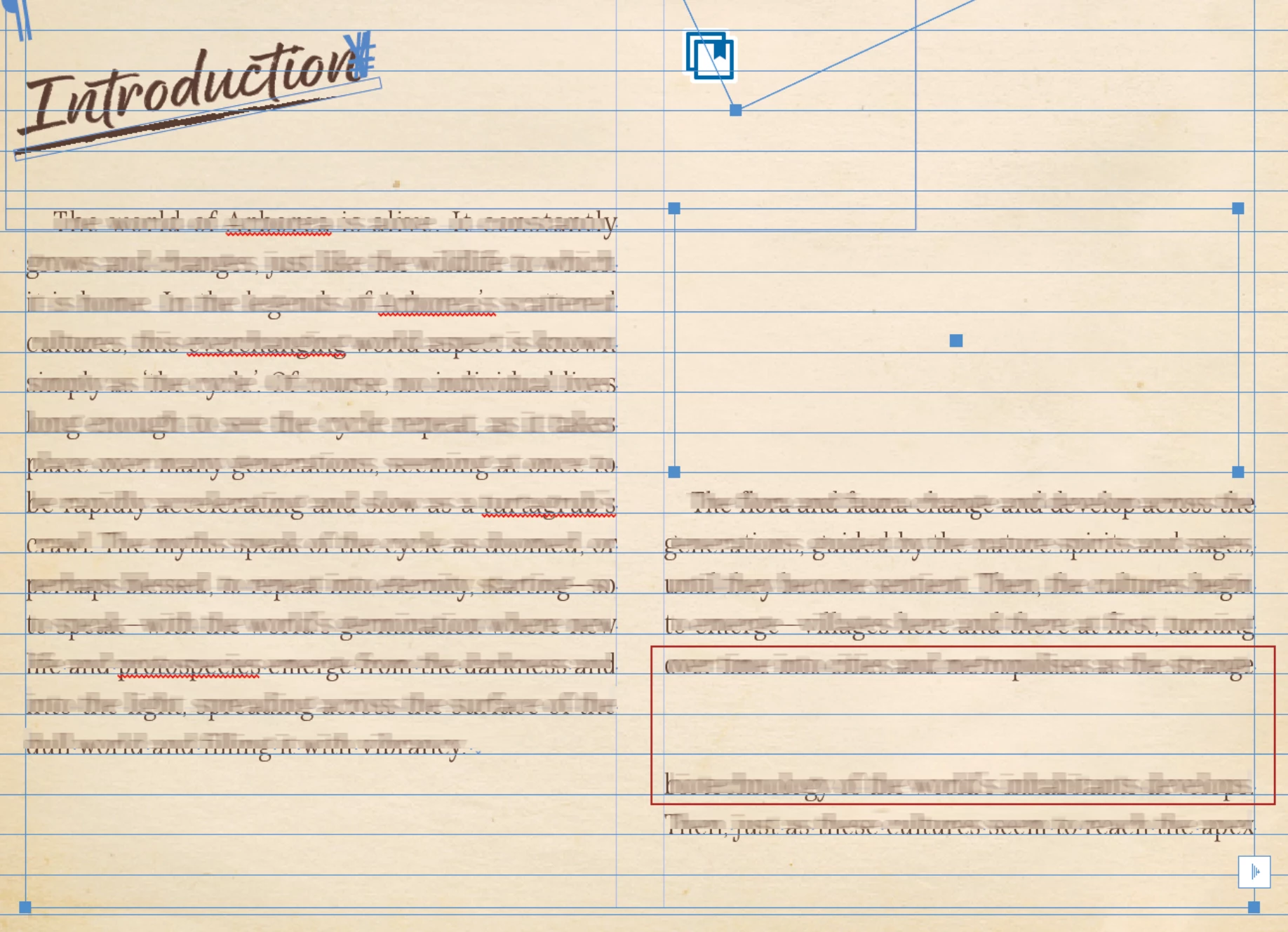
The gap is there if I add or remove text (3rd screenshot) which led me to think it was a stray box with a wrap, but I've unlocked all on the spread and then selected all and as you can see there is no box aside from the red one I've drawn around the area in question, which I added to the screenshot after I took it and is not in the InDesign document.


I've moved all the other images and boxes etc out of the way and none of them have a wrap which is anywhere near this gap. There is also nothing on the parent page. 


Nothing in the paragraph style should be causing this as far as I'm away because it is the same paragraph, not a space between paragraphs using the same style. 


Any ideas?? I'm totally stumped.


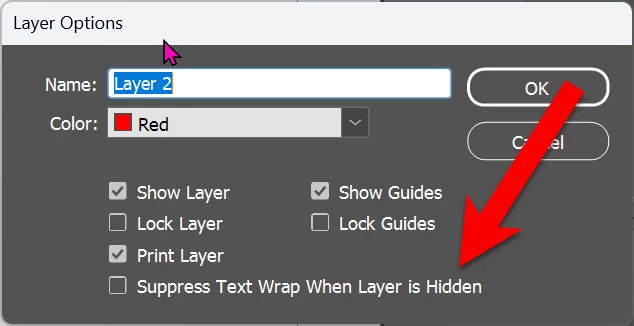
Correct answer Dave Creamer of IDEAS

To add to @Peter Spier 's suggestion, check this layer setting:

4 replies

Peter Spier
Community Expert
Community Expert
August 18, 2025

Have you looked in the layers panel to see if there's a hidden object on the page (or on the parent page) in that location which has text wrap applied?

This kind of oddity (when there isn't a "real" explanation) can sometimes be cured by exporting to .idml, opening that, and saving as a new .indd.

Another fix that often works is to move the pages into a new document.

Dave Creamer of IDEAS
Community Expert
Dave Creamer of IDEASCommunity ExpertCorrect answer
Community Expert
August 18, 2025

To add to @Peter Spier 's suggestion, check this layer setting:

David Creamer: Community Expert (ACI and ACE 1995-2023)
IsoneryumAuthor
Known Participant
August 20, 2025

Ah thanks David, this would also have solved it! Must remember to keep this checked. Many thanks!

Susan Culligan
Inspiring
August 18, 2025

Have you checked that you don't have a Space before or Space after (see below)?

IsoneryumAuthor
Known Participant
August 20, 2025

doesn't that only apply to before and after a pragraph? This is the middle of the same paragraph but I've deleted the page and it's fine now. There msut have been a bug or something as there was nothing on the page but that's the only palce the issue was occuring. 

Community Expert
August 18, 2025

Make sure the frame that appears to have a text wrap and push right column down, does not have any  hidden elements/graphic inside this frame. 

IsoneryumAuthor
Known Participant
August 18, 2025

Thanks Jeffrey, a good shout, but not the one 😞 I removed it entirely and the gap is still there, weirdly in the same place as the two screenshots

Dave Creamer of IDEAS
Community Expert
Community Expert
August 18, 2025

What happens if you move the text frame to the [empty] pasteboard area?


David Creamer: Community Expert (ACI and ACE 1995-2023)
rob day
Community Expert
Community Expert
August 18, 2025

Hi @Isoneryum Check your Type>Apply Leading to Entire Paragraphs preference, if it is unchecked you could have a line inside of a paragraph with different leading snapping to your baseline grid.


IsoneryumAuthor
Known Participant
August 18, 2025

Hi Rob,

Thanks for such a speedy reply! Turns out I did not have that checked in the preferences (not sure why this would even be an option?!) But it sadly was not the problem. still have an odd gap! Even closed and reopened Indesign and the file 😞

rob day
Community Expert
Community Expert
August 18, 2025

Can you share the file?