Inspiring
January 4, 2024
Answered

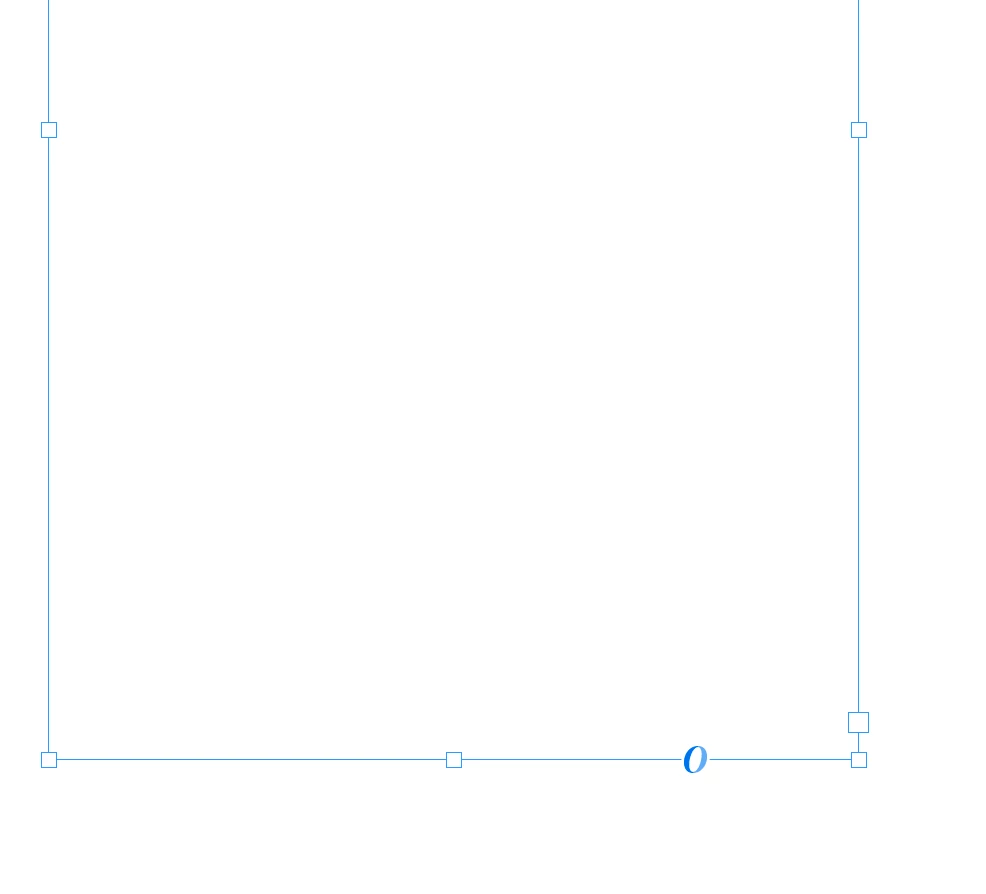
What is the O at the bottom of a text frame?

  • January 4, 2024
  • 4 replies
  • 1059 views

Sometimes it's there, and sometimes it's not. Does anyone know why it appears and what it is? 
 

This topic has been closed for replies.
Correct answer Barb Binder

Hi Andrew:


It's a shortcut for accessing alternate characters (and fractions, ordinals and ligatures).


I'm a trainer like Steve and here's how I teach my students how to assign swash character to the capital letters in this pullquote:
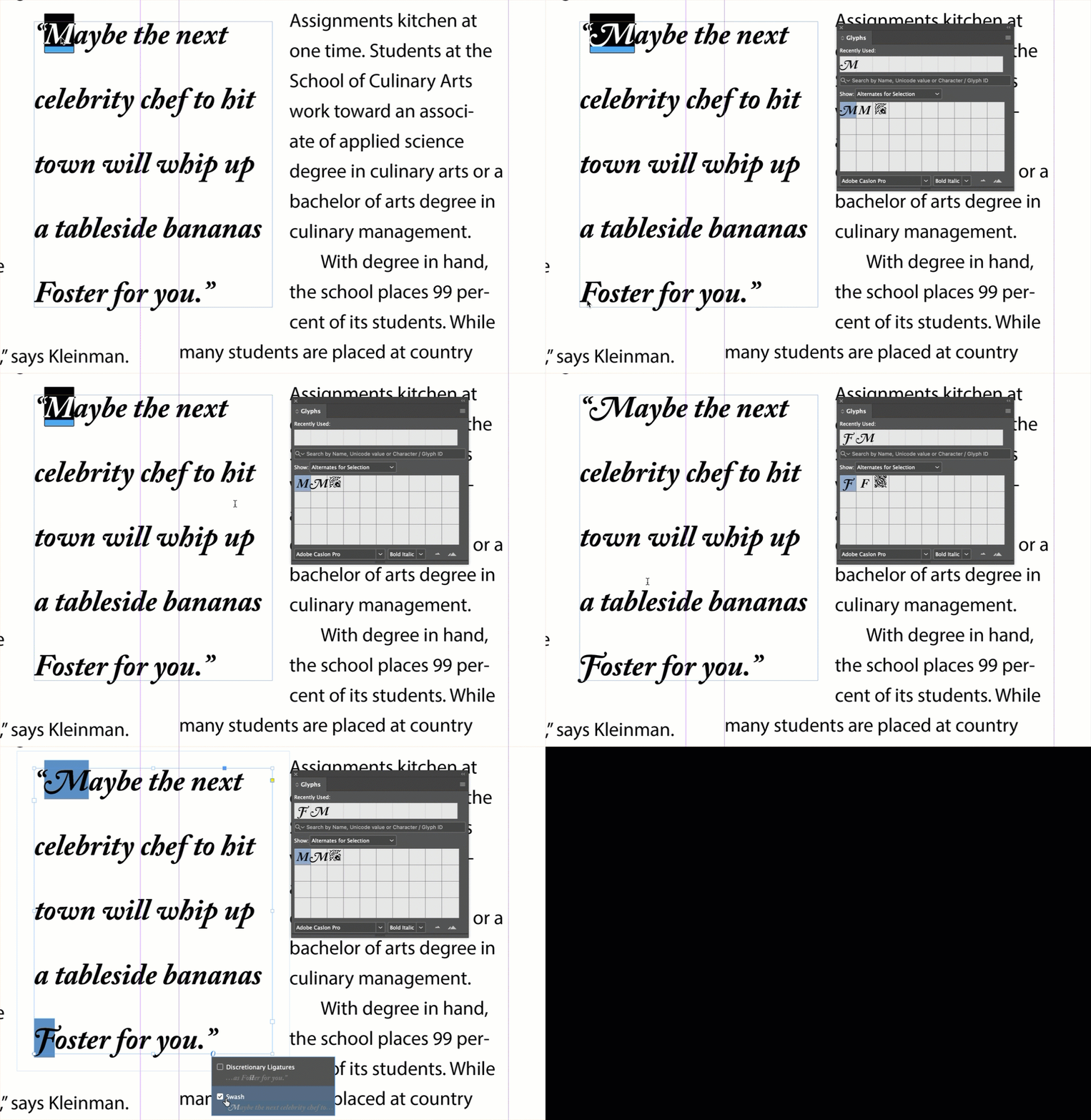
  • First I introduce the Glyphs panel, and how to filter the myriad options and double click to replace the original,
  • Then I show the shortcut for alternate characters, fractions, ordinals and ligatures (touching the blue underline of the selected character),
  • Finally, I show the 0, which finds and updates all the alternates at one time.


~Barb


4 replies

Barb Binder
Community Expert
Community Expert
January 5, 2024

Hi Andrew:


Best of luck! You can ask us anything, and it's always worth a reminder that attending a training class or two greatly speeds up the layout.


~Barb


Edit: Sorry! I just realized you are the same Andrew on the other thread where we all recommended training! 

~Barb at Rocky Mountain Training
Barb Binder
Community Expert
Barb BinderCommunity ExpertCorrect answer
Community Expert
January 4, 2024

Hi Andrew:


It's a shortcut for accessing alternate characters (and fractions, ordinals and ligatures).


I'm a trainer like Steve and here's how I teach my students how to assign swash character to the capital letters in this pullquote:

  • First I introduce the Glyphs panel, and how to filter the myriad options and double click to replace the original,
  • Then I show the shortcut for alternate characters, fractions, ordinals and ligatures (touching the blue underline of the selected character),
  • Finally, I show the 0, which finds and updates all the alternates at one time.


~Barb


~Barb at Rocky Mountain Training
Inspiring
January 5, 2024

Thanks Barb, I'm still struggling with cranking out books with basic text and hardly any images. 

Andrew MikelsonsAndy Fairchild Publishing Inc.
Steve Werner
Community Expert
Community Expert
January 4, 2024

The feature can be turned on/off in Preferences > Advanced Type > Type Contextual Controls > Show selection on text selection/text frame for more Type controls.


Selections of type will show it as well as single text frame (but as pointed out), not threaded text frames. It shows you what Type controls can be turned on quickly to the selection or frame. I find it handy, and teach it in my InDesign classes.

James Gifford—NitroPress
Legend
January 4, 2024

It's an integral link to OpenType properties, and it appears only on individual text frames, not on primary or multiple threaded ones, and then only when the text frame is selected.


I'm not really sure of the logic except that it allows quick fixes of short text snippets, something you wouldn't really want to hack at in flowing, multiple-style text.


Create a simple text box with some text in it and click to see the various options presented. A lot of them are control of ligatures and alternate character forms.
