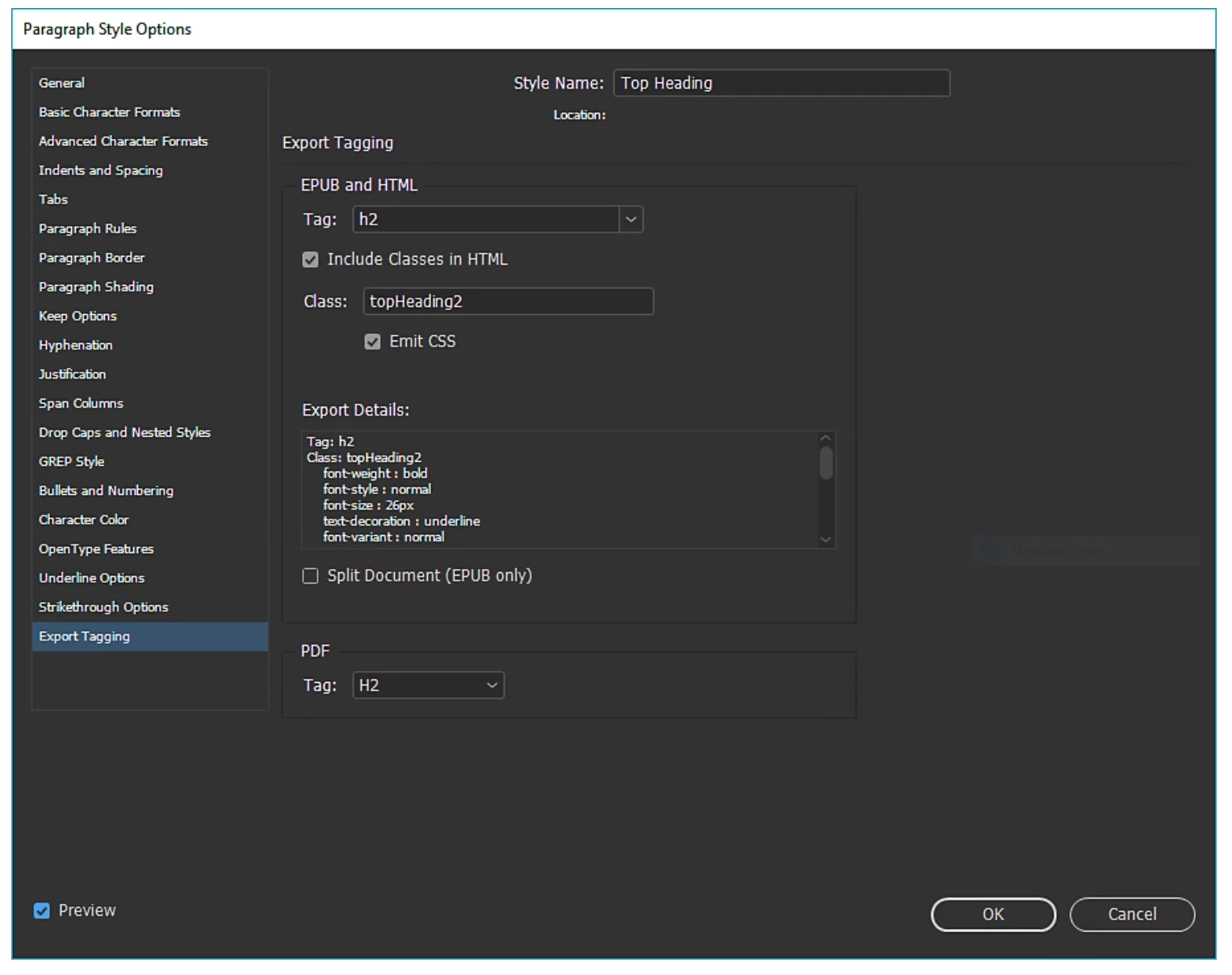
That's the menu I cannot access anywhere. The screen shot of it that I used is from an Adobe Help article. Right-clicking in the Paragraph Styles Menu does not bring it up, like it's supposed to. How do you find it?
You shouldn't have to right-click in anything. If you can open the Paragraph Style Options menu for any style (by double-clicking or, to be fair, right-clicking and selecting Edit...), it should be right there at the bottom:
Are you saying you see the above menu for a paragraph style, and that option is missing?
To access the Paragraph Styles Options menu in InDesign 20.0, follow these steps:
1. Open the 'Paragraph Styles' panel by going to 'Window' > 'Styles' > 'Paragraph Styles'. 2. In the panel, right-click on the paragraph style you want to edit. 3. From the context menu, select 'Edit [Style Name]'. This will open the Paragraph Style Options menu where you can modify various settings, including export tagging.
Let me know if you need more help with the export tagging process!
But that Style Options Menu still does not come up when I follow your instructions. I do not see a choice to "Edit" the style when I right-click or use the drop down at the top.
Thanks for the clarification. It seems like there may be an issue with accessing the Style Options menu. I’ve shared a screen recording for reference to show how you should be able to access the "Edit" option in the Paragraph Styles panel.
Please take a look, and let me know if the issue persists. I’m here to help!

 AdChoices