Participating Frequently
August 7, 2020
Answered

White lines on the print

  • August 7, 2020
  • 5 replies
  • 3844 views

Hi communnity.


I am having troubles with the In Design software.

I know it happens to export PDFs with sometimes white lines that shouldn't be there, which when they are printed disappear (picture1).

But this is the first time that in addition, there are also some in the print (and not necessarily the same) (picture2).

It's been happening to me for 2 days now.
I did some research on the forum. I tried to export in PDF/X-4, didn't work. The file haven't been opened in ID then in PS, etc...just ID.

Do you have an idea how could I fix it?


Thanks for reading me, have a nice day.
This topic has been closed for replies.
Correct answer rob day

@rob day
Thanks for your reply. 

Really ?? I never had this problem before. I worked on ID to do the shapes.
Is ID bad at exporting PNG ???


Really ?? I never had this problem before.


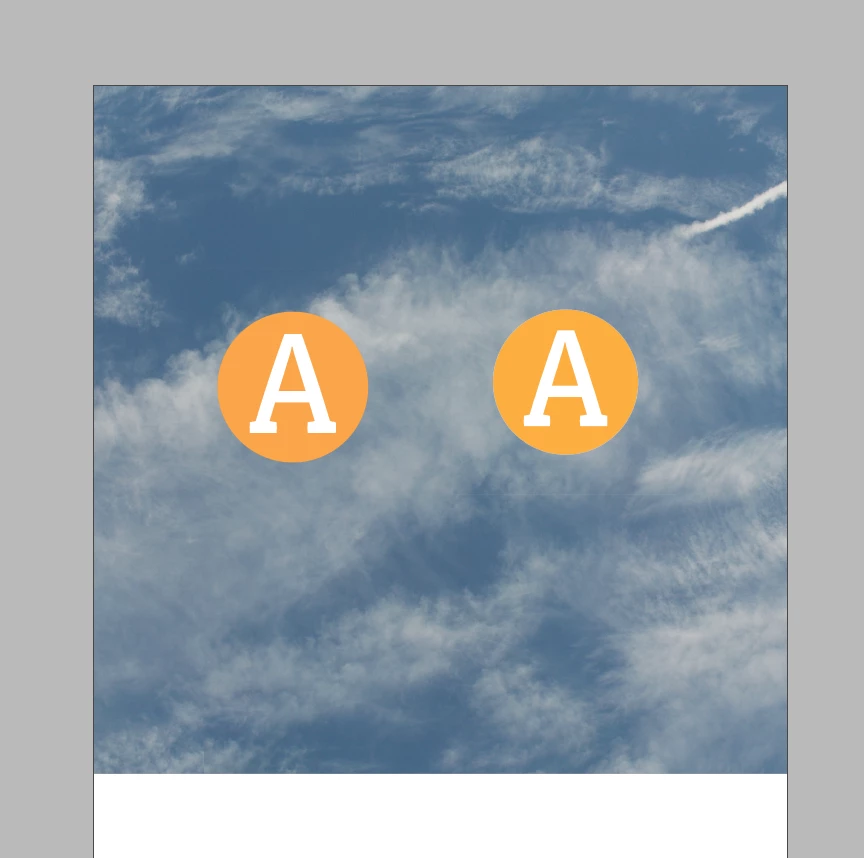
Here I have a placed Illustrator AI file on the left, and an exported PNG of the AI file on the right:


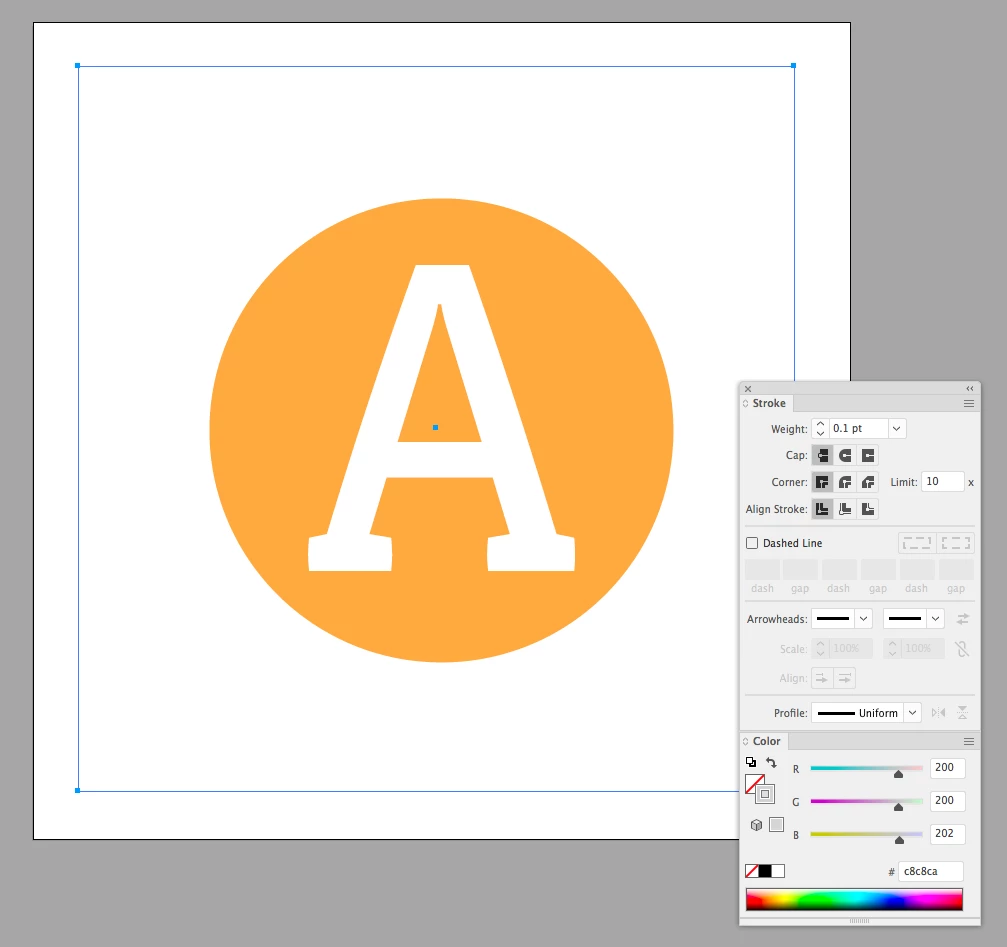
If I open the AI vector file in Illustrator, I can see there is a rectangle behind the yellow circle with a .1pt stroke.


InDesign doesn’t show the stroke because the background image is interfering. If I hide the image I can see the stroked rectangle in both the PNG and AI files when they are on a dark gray background:


5 replies

Participating Frequently
August 11, 2020

Well...thanks all of you for your help.
I changed nothing, but tried to print anyway, see if I could had more luck today...
...no hairline stroke this time.....................................
Ok...no more problem it seems, but I didn't understand what was that.
Big thanks again.
Am i supposed to close the subject in this case ?

Willi Adelberger
Community Expert
Community Expert
August 10, 2020

THese stitching lines occur when transparency is flattened. It can happen when you export PDF/X-1a or X-3 or an EPS. Don't use them as import file types. If you import graphics, use PDF/X-4. Take care that no flattend content is placed in the placed images. Never use PNG.

rob day
Community Expert
Community Expert
August 10, 2020

The OP tried PDF/X-4 so they are not stitching artifacts.

Ashutosh_Mishra
Inspiring
August 8, 2020

Hi Cynthia,


Sorry to hear about your experience. In addition to the questions asked earlier, I'd suggest trying steps given on this help article and let us know if they work.

Looking forward to your response.


Regards,

Ashutosh

Participating Frequently
August 10, 2020

Thanks for your answer.
I didn't found what I needed, but thanks for the share.

jmlevy
Community Expert
Community Expert
August 7, 2020

Bonjour,

Les impressions sont faites de quelle manière ? À partir d'InDesign ou d'un lecteur de PDF ? Sur quelle type d'imprimante ?

Participating Frequently
August 10, 2020

Bonjour et merci pour ta réponse.

J'ai tenté les deux provenances, mais le résultat a été le même. 
L'imprimante est une HP Office JetPro 8730.

rob day
Community Expert
Community Expert
August 7, 2020

If the lines are showing in a PDF/X-4 export, and in print output they are not stitching artifacts, which can occur when live transparency is flattened on export (PDF/X-1a). Looks like the placed logos are PDF or AI files? Without seeing the file and assets I would guess there is a hairline stroke somewhere in the logo file, or applied to the logo’s parent frame?

Participating Frequently
August 10, 2020

Thanks for your return.
In fact, it seems to be random. I tried to use many formats (EPS, AI, PNG...) of the same picture, whites lines were always there. I checked open it in AI : there png was indeed parasite by...sort of invisible cubes, which souldn't been there. Is that what you call "hairline stroke" ?
Then, I tried to import another PNG in ID, white lines there too. So I did same shapes but directly on my current working page, no importing anything. No longer white lines appeared.
That was the time when i thought i fixed the matter.
But when I opened another file, and copy paste the "good" shapes from when it worked, then again, white lines.

I'm french, maybe I don't understand 100%, sorry !


Participating Frequently
August 12, 2020

Mais ce logo, il a été créé dans quel logiciel, à l'origine ?


Je l'ai fait sous In Design.