Participant
November 29, 2018
Answered

White space around indesign document

  • November 29, 2018
  • 1 reply
  • 10399 views

Hello everyone,

Since i've updated my indesign, I have a white space around my document and i don't know how to delete this....
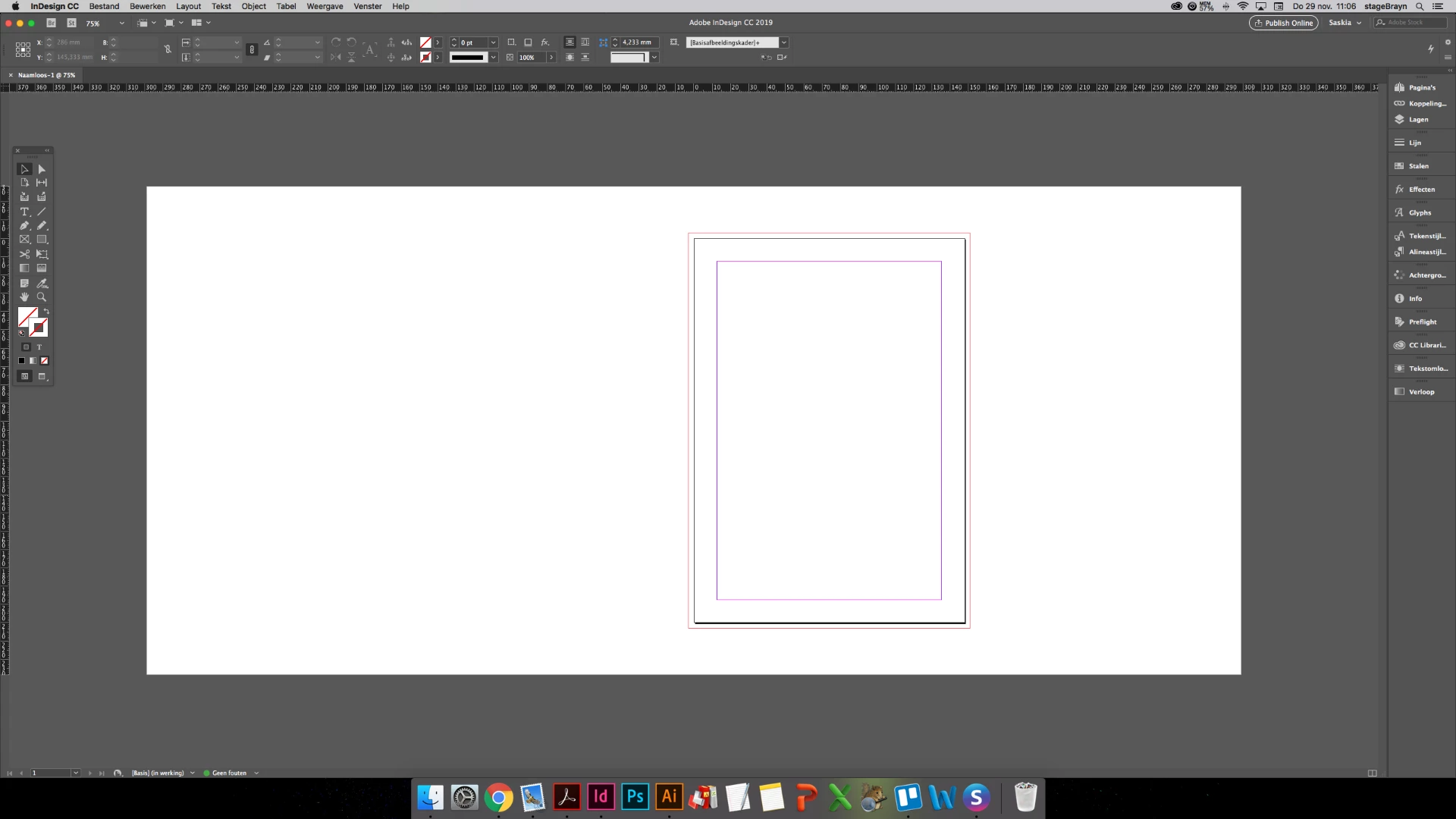
Can someone help me?

Correct answer Laubender

Hi BraynStage ,

look into InDesign's preferences.

User Interface > Appearance

Match Pasteboard to Theme Color

Currently this checkbox is not checked in your preferences…

Regards,
Uwe

1 reply

Jongware
Community Expert
Community Expert
November 29, 2018

You mean the pasteboard? The bleed lines? The space between page edge and margins? These are all interface objects and markers -- you cannot "delete" any, just as you cannot delete one of the tools in the toolbox.

But I guess you are used to work without any of these guides and helpers. Press the 'w' key to toggle to a distraction-free preview workspace.

Participant
November 29, 2018

Hey,

Thank for the answer but that's not what i mean...

Before the update, there was no white space. I just want to see the levels and layers in my document when i'm in the normal workspace mode. Like this:

But then i want the white part around the document in the same gray collour that's arround the white part...

Peter Spier
Community Expert
Community Expert
June 18, 2024

Sir any other solve is possible or not. because your share link is not clear. any option there. so  lot of confusion.


Scroll down to the section "Resetting InDesign"