Participating Frequently
July 15, 2020
Answered

White transparent paragraph rules

  • July 15, 2020
  • 7 replies
  • 1107 views

I need to hyphenate my black text with a transparent white background, because my text should be places on top of a photo.

I would normally use "paragraph rules" og "paragraph shades" for this effect, but this is not possible with at white transparent colour.

Any suggestions on how to solve this, without having one coloured-box behind one test-box?
    This topic has been closed for replies.
    Correct answer jmlevy

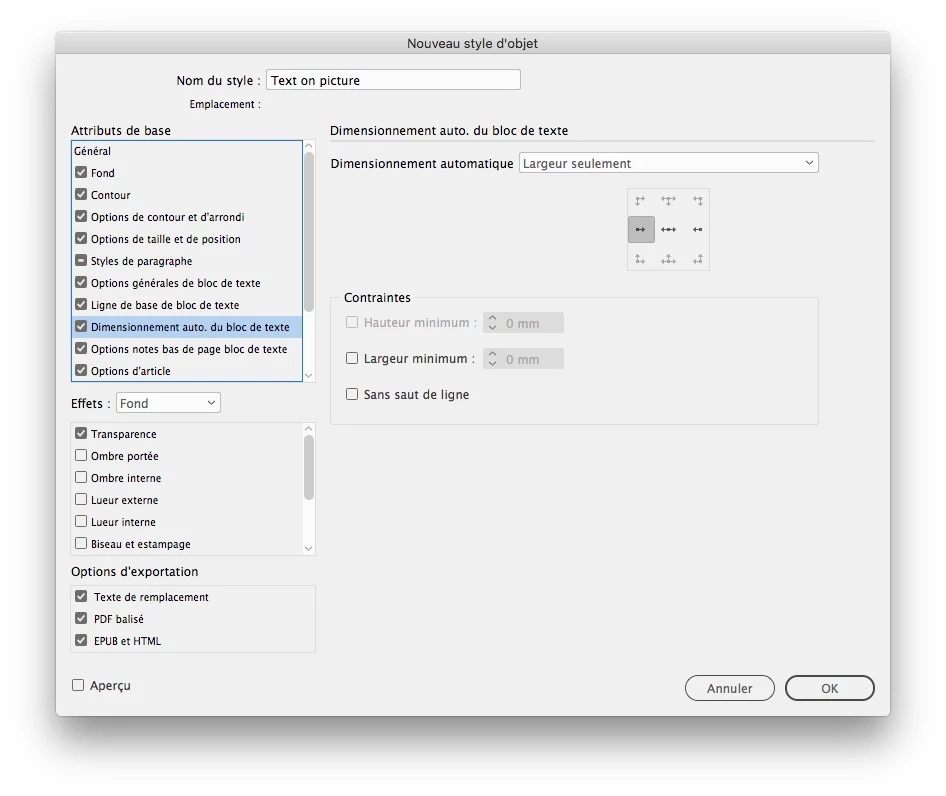
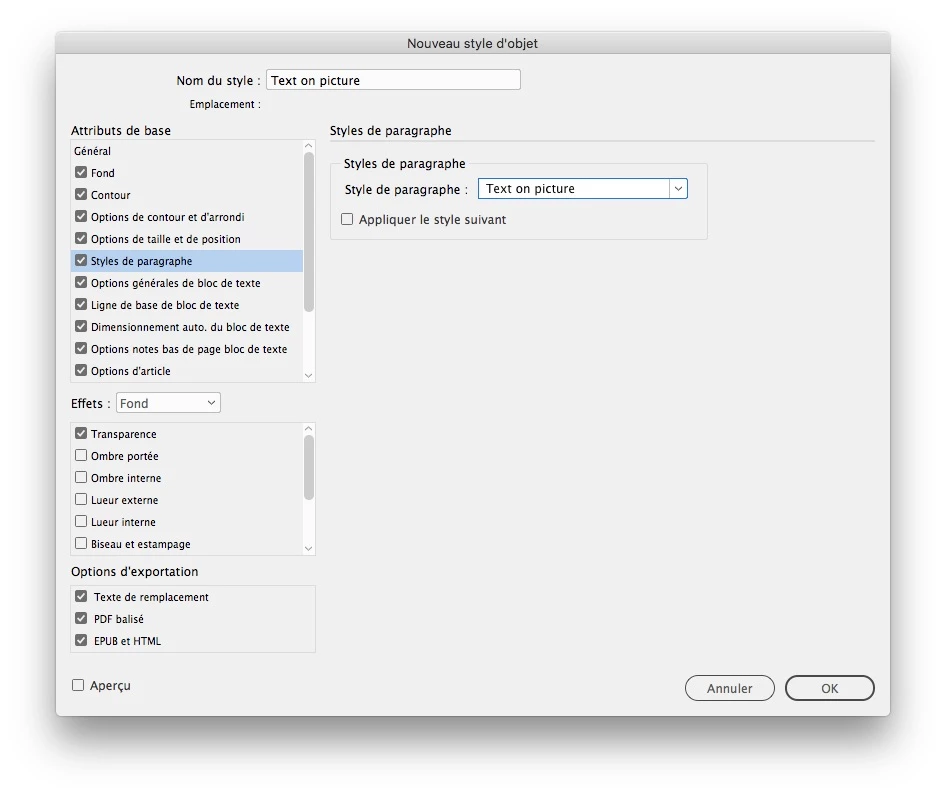
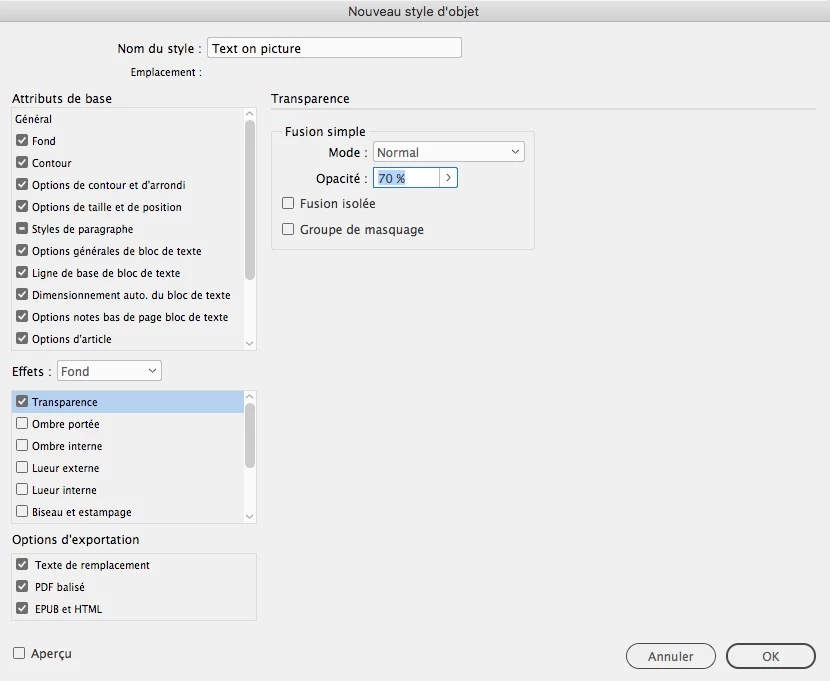
    You can set the text frame to automatically fit the line length. this setting and the background pacity can be part of an object style settings, so you would just have to draw the text frame and choose the object style.

    7 replies

    Ashutosh_Mishra
    Inspiring
    July 25, 2020

    Hi there,


    Thanks for reaching out. I hope your issue is resolved now. We'd appreciate if you can mark the appropriate answer correct.

    If you used any other method, please share it here. It'll help users having similar concern.

    If you still have issues, you may share with us. We'll be happy to help.


    Regards,

    Ashutosh

    Community Expert
    July 16, 2020

    Hi TineBS,

    hm… I think, that auto width will not work as expected, updating the width automatically if text changes, if you have more than one line of text and the next line is threaded with a different text frame. You can make it work after editing text, but this would require you to remove overrides with an applied object style to the text frames. Did some tests and was not satisfied with the results.


    If you do single text frames with single lines that are not threaded I see no issue.


    Regards,
    Uwe Laubender

    ( ACP )

    Community Expert
    July 16, 2020

    Hi TineBS,

    thank you for sharing your text design.

    You could do it with a couple of text frames with one line of text each where the text frames are threaded.


    For the adjustment of the width of each line of text you have to set different width for each text frame. The fill of the text frames should be [Paper] with a reduced opacity done with the Effects panel where you can control the transparency of the fill individually independenltly from the text in the frame.


    Regards,
    Uwe Laubender

    ( ACP )


    TineBSAuthor
    Participating Frequently
    July 16, 2020

    Thank you for your response.

    Unfortunately this is not optimal, but probably the best solution. Hope that it in future versions af InDesign, will be possible to choose transparency on white paragraph rules 🙂

    jmlevy
    Community Expert
    Community Expert
    July 15, 2020

    You don't need to have two frames: fill the text frame with a white background and use the fx panel to set the frame background opacity as you wish.

    TineBSAuthor
    Participating Frequently
    July 16, 2020

    Thanks.

    I´m creating a templete, and the black tekst on the transparent white background, will need to change content and length from time to time. To make sure that the space around the text and white boxes are the same every time, i would love to make at paragraph style on the text, so that the white boxes follow the black text.

    It has to look like this - just with a 80% transparent white box behind til text.

    jmlevy
    Community Expert
    jmlevyCommunity ExpertCorrect answer
    Community Expert
    July 16, 2020

    You can set the text frame to automatically fit the line length. this setting and the background pacity can be part of an object style settings, so you would just have to draw the text frame and choose the object style.

    Legend
    July 15, 2020

    If I understand what you are trying to do, you can put the white color in the text box, and adjust the fill transparency separately from the text. Use an inset in the text box to create a bit of space around the text. Like this:

    Legend
    July 15, 2020

    Adobe have many apps. Please say which app and version you use, so a moderator might move this post to the best forum, with specialists in the app you are using.

    TineBSAuthor
    Participating Frequently
    July 15, 2020
    I´m using Adobe InDesign CC 2018
    LinSims
    Community Expert
    Community Expert
    July 15, 2020

    Moving to the InDesign forum.

    The Community Help forum is for help in using the Adobe Support Community forums, not for help with specific programs. Product questions should be posted in the associated product community.

    TineBSAuthor
    Participating Frequently
    July 15, 2020

    Sorry... I need to highlight my black text...