
Participant
March 13, 2017
Question

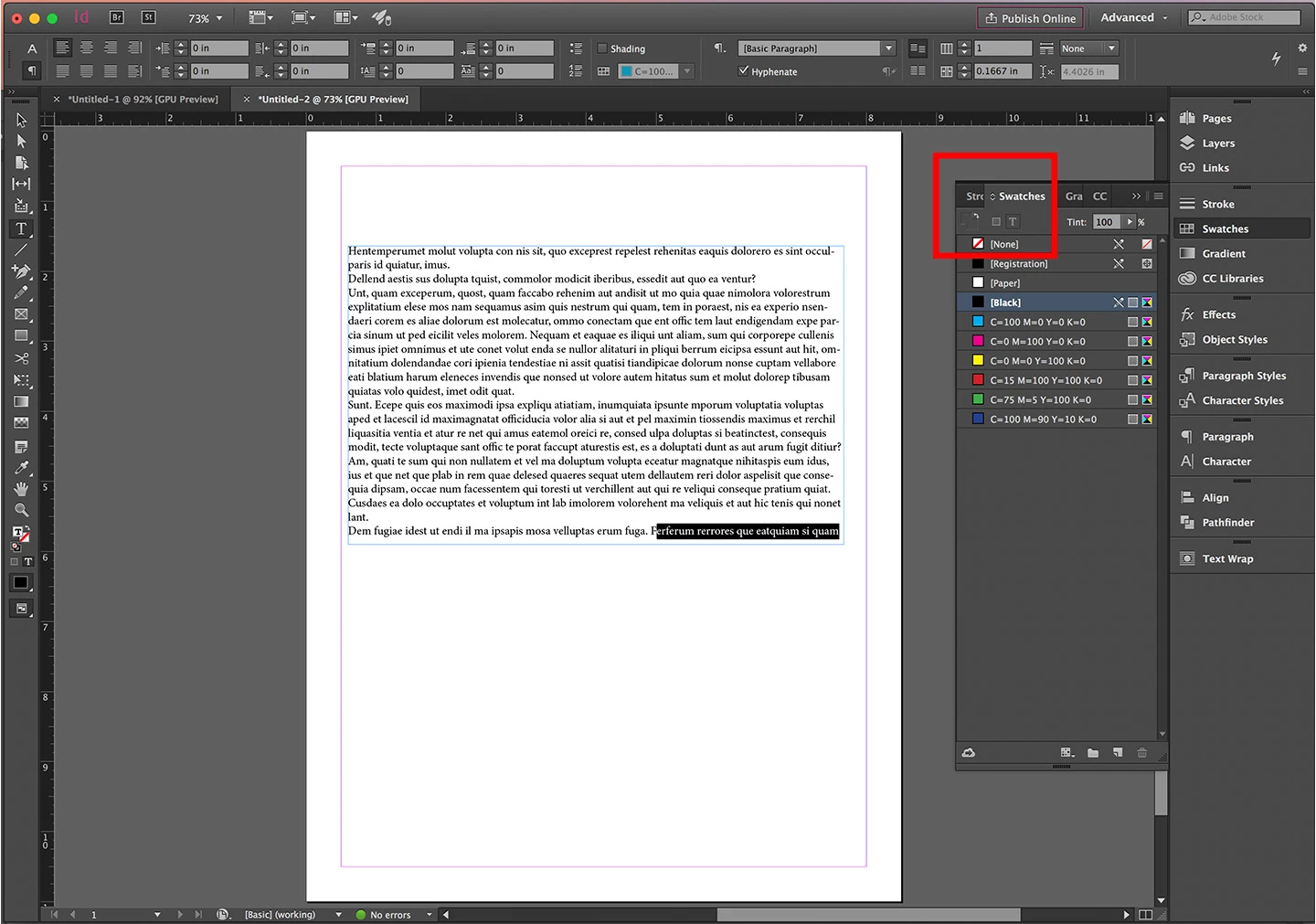
Why am I not able to switch between fill, stroke or text color in the swatches panel?

  • March 13, 2017
  • 2 replies
  • 520 views

My swatches panel all of a sudden stopped letting me switch between changing fill, stroke or text color. I can still switch between colors if I click in the top panel, or on the tool panel, but for some reason the options are grayed out in the swatch panel itself. There's a photo below. Even with the text highlighted, the options are still grayed out. Does anyone know why this is happening and how I can fix it?

Thanks in advance!
This topic has been closed for replies.

2 replies

Eric Dumas
Community Expert
Community Expert
March 13, 2017

Hi,

Can you try to purge your preferences?

  1. (Windows) Start InDesign, and then press Shift+Ctrl+Alt. Click Yes when asked if you want to delete preference files.
  2. (Mac OS) While pressing Shift+Option+Command+Control, start InDesign. Click Yes when asked if you want to delete preference files.
rob day
Community Expert
Community Expert
March 13, 2017

Eric, this has come up before—interface problems are often cache related. If you trash the cache folder you won't lose your preference settings, so it's worth trying that first.

rob day
Community Expert
Community Expert
March 13, 2017

Problems with panel display often can be solved by deleting the InDesign caches folder and restarting. On OSX it would be /Users/username/Library/Caches/Adobe InDesign/Version 10.0