dublove
Legend
January 19, 2022
Question

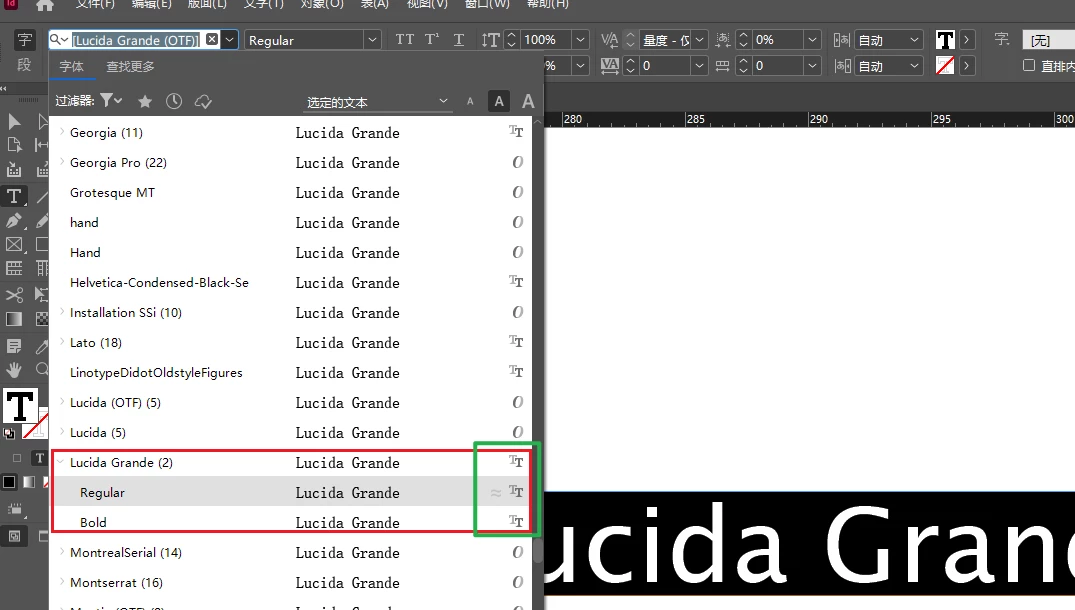
Why are otf format fonts displayed as TT in InDesign?

  • January 19, 2022
  • 4 replies
  • 1432 views

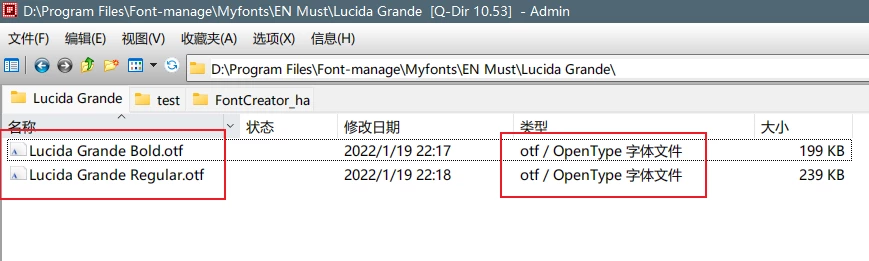
Lucida Grande font I have modified to otf format,
Why is TT displayed in the ID?

I'm using Fontcreator 13 for the modification.


The fonts is here


This topic has been closed for replies.

4 replies

Legend
January 20, 2022

Perhaps there is a second copy of the font which is being used. That would be my bet. If there is a difference in the modified font, it may be possible to check this.

Willi Adelberger
Community Expert
Community Expert
January 19, 2022

OpenType can be TTF or Postscript, the extension could be wrong, but it does not matter.

Inspiring
January 19, 2022

@Willi Adelberger ,
It does matter.
There are Truetype fonts with opentype features with ttf or otf extensions and there are cff postscript fonts with opentype features always with otf extensions.
When the truetype font has a DSIG table, Indesign put the "otf" icon with or without opentype features, but the font is still a truetype font.

If the truetype font does not have the DSIG table, Indesign put the TTF icon even with opentype features.

Usually people confuse CFF postscript "opentype" font, and opentype features.

Brad @ Roaring Mouse
Community Expert
Community Expert
January 19, 2022

Just to be clear, If you are converting existing TrueType fonts to OTF, it's not necessary. You are not gaining anything. InDesign continues to support TrueType fonts.

Inspiring
January 19, 2022

Hi @dublove ,

I have oppened your fonts in DTL OtMaster 7.9 and your fonts still are Truetype, only the extensions are .otf.
Try again to convert using cff postscript and opentype layout features (yes).
Regards
Sami

Brad @ Roaring Mouse
Community Expert
Community Expert
January 20, 2022

Indeed, but if all they are doing is converting TT to OTF (TT-flav) because they think they should, or, they are ADDING features to the fonts, then there's no real reason to even do this.

Steve Werner
Community Expert
Community Expert
January 19, 2022

I'd suggest asking the decveloper of Fontcreator 13. It could be a bug in the application.