
elizabethl91772566
Participant
February 28, 2018
Answered

Why can't I create a PDF of printer spreads from InDesign print booklet?

  • February 28, 2018
  • 2 replies
  • 6016 views

I'm trying to create a booklet from InDesign, but when I try to select "Save as PDF" from print booklet I get an error that says this is not supported. I'm on a relatively new mac, with the newest version of InDesign CC.

I tried a workaround and saved as a Postscript file, with the idea of opening it in Preview or Acrobat and saving as a PDF from there. When I went to save the Postscript file, the Setup dialog box would not allow me to specify anything:
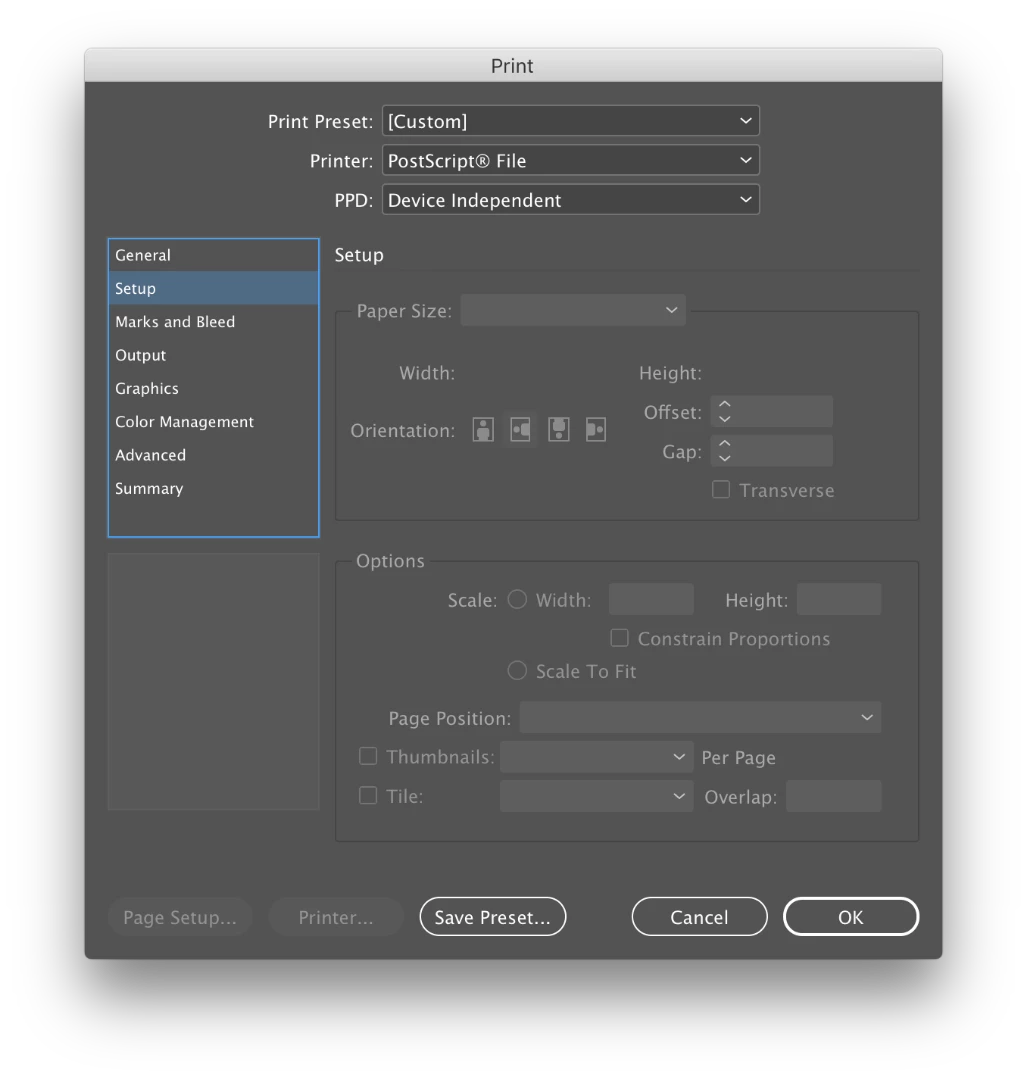
However, the print booklet preview looked okay, so I went ahead and saved it. It should be a booklet with the spreads trimmed out of an 11x17 page, but when I open it in both Preview and Acrobat, it shrinks to fit an 8.5x11 page. Because I can't specify the size when saving (see screenshot above), I don't know how to change this. The actual size of the InDesign document is the correct size — one spread fits on an 11x17 with crop marks.

Basically, my questions boil down to this:

- How can I save my document as a file with imposed spreads?

- Why is it so difficult to do this fairly common task?

- Why have options to export as PDF from print booklet that simply don't work?

- Why can't I make any specifications when saving as a Postscript file?

This topic has been closed for replies.
Correct answer rob day

The Device Independent PPD will not work, you'll need the Adobe PDF 9.0 PPD.

Re: Print booklet to post script does not work

2 replies

Inspiring
April 28, 2018

The link to Acrobat 9 PPD goes directly to the download of a zip file, and I get an error message of "Failure: insufficient permissions."  I am signed into Adobe support. On OS 10.13.4 using latest updates of Indesign CC & Acrobat Pro DC. How did you get this to work?

Community Expert
April 28, 2018

Hi Norma,

do you get this error when unpacking the zip file?

Regards,
Uwe

Inspiring
April 28, 2018

No, I got it from the download. Couldn't unpack....

BUT then I thought -- maybe you have to create the PPDs folder BEFORE you ask for the download.

So I now have the ppd, I guess.

Planning to see if it works now.

rob day
Community Expert
rob dayCommunity ExpertCorrect answer
Community Expert
February 28, 2018

The Device Independent PPD will not work, you'll need the Adobe PDF 9.0 PPD.

Re: Print booklet to post script does not work

elizabethl91772566
Participant
February 28, 2018

Thanks for the reply! But my presets folder doesn't have a PPDs folder. Maybe they changed where it lives on the latest version?

rob day
Community Expert
Community Expert
February 28, 2018

Right, you have to make one. It has to be PPDs—case sensitive