j.khakase
Inspiring
April 22, 2023
Answered

Why color space view is different of InDesign?

  • April 22, 2023
  • 2 replies
  • 505 views

Hello Friends,

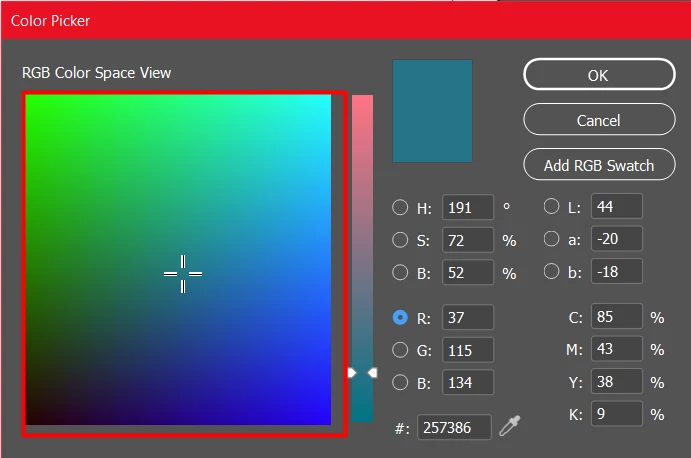
Anybody can tell me why color space view is different of InDesign? I am quite familer with Illustrator and Photoshop color picker window but when I cam to InDesign its different why?
 

This topic has been closed for replies.
Correct answer rob day

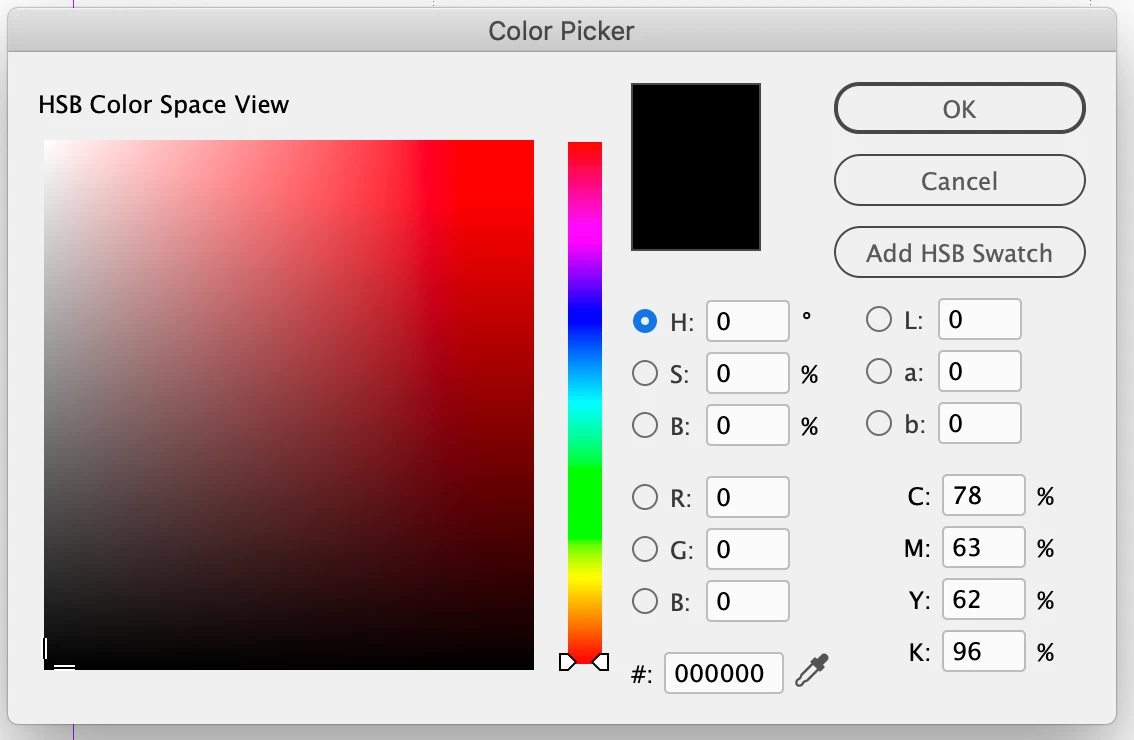
Hi @j.khakase , Are you looking for the Hue, HSB Color Space view? If that’s the case click the H radio button:


Note that in InDesign the Radio buttons control the color space view and the number fields determine the chosen color space—unlike PS and AI, InDesign lets you mix HSB, RGB, Lab, and CMYK color objects on the same page. Here I’m viewing the Hue space, but the color I am selecting is RGB because my cursor is in the R field—the add swatch button reads Add RGB Swatch:


2 replies

rob day
Community Expert
rob dayCommunity ExpertCorrect answer
Community Expert
April 22, 2023

Hi @j.khakase , Are you looking for the Hue, HSB Color Space view? If that’s the case click the H radio button:


Note that in InDesign the Radio buttons control the color space view and the number fields determine the chosen color space—unlike PS and AI, InDesign lets you mix HSB, RGB, Lab, and CMYK color objects on the same page. Here I’m viewing the Hue space, but the color I am selecting is RGB because my cursor is in the R field—the add swatch button reads Add RGB Swatch:


j.khakase
j.khakaseAuthor
Inspiring
April 23, 2023

Thank you @rob day I didn't realize it was this much easy

Willi Adelberger
Community Expert
Community Expert
April 22, 2023

How do ou see it different. In InDesign you can choose between Lab or Table values Both have the same result as if you would choose the same system in the other programs.