
Why InDesign changes 100% Black (K) text to CMYK in PDF?
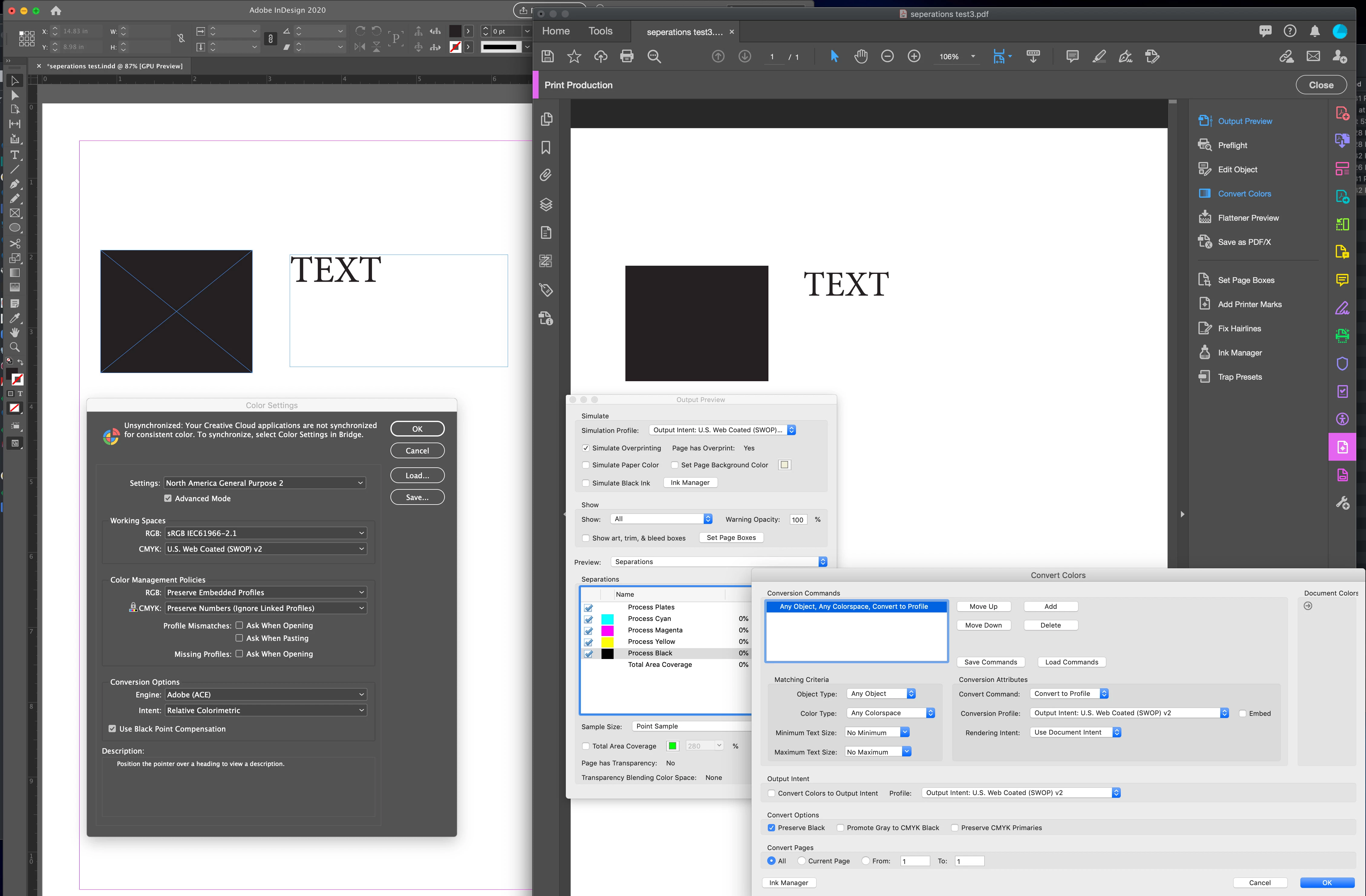
Hi, I'm hoping someone can help me. I have an InDesign document (v15.0.3) with 100% Black text. When I export this to PDF using just the Adobe PDF preset "Press Quality", my 100% black text is converted to CMYK with the text appearing on all 4 printing plates instead of just the black plate. I sent the same file to a friend and he exported to PDF using the same "Press Quality" and the black text came out on only the black plate as 100% black (which is what I want). I have switched computers recently to a Macbook Pro 15, 2019 running Mojave 10.14.6, so I am wondering if there is some setting somewhere in InDesign that I need to change so that 100%black text in InDesing seperates to 100% black text on only the Black plate when exporting to PDF. I hope my explaination is clear.
- Macbook Pro 15, 2019 running Mojave 10.14.6
- InDesign (v15.0.3)
- I have in set my preferences "Appearance of Black" to Display/Output All Blacks Accurately (but from what I understand this is just for on-screen and digital printing NOT press.
- I have my "Document Blend Space" as "Document CMYK"
- My colour setting is "North American General Purpose 2"
- I even tried selecting the text and clicking "overprint" in the Attributes menu.
Please help me.
Thanks, Loomanator


 AdChoices