
Participant
February 18, 2025
Question

Why is my booklet printing with a gutter?

  • February 18, 2025
  • 5 replies
  • 513 views

Hi there


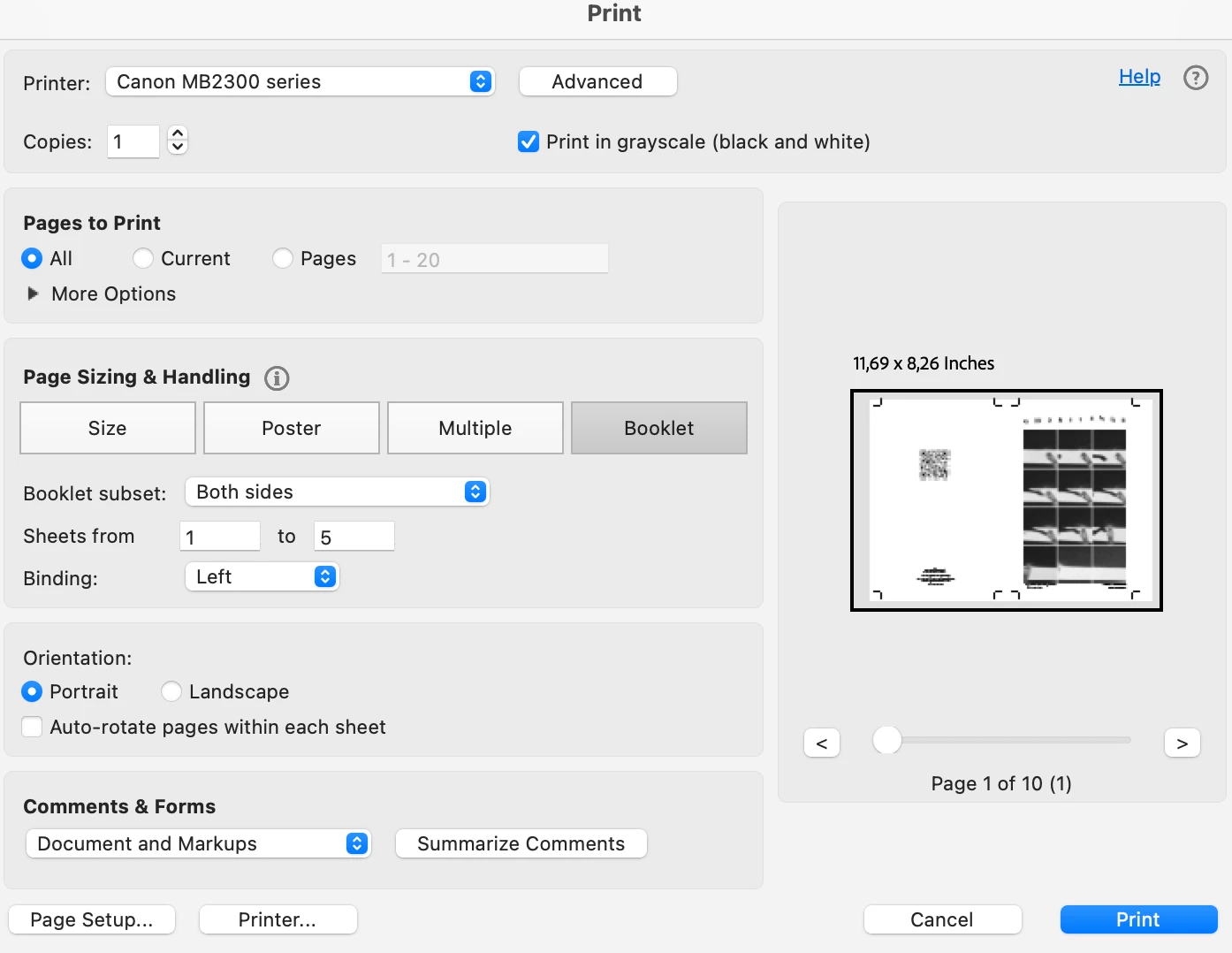
When I export my indesign doc as pdf (pages) and print as booklet, the pagination is set up correctly but there is a gutter inserted between the pages, in the centre of the spread. There is no gutter specified on my document set up. Its basically just printed paginated pages next to one another, with margins that extend around all four sides of the single page, instead of being joined in the centre of the spread. How do I remove this gap?


Printing from indesign directly works perfectly but it is not an option, the print quality is completely different and very poor. 


Thanks!
 

5 replies

Peter Spier
Community Expert
Community Expert
February 18, 2025

One more option is to set up with no inside bleed and add an additional slug on three sides, then add crop marks manually

Brad @ Roaring Mouse
Community Expert
Community Expert
February 18, 2025

This is an example of why Acrobat's Booklet printing is so bad, as it is pretty "dumb" about imposing pages. So if your exported PDF has bleed and crop marks, Acrobat will reduce/fit that entire image of each page to fit inside one-half of the PRINTABLE area of your page, and it centers that in each area. As below:

 This is really to say, you will NOT get the results you want from Acrobat.

However you can try this:

It looks like you are trying to print A5 pages on an A4 sheet, correct?

If so, export your PDFs without bleed and without crop marks.

Then in Acrobat, under Page Setup, select an A4 page size that does not have any margins. If there isn't one, create a custom one with margins of "0". Your printer probably can't print to the edge so you will lose some image, but at least your pages will calaculate to exactly half of the sheet, and it shouldn't reduce your pages.

Otherwise, your best approach is to Print Booklet from InDesign. As you've noticed, however, since your printer is not either a Postscript or PDF capable printer, your quality will be reduced. The answer is to make a print quality PDF from the Print Booklet dialog. InDesign doesn't have a built in way of doing this, so you have to print a Postscript file then Distill it to PDF after the fact. There are many threads on how to properly do this as ID does not make it easy.


Robert at ID-Tasker
Legend
February 18, 2025

@Jessica24690171vnr3 


You are trying to print as a bookled PDF that already contains all those "extras" - bleeds and marks.


You need to export your PDF again - this time, make sure there is nothing selected here:


Randy Hagan
Community Expert
Community Expert
February 18, 2025

Hi there.


I suspect that your odd gutter is appearing with your output with crops. Adding crop marks to the output expands the page beyound your trim size, of course, and that could give you the impression of extra gutter space. The first thing I'd try is printing the InDesign PDF without crops and bleeds and see if you get better results. I'd try this first.


If that doesn't fix the issue,, I've got some questions to ask before we can delve further into your issue:


After deleting the crops, fixes get a little more complex. I'm assuming from the screen capture that you're working from a Mac. Are you printing your PDF from Apple Preview or Adobe Acrobat? Are you printing the booklet from InDesign as a PDF, then using your PDF to output the job? Or are you using, say, Acrobat to build your booklet and printing from there?


Please try running the job without crops. Hopefully that will be the end of your issues. If not, answers to the questions I've asked will help us get to the best way to help you out of your situation.


Hope this helps,


Randy


James Gifford—NitroPress
Legend
February 18, 2025

There have been several topics recently on getting booklet printing from various combinations of ID, PDF and printer drivers, not to mention a specific Postscript PPD (printer driver) that has an optimized booklet mode. You might look up and read those to get a pretty complete picture of the process.


There is no reason printing from InDesign should have any results inferior to going through a PDF, although ID's direct booklet printing is not its strongest feature.