


- Home
- InDesign
- Discussions
- Re: Why is my CC Library not updating in InDesign ...
- Re: Why is my CC Library not updating in InDesign ...

Copy link to clipboard
Copied
I have downloaded previews from Adobe Stock to My Library and can see them on the web. However, I cannot see the updated previews from the Library window in InDesign or in Illustrator. Any ideas?


 1 Correct answer


Hi Linda:
It shouldn't take that long. After downloading a preview, it is visible in my InDesign, Illustrator and Photoshop "Adobe Stock Photos" library as quickly as I can get myself to each application.
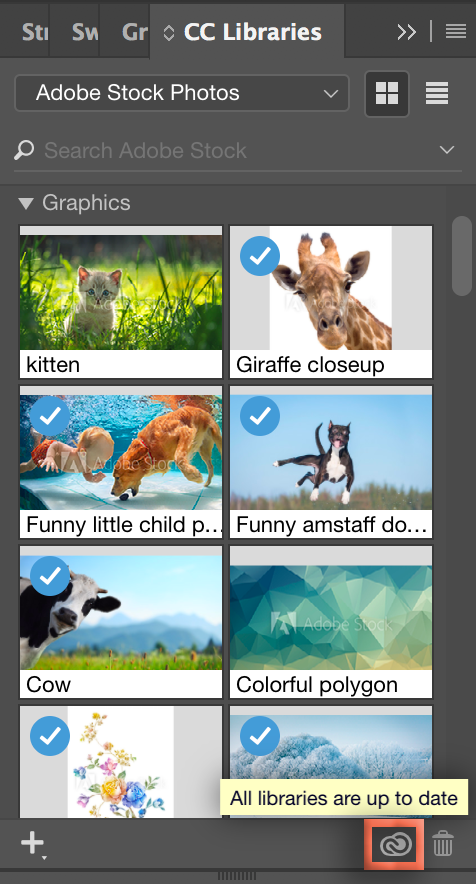
You can hover over the CC icon in the bottom right of the InDesign CC Library panel to check the status.
~Barb

 6
Replies
6
6
Replies
6


Copy link to clipboard
Copied
[moved from Adobe Creative Cloud to InDesign]
Copy link to clipboard
Copied
Maybe it just takes a while, like several hours. They now seem to appear.
Copy link to clipboard
Copied
Hi Linda:
It shouldn't take that long. After downloading a preview, it is visible in my InDesign, Illustrator and Photoshop "Adobe Stock Photos" library as quickly as I can get myself to each application.
You can hover over the CC icon in the bottom right of the InDesign CC Library panel to check the status.
~Barb

Copy link to clipboard
Copied
> It shouldn't take that long.
Thanks Barb. But what if it is? Can anything be done to force-refresh the panel in Indesign? Y'know: deadlines and stuff.

Copy link to clipboard
Copied
I would go to the CC desktop app, click on your picture and choose Sign Out and Sign In again with your Adobe ID.

Copy link to clipboard
Copied
Sometimes hours, sometime days, sometimes a couple of weeks : )


Get ready! An upgraded Adobe Community experience is coming in January.
Learn more
 AdChoices