
Participant
November 2, 2016
Answered

Why is there a blue dashed line around my text box?

  • November 2, 2016
  • 2 replies
  • 11667 views

Hi, I was wondering why there is a blue dashed line around my text box? I looked this up in the forum, and the other answers did not apply - this is not a grouped item and is not hyperlinked.
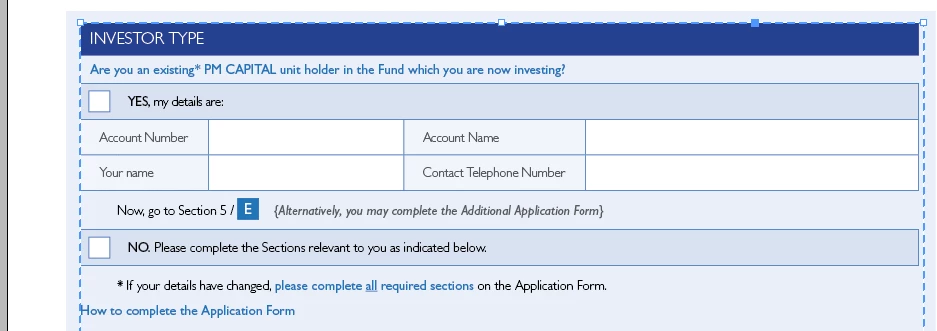
The issue is when I package the document, only this item doesn't appear in the PDF. (the pale blue text box behind does, which has the normal line that has no dash).
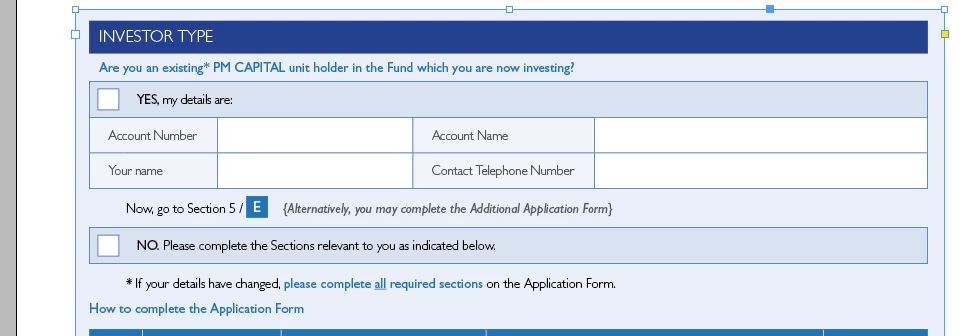
Thanks in advance for your help.

    This topic has been closed for replies.
    Correct answer Sofie Desmet

    I figured it out - I pressed the little circles in a square object on the right hand bottom corner, and hit convert to object and it worked!!! Thanks for your help!!!

    2 replies

    Participant
    February 15, 2024

    Thank you! It worked!

    vladan saveljic
    Inspiring
    November 2, 2016

    it could be a multi state object or button

    windows > interactive > object states

    or

    windows > interactive > buttons and forms

    Participant
    November 2, 2016

    Thanks for your help!! When I did that, it appears to be the buttons and forms option, as other boxes are blank when I click on that. However, I cannot figure out how to remove this? Do I need to start again? Or is it possible to remove this element? Thanks!

    Sofie DesmetAuthorCorrect answer
    Participant
    November 2, 2016

    I figured it out - I pressed the little circles in a square object on the right hand bottom corner, and hit convert to object and it worked!!! Thanks for your help!!!