Inspiring
October 5, 2022
Answered

Why these two PDFs don't look the same?

  • October 5, 2022
  • 1 reply
  • 1155 views

Here are two simple PDF/X documents:


001 CMYK black image (converted to the black ink extracted from the CMYK profile in Photoshop). The output intent is set to the same CMYK profile.


002 The same CMYK black image, but this time the output intent is set to the black ink profile (I did it for experimental purposes)


I'm curious why these two documents don't look the same? In both cases only the K plate is used, and it is the K plate of the same CMYK profile.


Download them and open them both, and then switch between them, and you'll notice the difference (at least I notice it). Note that Acrobat should be set to overprint preview (Prefferences > Page Display > Use Overprint Preview). They look the same only if you view them with the same CMYK profile in Acrobat's simulation (Print Production > Output Preview).


Thanks for your explanations in advance.
This topic has been closed for replies.
Correct answer rob day

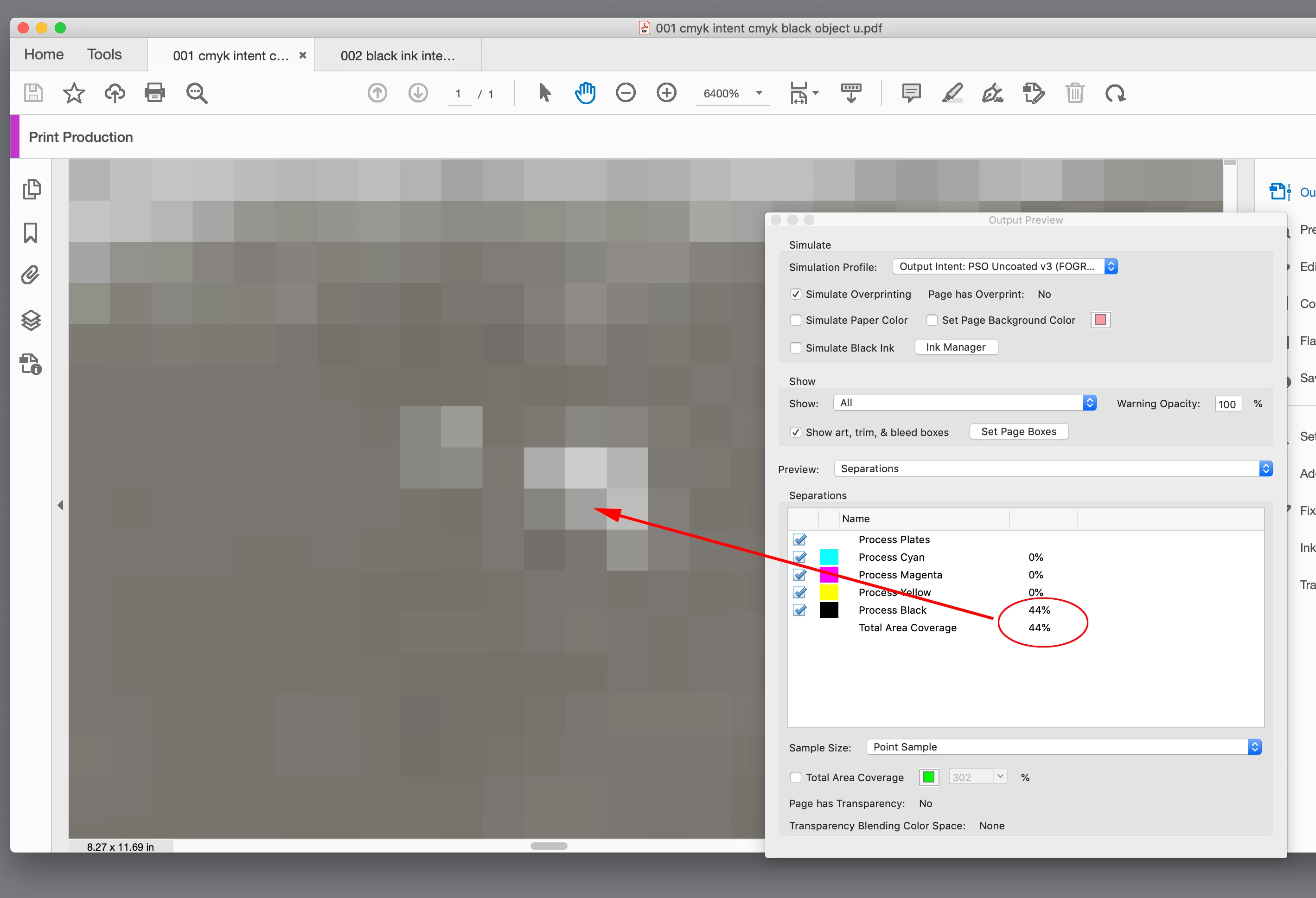
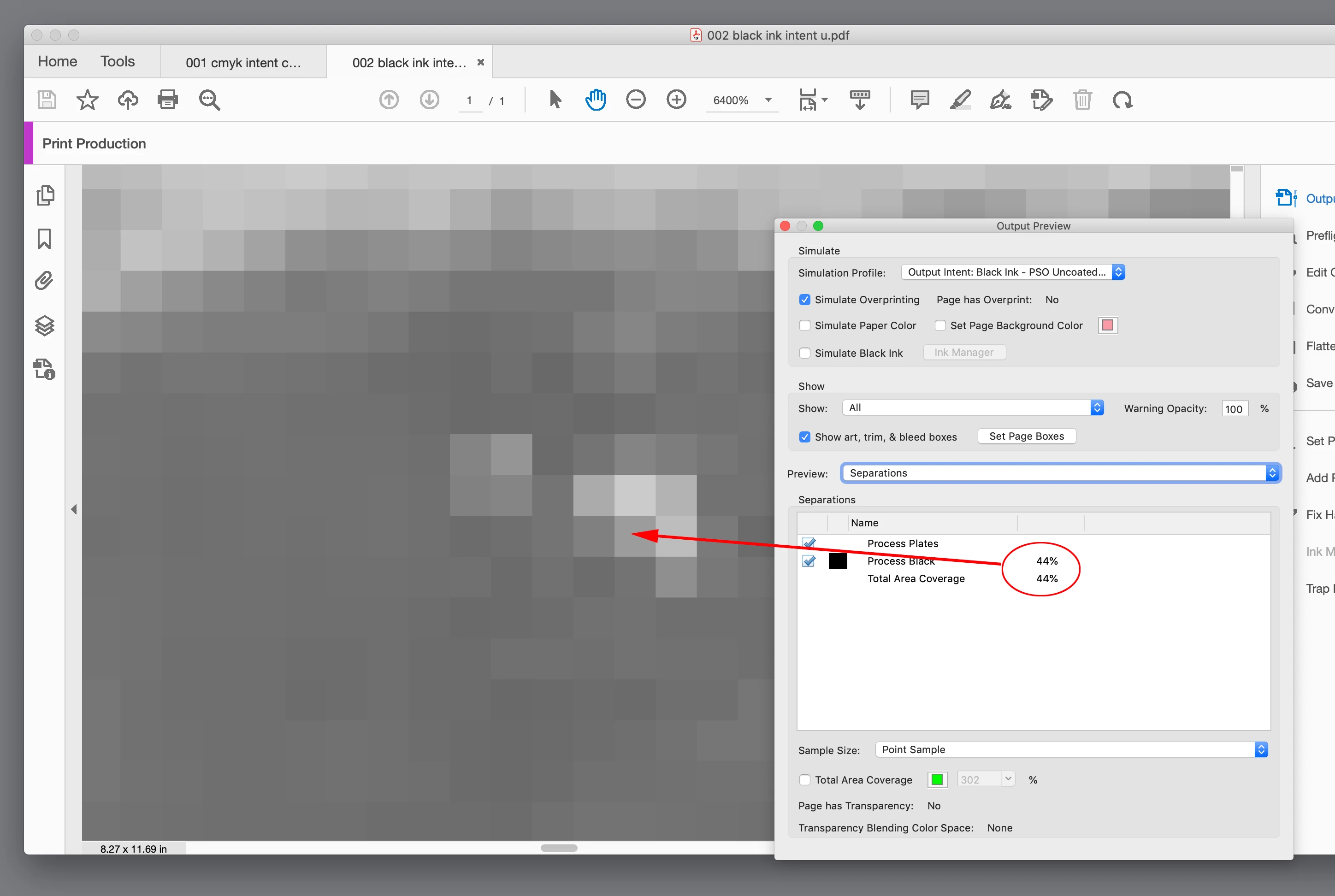
Hi @sd5e8a , It’s because Gray profiles don’t accurately preview the "color" of black ink—gray profiles always preview 100% gray as absolute black with no consideration of the ink’s hue or value when it is printed via offset. If I check the output values in your PDF’s they seem to be the same. Here I’m measuring the same pixel and they are both 44% Process Black:


The appearance of black ink is a problem with Gray profiles, and you can see that if you compare a Black Ink profile with its CMYK equivalent in a case where the press conditions are going to affect the color and value of black.


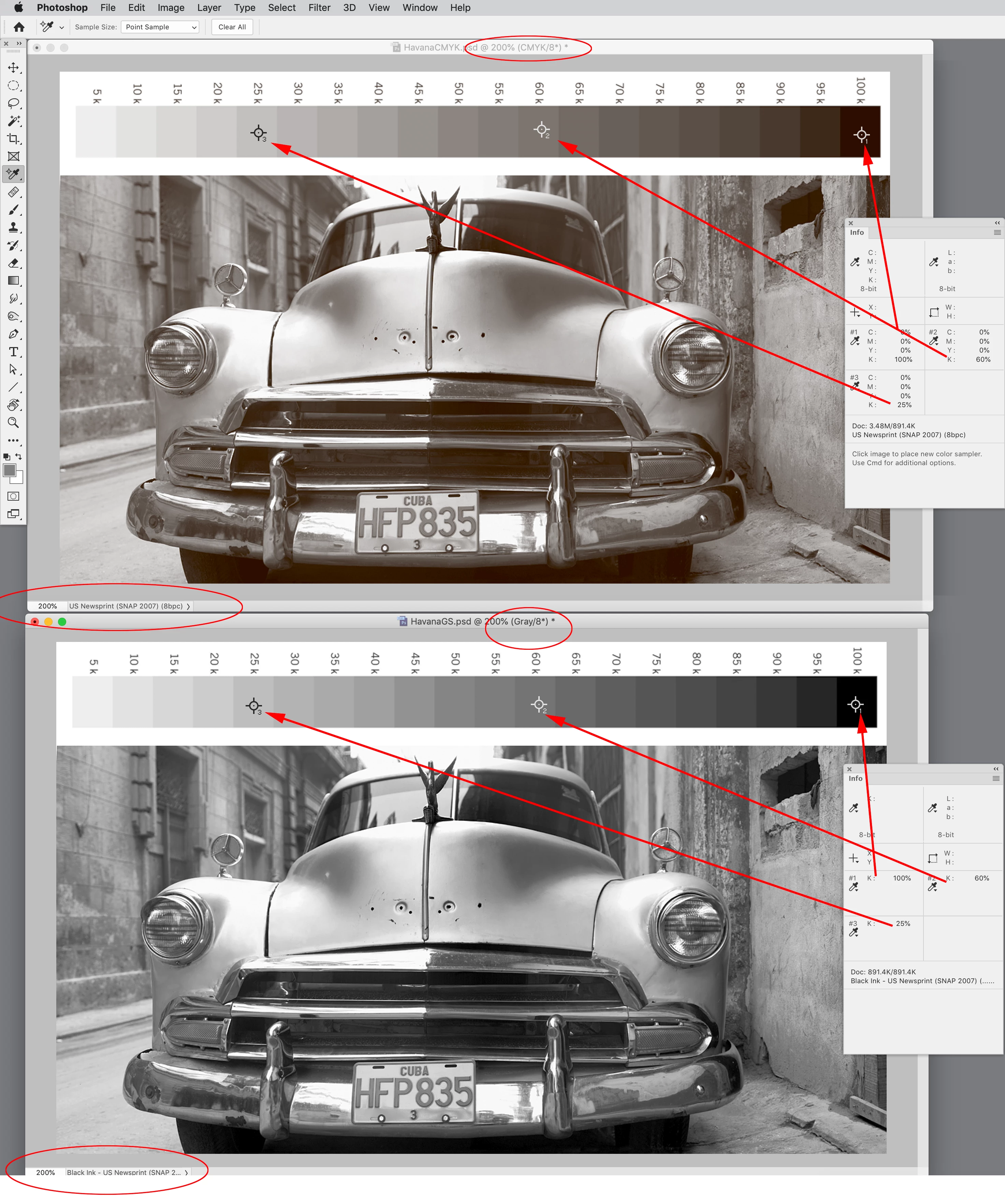
Here I’m comparing US Newsprint SNAP CMYK with Black Ink - US Newsprint SNAP Grayscale. With uncoated and newsprint profiles the difference is striking because on newsprint black ink isn’t going to print anywhere near absolute black, but the Gray profile doesn’t soft proof the affect—the 100% Gray patch previews as 0|0|0 RGB, which isn’t going to happen on press. The same black value in the CMYK file previews black ink more accurately (44|14|0 RGB).


You can see the Black output values are the same, but the soft proofs are not. This is the reason InDesign doesn’t have a Gray color space—you could have a case where the same black output values would preview differently.

1 reply

rob day
Community Expert
rob dayCommunity ExpertCorrect answer
Community Expert
October 5, 2022

Hi @sd5e8a , It’s because Gray profiles don’t accurately preview the "color" of black ink—gray profiles always preview 100% gray as absolute black with no consideration of the ink’s hue or value when it is printed via offset. If I check the output values in your PDF’s they seem to be the same. Here I’m measuring the same pixel and they are both 44% Process Black:


The appearance of black ink is a problem with Gray profiles, and you can see that if you compare a Black Ink profile with its CMYK equivalent in a case where the press conditions are going to affect the color and value of black.


Here I’m comparing US Newsprint SNAP CMYK with Black Ink - US Newsprint SNAP Grayscale. With uncoated and newsprint profiles the difference is striking because on newsprint black ink isn’t going to print anywhere near absolute black, but the Gray profile doesn’t soft proof the affect—the 100% Gray patch previews as 0|0|0 RGB, which isn’t going to happen on press. The same black value in the CMYK file previews black ink more accurately (44|14|0 RGB).


You can see the Black output values are the same, but the soft proofs are not. This is the reason InDesign doesn’t have a Gray color space—you could have a case where the same black output values would preview differently.

Community Expert
October 5, 2022

Exactly. I deal with that a lot with my day job, designing ads for print. An ongoing problem we get is people submitting 4color black, with all 4 channels in CMYK at 100%, which yeah, it looks darker on a PDF, but when designing for print, you have to keep ink levels under a certain number, like 220 out of potential 400 of the 4 channels and doing 4 color black causes weird printing issues when it comes to color separations

rob day
Community Expert
Community Expert
October 5, 2022

If you check @sd5e8a’s PDFs they are both black only, with the same output values.