
Exit
  • Global community
    • Language:
      • Deutsch
      • English
      • Español
      • Français
      • Português
  • 日本語コミュニティ
  • 한국 커뮤니티
0

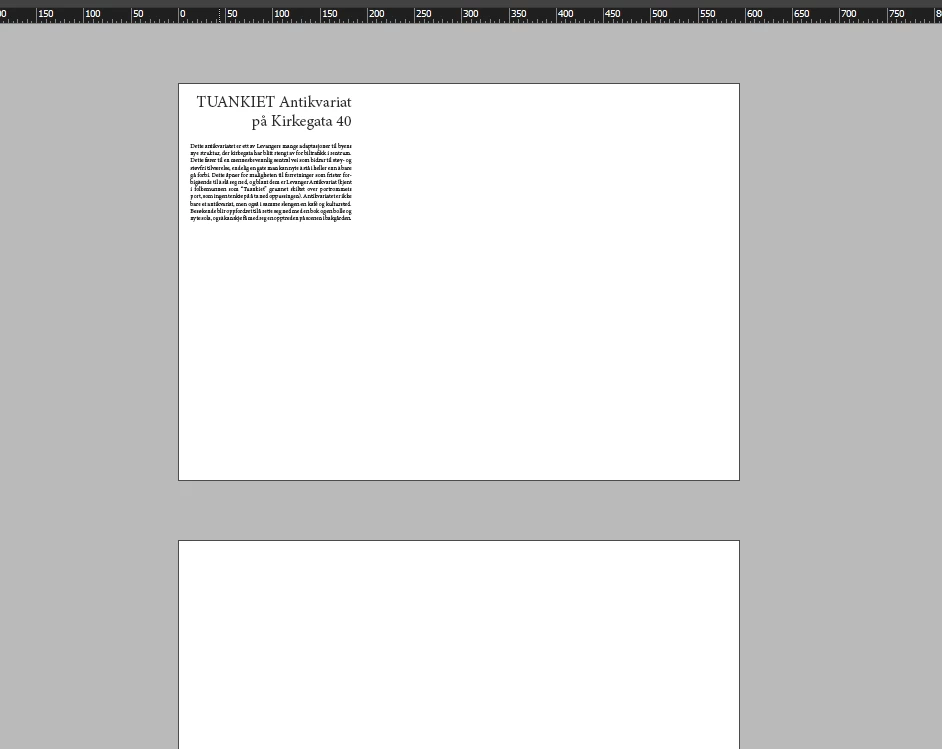
window background is suddenly brighter and no guides are visible

Explorer ,
May 09, 2023 May 09, 2023

I must have pressed something, because now I cannot see any guides nor margins, and the background is a lot brighter (from the orginal dark gray). I thought this was overprint preview at first, but toggling it on or off has no effect. Is this some viewing mode that I'm unaware of? 
default4a1g3fiil39y_0-1683659331732.png


TOPICS
Performance
444
Translate
Report
Community guidelines
Be kind and respectful, give credit to the original source of content, and search for duplicates before posting. Learn more
community guidelines

correct answers 1 Correct answer

Explorer , May 09, 2023 May 09, 2023

Turns out I was using "View > Screen mode > Preview" instead of "Normal". Is there a difference between overprint preview and preview?


Translate
Explorer ,
May 09, 2023 May 09, 2023

Turns out I was using "View > Screen mode > Preview" instead of "Normal". Is there a difference between overprint preview and preview?


Translate
Report
Community guidelines
Be kind and respectful, give credit to the original source of content, and search for duplicates before posting. Learn more
community guidelines
Community Expert ,
May 09, 2023 May 09, 2023
LATEST

Yes. Preview is a view without guides, margins, hidden characters and frame edges; Overprint preview is a colour preview, that accurately shows colours that overprint or transparency blend view; Overprint preview can be used in Normal as well as Preview mode 😉

Translate
Report
Community guidelines
Be kind and respectful, give credit to the original source of content, and search for duplicates before posting. Learn more
community guidelines