



Copy link to clipboard
Copied
I've tried everything I can think of. I am competent in Ae and Ps, and can get by in Illustrator, but I am stuck on this one. I am trying to wrap text around a PNG image I built in Ps. It is round, the transparency starts just where it would be expected to start, at the ring of the sign. No matter what I try, including linking and de-linking I can't get it close on the left and farther on the right a the same time. I can get one or the other but not both. I went so far as to add letters and change their color to none, but that will not work on split words. if I link and add space in the numeric field the asymmetry remains. Check/unchecking the inside edges box does not help.


 1 Correct answer

The object is relatively small and the text is left aligned.
It would be a better flow with a bigger object and justified text.
Adobe has the same issue, as you can see in the official helpfile - no.4 on this page: Learn how to wrap text around objects in InDesign
Compare with the example of no. 3 !
I think I'd rather use "bounding box".
Fenja

 6
Replies
6
6
Replies
6



Copy link to clipboard
Copied
Did you try selecting the graphic in the frame, perhaps with the white Direct Selection tool, and nudging the graphic to one side a bit?
Copy link to clipboard
Copied
Thanks, I tried this and I still have the offset.

Copy link to clipboard
Copied
I see that you don't have an offset:
Before: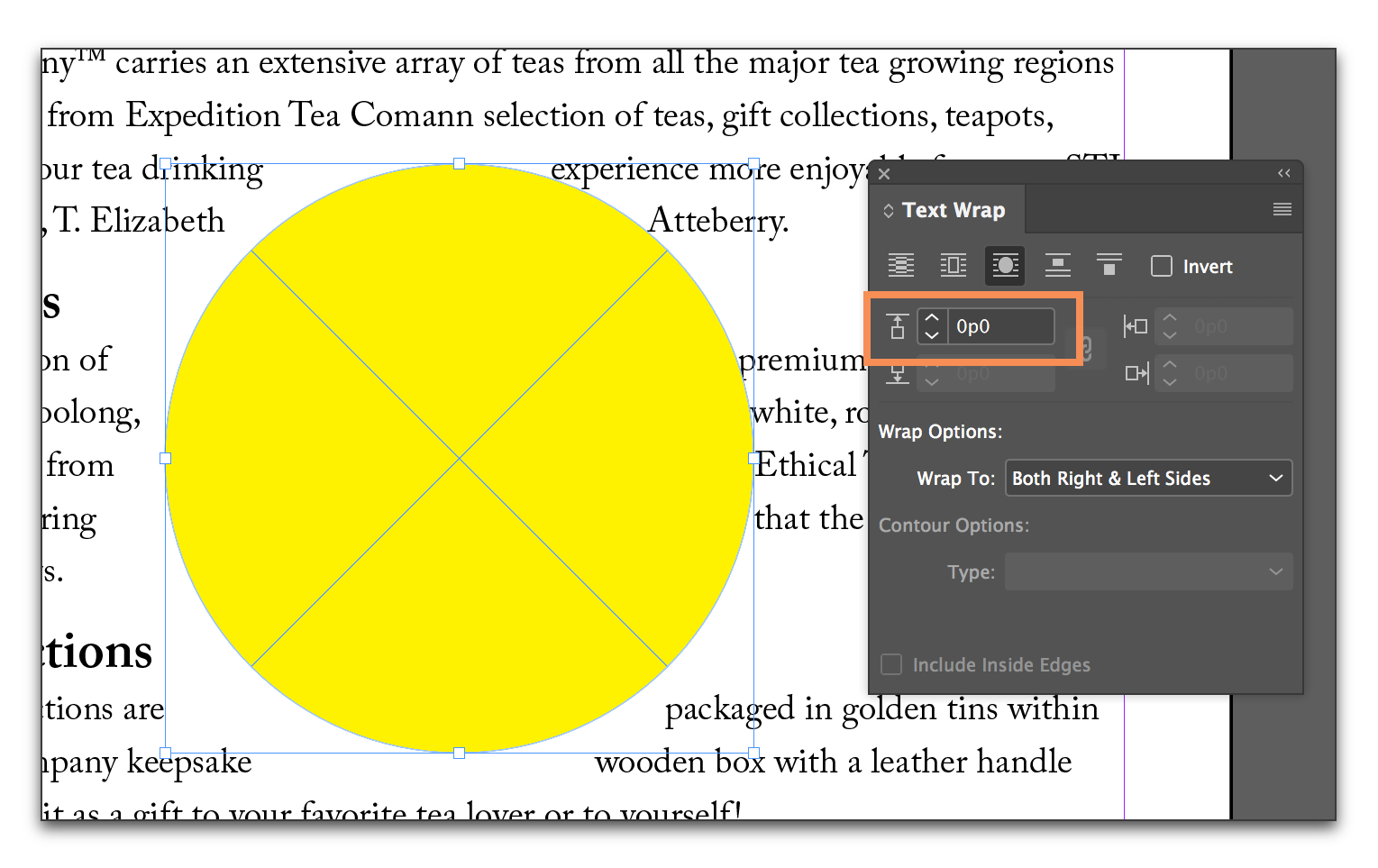
After:
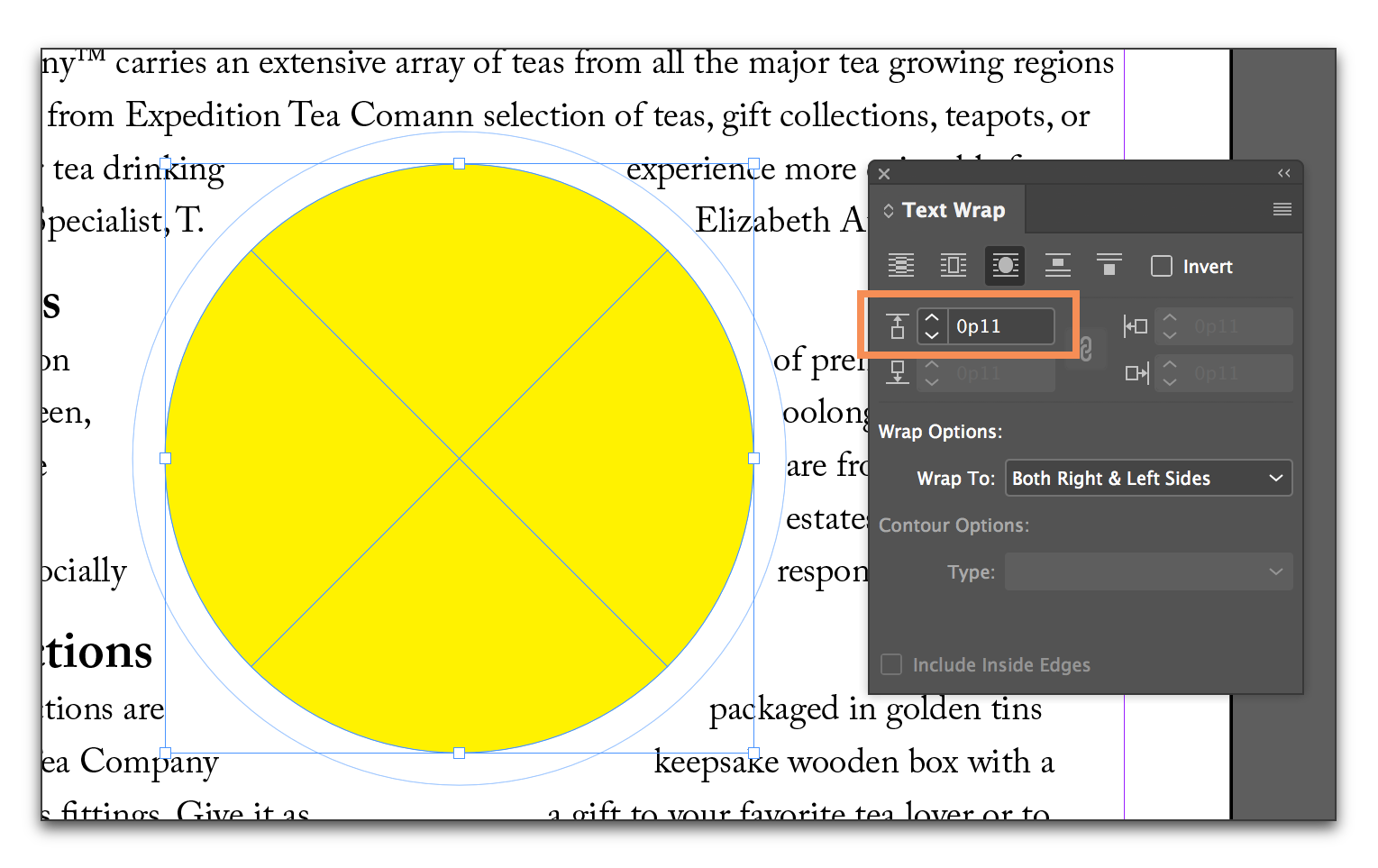
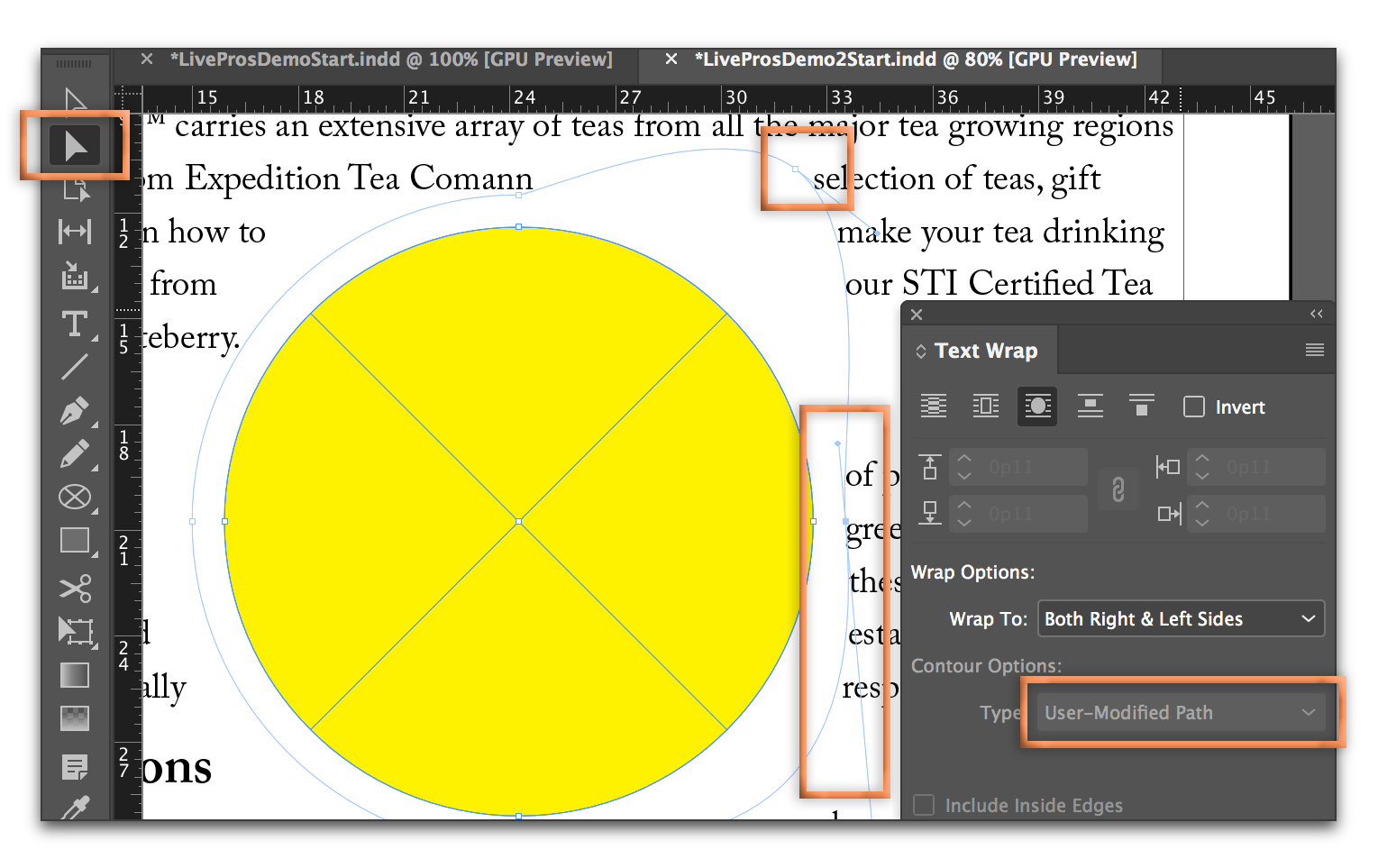
And since you have AI skills, do you know you can modify the path to make it exactly what you want?
Copy link to clipboard
Copied
Thanks. I am still figuring out the ins and outs of all the command options, I was able to overlay a path, but I am not there yet. I don't understand why it starts with a bias to one side given it is a round object. That seems just wrong to me. I now see there are more things I can do. I am guessing it was not meant to be used with small objects. I will play with the menus and look for tutorials. I think I should be able to figure out something, thanks again!

Copy link to clipboard
Copied
The object is relatively small and the text is left aligned.
It would be a better flow with a bigger object and justified text.
Adobe has the same issue, as you can see in the official helpfile - no.4 on this page: Learn how to wrap text around objects in InDesign
Compare with the example of no. 3 !
I think I'd rather use "bounding box".
Fenja
Copy link to clipboard
Copied
Bingo! Thanks, changing the way the paragraph text was aligned fixed it. I used a setting that tried to sort of justify the text on the right side, not by changing the spacing, but by splitting words, to make it a little less ragged. I assume that gave the Wrap Text command a built in bias. Changing to Align Top seems to have cleared that. I am still trying to find all the menus...
And you point out the object is kinda small, that I am asking it to wrap around too small an object, a very good point.
I like the program, it lets me do great things, I just have an awful lot to learn, thanks to all who were willing to offer suggestions.


Get ready! An upgraded Adobe Community experience is coming in January.
Learn more
 AdChoices