
Participant
February 17, 2020
Answered

Adobe InDesign CS6 Disappears once it's launched

  • February 17, 2020
  • 4 replies
  • 1061 views

Hi All,

Please assist.


I have got Windows 10 on my PC and i have installed Adobe InDesign. However the moment i click on the application, it immediately opens but then abruptly bombs out and it dissapears on the screen.

As shown on the screen dumb below, once launched it opens up nicely and then begins registering the plugins.

However the moment, it starts initialising it bombs out and disappears.  
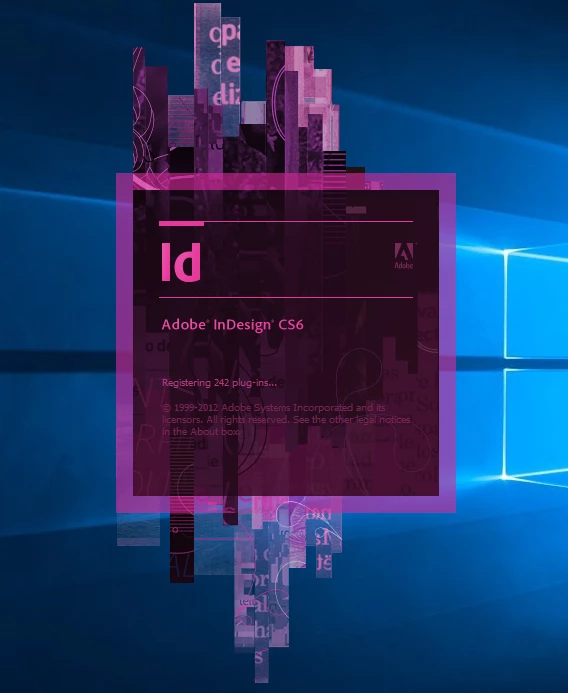
Can anyone assist on what possibly could be the problem here?

This topic has been closed for replies.
Correct answer Derek Cross

InDesign CS6 is not supported running under Windows 10, I suggest you upgrade to InDesign 2020.

4 replies

Inspiring
February 17, 2020

get yourself a win-7 computer, clement … keep the win-7 computer off the internet/intranet … install indd-cs6 on that win-7 computer … and do your thing. keep in mind … win-7 won’t get any more security updates from microsoft … so, do not connect that win-7 network cable to anything (not even wifi, bluetooth, printer, iot devices, etc). manage files using a common usb device … utilize proper a/v software on all files … scan all files … this way,  you don’t drag infections cross-platform.


if  you're  a  linux  guru … another  option  would  be  to  get  yourself  a  linux-machine (ubuntu, mint, etc) … install  wine … then  install  indd-cs6  on  top  of  wine.  again,  take  all  the  necessary  precautions  as  outlined  above … keeping  in  mind,  wine  may  not  install  indd-cs6  adequately.


i am not acp … am simple grunt same as you, clement … therefore, take my advice with a grain of sand.


p.s. clement … do yourself a treat … try installing the following fonts on your win-10 machine … then try opening indd-cs6 one more time:

  • arial.ttf
  • micross.ttf
  • tahoma.ttf

historically … some adobe products used  to  shut-down (in the past) … due to certain fonts not being available.

Geоrge
Legend
February 17, 2020

It not supported, but it still works, even CS2 - will work (without any support from vendor).


Did you try this? - https://community.adobe.com/t5/indesign/troubleshooting-101-replace-or-quot-trash-quot-your-indesign-preferences-2009-outdated-locked/td-p/2280649

Remember, never say you can't do something in InDesign, it's always just a question of finding the right workaround to get the job done. © David Blatner
Frans v.d. Geest
Community Expert
Community Expert
February 17, 2020

George, no it will NOT work under Windows 10, don't spread nonsense, it is not supported in any way, crashes or simply will not start;

And this is the second time on the forum you direct someone to an 11 year old locked topic that is outdated. Yes, the principle is still valid but in future please refer to: 

https://helpx.adobe.com/indesign/using/setting-preferences.html#restore_all_preferences_and_default_settings

You have ACP in your avatar, advice accordingly please 😉

Geоrge
Legend
February 17, 2020

>> George, no it will NOT work under Windows 10,

I just uninstall last year CS5.5 and CS6 from my PC under Windows 10. I used to CS2 on Win10 few years ago. This is not a nonsense. This is real examples from my practise. Some my buddies from rudtp.ru still have it CS2 to CC2020 Indesign installed in parallel (few versions). Sometime you don't have time and money for doing conversion of old big projects to the new version for not having any strange bugs, sometime you're need to do few corrections only and in this situation it will helps. 

>> it is not supported in any way

Here you right. 


From Bobe >> It might work

From France >> crashes or simply will not start

And this can be too. But enthusiasts with old versions still use it. 

AFAIK, Adobe don't do any restrictions about it, only that it "not support" old versions nor for Win10, nor for supported old OS's.


>> you direct someone to an 11 year old locked topic that is outdated

Yep, it my bad habbit, I will try to not search "101 error" 🙂 Thank you. But as you say - principle is valid.


P.S. As you see - I don't use it now old versions on my PC and I will prefer to have some old PC with Win7 for installation and work with old InDesign. Therefore somebody still like to install and work (and it works or no - without support) with old-Adobe-Soft on new Windows. All such conversations lead me to remember how it was argued many years ago that it was impossible to start and work with Win7 and PageMaker (When I have it PM on Win7 and do some works 😉 ). Times and names have changed, but the meaning is the same.


Remember, never say you can't do something in InDesign, it's always just a question of finding the right workaround to get the job done. © David Blatner
BobLevine
Community Expert
Community Expert
February 17, 2020

As Derek says, it's unsupported, but you can try running it under Windows 7 compatibility. Even that, though, is going to be unreliable.

Derek Cross
Community Expert
Derek CrossCommunity ExpertCorrect answer
Community Expert
February 17, 2020

InDesign CS6 is not supported running under Windows 10, I suggest you upgrade to InDesign 2020.