Copy link to clipboard
Copied
I have an image in a document I am trying to place a black border/frame around it. I have several other images but this one which just won't work. I also want to apply a drop shadow to it, and this function doesn't work as well. I have done this many times before, but with the chanegs to Indesign, this doesn't work for me. Anyone have any ideas?
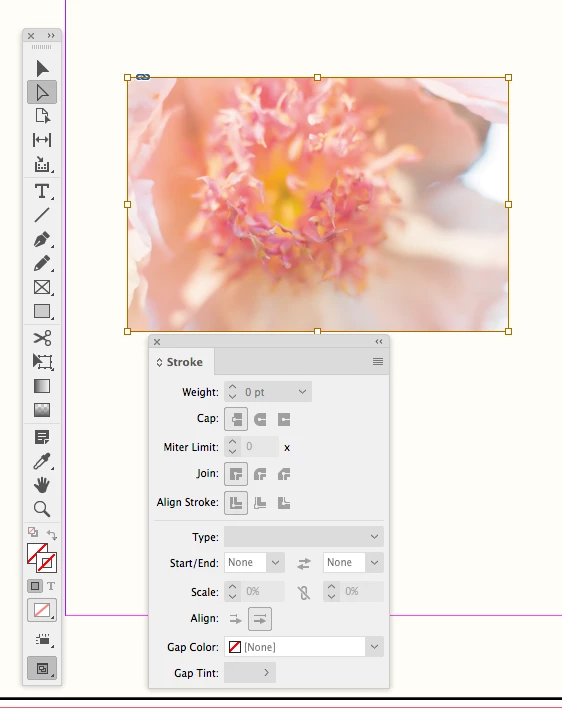
You can’t add a stroke to an image—it has to be applied to the image’s parent container.
Here I have the image selected and the Stroke panel is grayed out
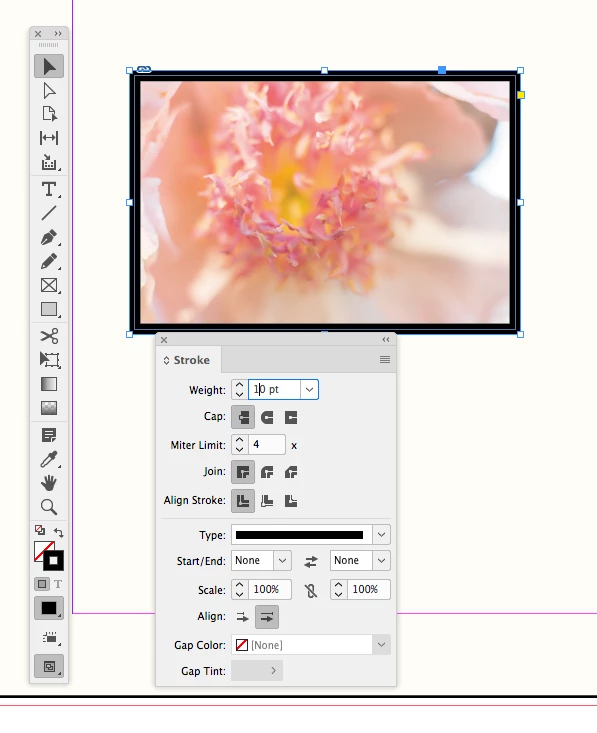
If I select the container frame with the black Selection tool, the Stroke panel is enabled:
Copy link to clipboard
Copied
Show some screen shots to show your links panel with the item selected, and what result you are getting when you try to apply the shadow and the border. Use the insert photo icon so that the images show up directly in the post.
Copy link to clipboard
Copied
You can’t add a stroke to an image—it has to be applied to the image’s parent container.
Here I have the image selected and the Stroke panel is grayed out
If I select the container frame with the black Selection tool, the Stroke panel is enabled:
Copy link to clipboard
Copied
Rob Day, thanks so much. This helps me a lot.
Find more inspiration, events, and resources on the new Adobe Community
Explore Now