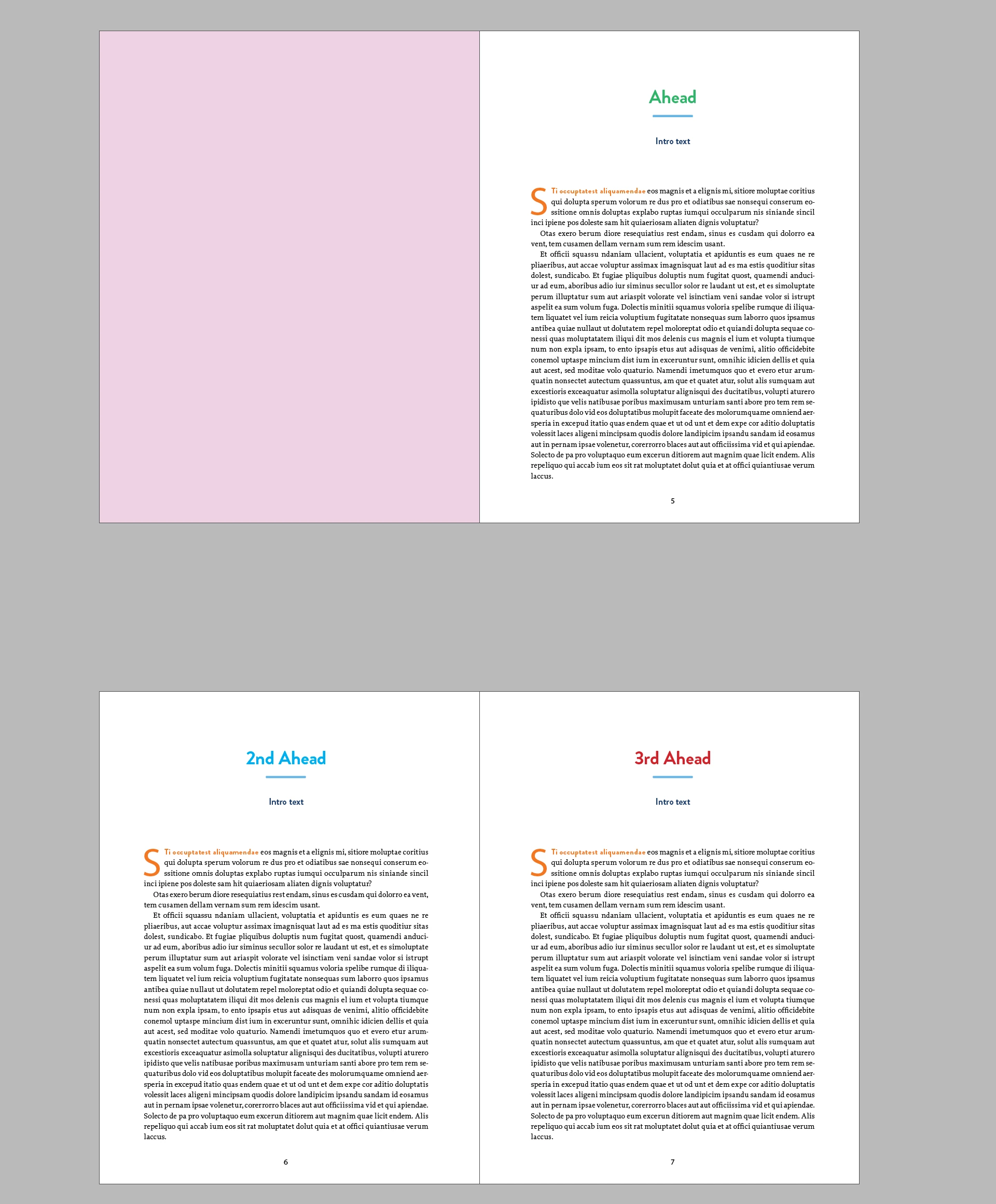
Yes, each recipe title has the Ahead style applied to it. The layouts above are just an example. There are 30 recipes total. As I said in my initial post, right now to get the different colors in the Aheads, I'm manually applying the colors to every third ahead with a character style but I'd like it if I could GREP it in, that way even if the recipes move around the formatting stays correct within the pattern.
Much the way the letters in this example cycle through colors: Indiscripts :: Cyclic GREP Styles
But instead of alternating color every letter I want it to do it in each instance of the paragraph style.
Because the scope of a GREP style is strictly a single paragraph, you can't use GREP styles to achieve what you want. But it's a simple script. Given that recipe headings are in a paragraph style Ahead and given three character styles green, blue, and red, the following script applies them in order:
cstyles = ['green', 'blue', 'red'];
app.findGrepPreferences = null;
app.findGrepPreferences.appliedParagraphStyle = app.documents[0].paragraphStyles.item('Ahead');
heads = app.documents[0].findGrep();
for (i = 0; i < heads.length; i++) {
heads.appliedCharacterStyle = cstyles[i%3];
}
To change the order in which the character styles are applied, change the order in the list in the first line.
You may have to change the scope of the search from document to selected story, depends on how your document was set up.
Peter

 AdChoices