
Anti-aliasing in Adobe Indesign CC 2021 on external Monitor not working
Hello!
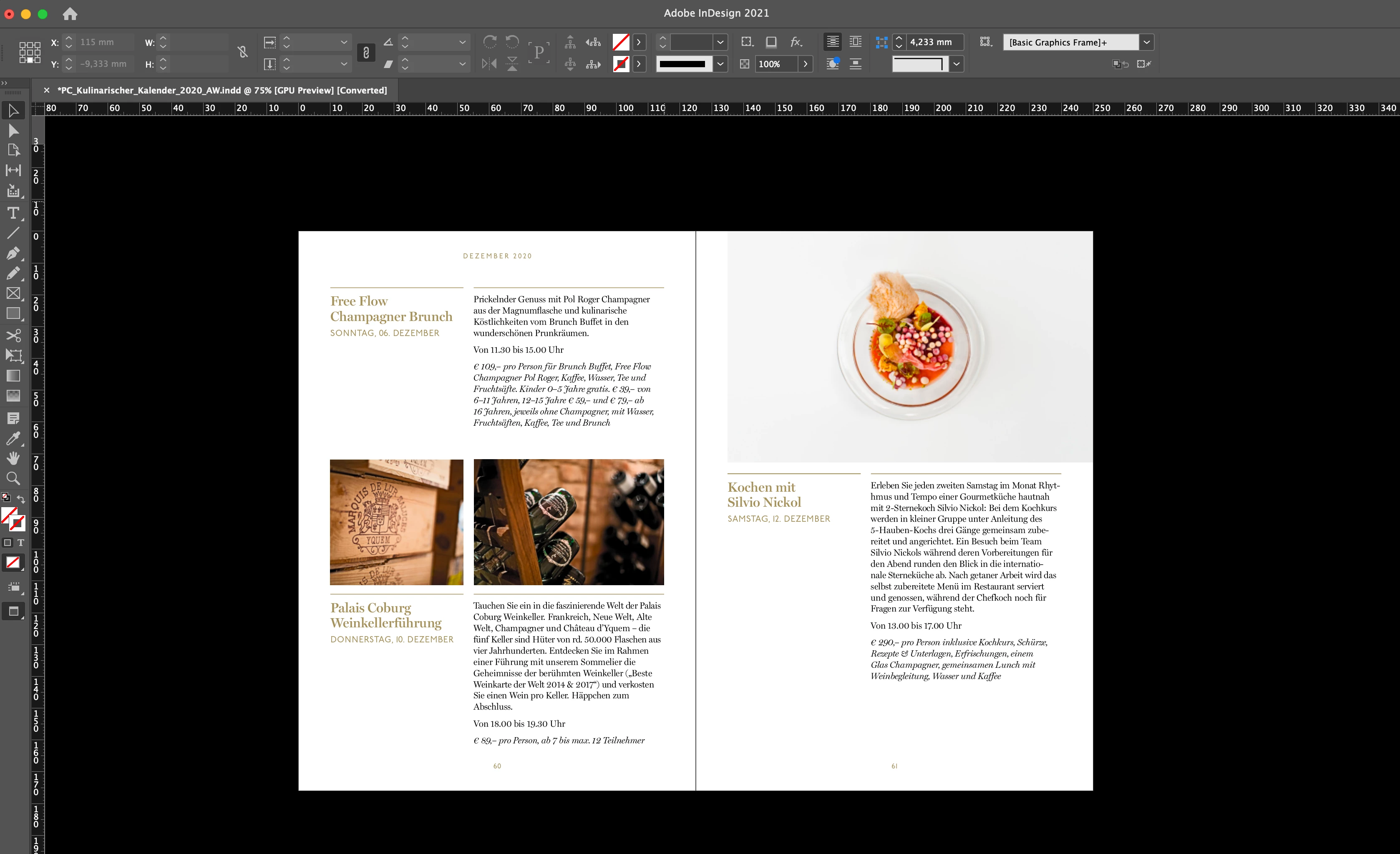
I recently got a new external Monitor (BenQ SW240, 27" WQHD). Unfortunately working with text in Indesign is terrible as the anti-aliasing doesn't seem to be working. I've tried deactivating and reactivating it, but it doesn't seem to make a difference. I've also tried it without the 'GPU Performance', also no luck.
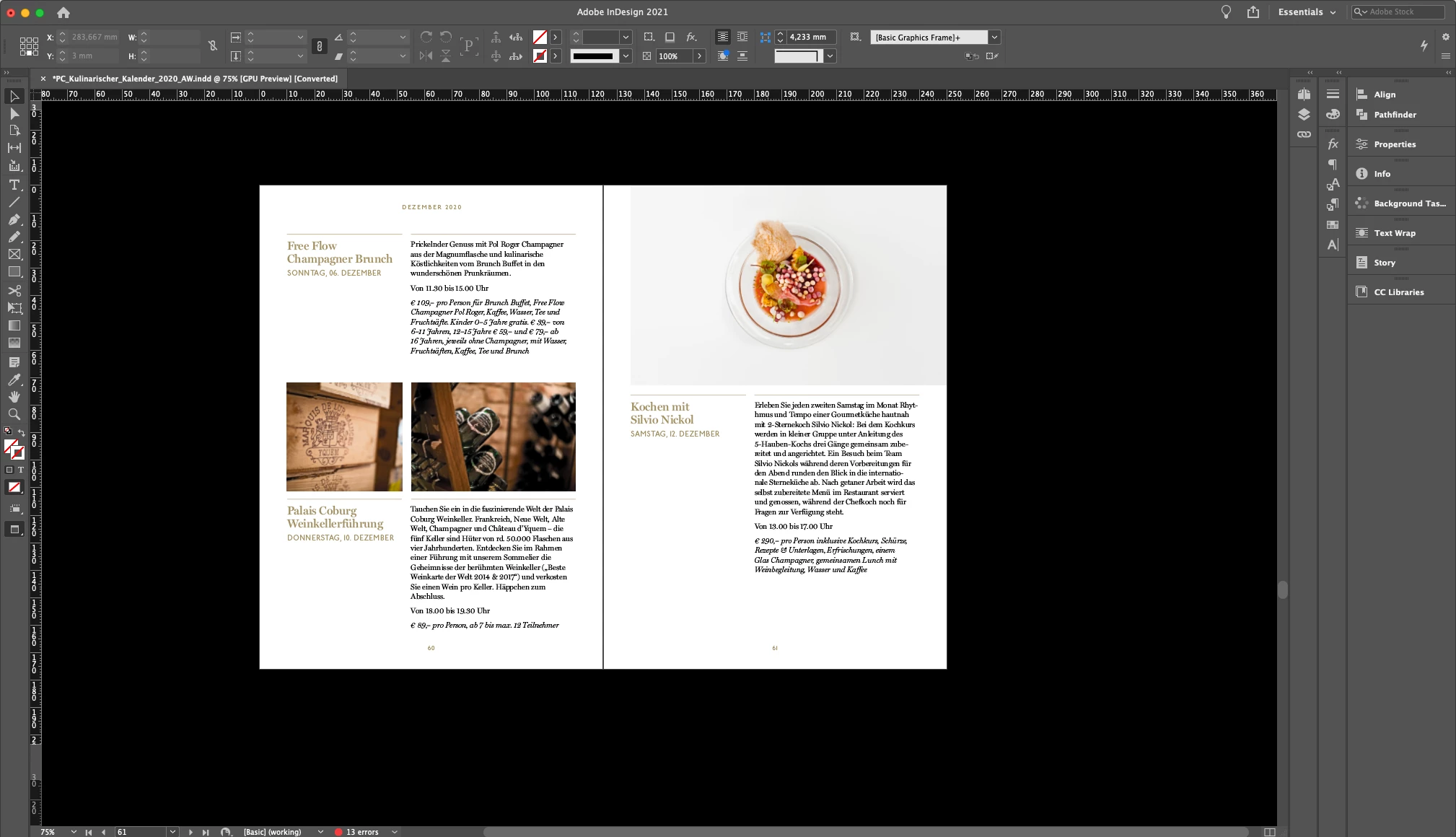
I assume it's an anti-aliasing issue which results of a combination of the Creative Cloud applications and this specific monitor as fonts are displayed perfectly in Indesign on my MacBook Pro. On this new external monitor, fonts are also displayed adequately in other applications, web browsers etc. Hence, I am sure it also has nothing to do with the actual resolution of the monitor.
One more thing I noticed is that it got even worse, once I updated to the new macOS Big Sur. (Font smoothing was enabled in the old OSX, but is now not an available option anymore.)
The user interface of Indesign doesn't seem to be concerned, only the typography on my pages is effected. It doesn't concern only a specific typeface either, all typefaces are concerned, serif fonts especially so.
Attached you can find two screenshots. The first was taken from the external Monitor, the second from my MacBook Pro.
I'd highly appreciate any hints on how to solve this problem!
Many thanks,
Isabella
Inline images added by moderator to make it quicker and easier to see this issue for those trying to help.
 AdChoices