Participating Frequently
December 2, 2016
Question

Avoid underline at the end of a line

  • December 2, 2016
  • 4 replies
  • 2884 views

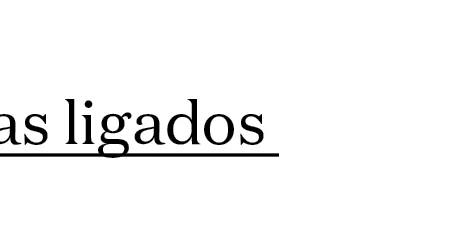
How can I avoid underlined spaces at the end of a line?
4 replies

Peter Kahrel
Community Expert
Community Expert
October 9, 2023

One possibility is to do two tests: whether a line ends in punctuation and a space and whether it ends in just a space. Like this:


lines = app.documents[0].
  stories.everyItem().
  lines.everyItem().getElements();

re1 = /[.,;:\x20]\s$/;
re2 = /[.,;:\x20]$/;

for (i = 0; i < lines.length; i++) {
  if (re1.test (lines[i].contents)) {
    lines[i].characters.itemByRange(-2,-1).underline = false;
  } else if (re2.test (lines[i].contents)) {
    lines[i].characters[-1].underline = false;
  }
}


A problem is that you can't remove underline from automatically inserted hyphens.

Participant
October 10, 2023

Thanks! I think in those rare cases where there is a hyphen, we'll just go with it. Thank you so much!

Participant
October 9, 2023

I'm looking to do the same thing, except:

1. The customer wants to remove the unerline from spaces AND punctuation at the end of a line of text. See example below:

The raw text.

What the customer wants.


2. Some lines and paragraphs will contain a varaible. Thus those lines will change during the VDP output.

I have used ChatGPT to write JavaScript to get me halfway there (remove underlines from spaces at the end of lines of text) but doesn't work on any punctuation.

Here is the code:

function removeUnderlinesAtEndOfParagraphs() {
  var doc = app.activeDocument;

  // Check if there is at least one story in the document
  if (doc.stories.length > 0) {
    for (var i = 0; i < doc.stories.length; i++) {
      var curStory = doc.stories[i];

      // Iterate through paragraphs in the story
      for (var p = 0; p < curStory.paragraphs.length; p++) {
        var paragraph = curStory.paragraphs[p];

        // Split the paragraph into lines
        var lines = paragraph.lines.everyItem().getElements();

        // Iterate through lines in the paragraph
        for (var l = 0; l < lines.length; l++) {
          var line = lines[l];

          // Get the last character in the line
          var lastCharIndex = line.characters.length - 1;

          // Check if lastCharIndex is valid (not negative)
          if (lastCharIndex >= 0) {
            var lastChar = line.characters[lastCharIndex];

            // Check if the last character is underlined and is either a space or a punctuation mark followed by a space
            if (lastChar.underline && /^[.,;!? ]+$/.test(lastChar.contents)) {
              lastChar.underline = false;
            }
          }
        }
      }
    }
  }
}

removeUnderlinesAtEndOfParagraphs(); // Call the function to remove underlines from spaces and punctuation at the end of lines

First: Is it even possible to do this through scripting?

Second: What do I need to change to get this code to work the way I need it to?

Any suggestions wouldbe greatly appreciated.

Thanks in advance.

Jongware
Community Expert
Community Expert
December 2, 2016

It is built-in behavior of InDesign. I wrote a script to apply a temporary fix to this years ago: http://indesignsecrets.com/topic/removing-end-of-line-underlines-83 (which I didn't remember but actually found by typing in your question into a well-known internet search engine).

The script contains a few characters that did not survive the translation to forum-formatted HTML, so I'll repeat it below for convenience:

//DESCRIPTION: Begone, Ugly End Of Line Underlining!
// (c) Jongware 16-Dec-2009

var blankStyle = app.activeDocument.characterStyles.item("NoUnderline");

try { blankStyle.index; } catch(_)
{
blankStyle = undefined;
}

if (blankStyle == undefined)
{
blankStyle = app.activeDocument.characterStyles.add();
blankStyle.name = "NoUnderline";
blankStyle.underline = false;
} else
{
blankStyle.underline = false;
}

for (a=0; a<app.selection[0].lines.length; a++)
{
if (app.selection[0].lines.characters.item(-1).contents == " ")
app.selection[0].lines
.characters.item(-1).appliedCharacterStyle = blankStyle;
}

winterm
Legend
December 2, 2016

Ah, marvelous! Especially I like the Description

Maybe it might be mentioned the changes are permanent (not live), so you should run this nice piece of code only once, right before Final Output...

Edit: ups, there's ChStyle created, so it's possible to "revert back" after reflow and repeat the whole procedure... Even nicier

winterm
Legend
December 2, 2016

You should be wayyy more specific... I bet that's the reason you didn't get any reply yet.

Right now the short answer could be "just don't apply your underline to unwanted characters".

If this occurs at the end of the story, you may try to trim unwanted trailing spaces with this GREP: \s+$

Participating Frequently
December 2, 2016

Thank you for your reply.

It's not on the end of the story, it's a paragraph that has multiple lines. I want when the line breaks, the space that is at the end of the line is not underlined. It would be easier to do it through a grep code, than doing it manually.

winterm
Legend
December 2, 2016

Ah, I see your point now. It's multiline paragraph, right?

Unfortunately, there's no such code to find these specific spaces.

However, I'd be happy to stand corrected
