



Branding Color Guide
Recently I’ve been working on a client project that creates branding guides via scripting. Questions about Pantone CMYK and RGB color simulations of the solid inks come up occasionally from users wanting there to be an "official" set of conversion values. There are various conversion charts available on the web—including Pantone’s own Bridge libraries—all of which have color management problems because they usually assume the appearance of RGB and CMYK values is the same for all devices. For the Pantone + Bridge process CMYK simulation libraries Pantone doesn’t provide any information on what the expected press conditions are, and the Bridge CMYK values display inconsistently relative to the more accurate solid ink Lab color display.
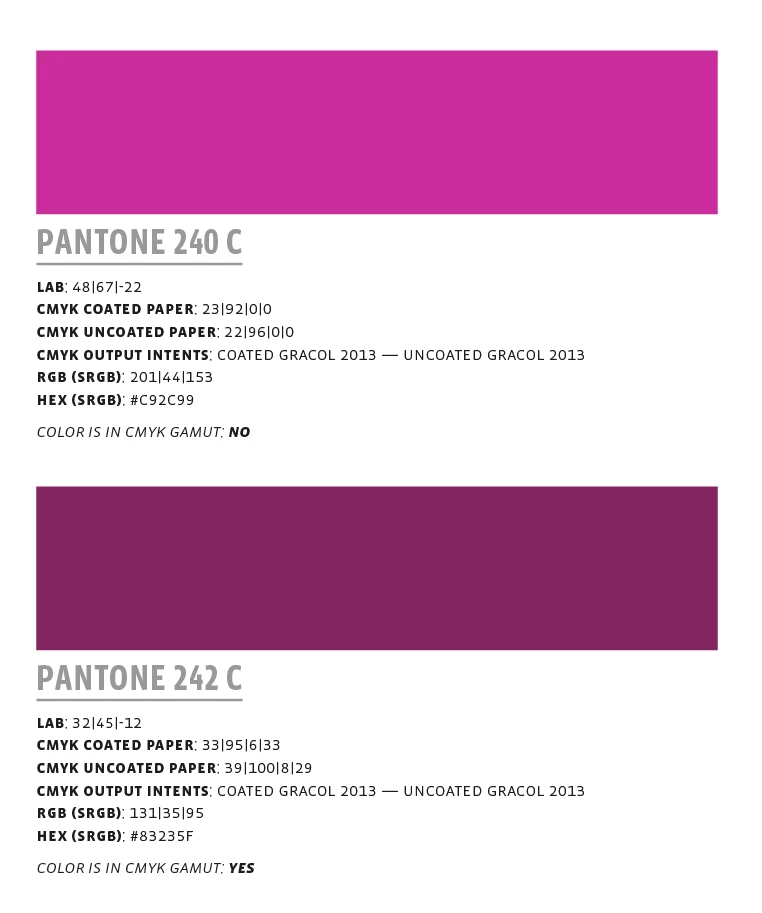
For the scripted guide I have defined the expected CMYK and RGB destinations for the converted values—only Lab defined swatches are addded to the guide. Each swatch label includes two CMYK values—the default conversions are to Coated GRACol 2013 and Uncoated GRACol 2013. There is also a conversion from Lab to sRGB, the sRGB’s HEX value, and a note on whether the solid ink color is outside of the coated CMYK color space’s gamut.
The format is this:
You can download a zip archive of the InDesign Pantone swatch book (2443 colors) along with more detailed notes, the default GRACol 2013 profiles, and the JavaScript here. The guide’s fonts are the Vista Sans family available from Adobe Type—there are also a PDF/X-4 versions for different press conditions:
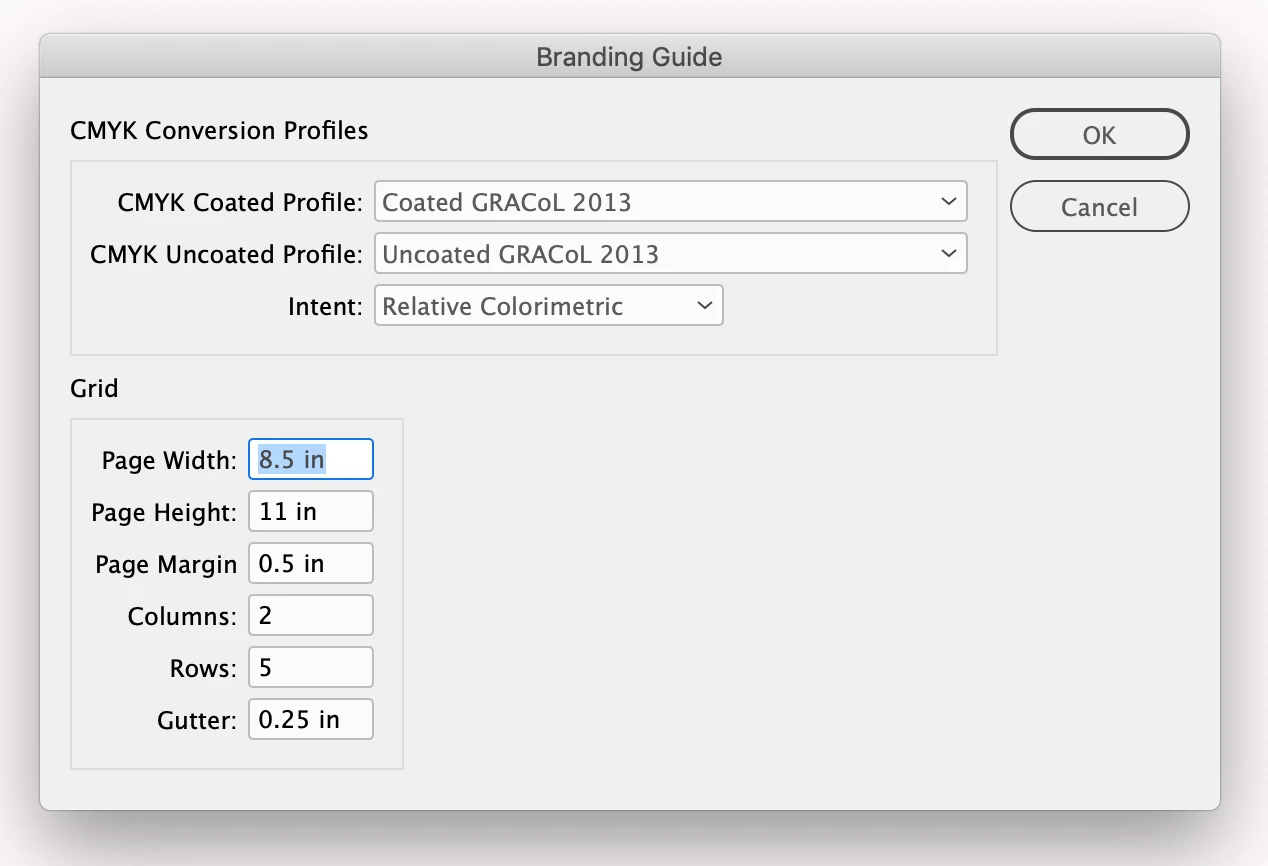
The script dialog


 AdChoices