ashimg23377171
Inspiring
October 4, 2017
Answered

Can't get rid of a stroke on the cell of a header row

  • October 4, 2017
  • 2 replies
  • 957 views

Hi I have set up a table with a header row and a few columns.

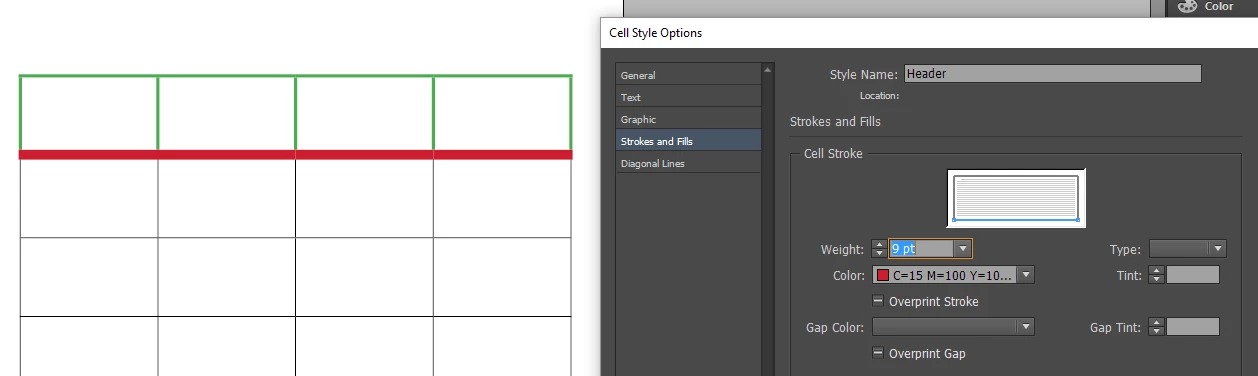
I have set up a style for the header row cells, where I only wish to have a stroke at the bottom of the cell. Per the screenprint below. However, I am seeing a stroke on the right side of the last cell. I have done this before, and it worked OK... But I am not quite sure why I can't seem to get rid of the stroke on the last cell... can anyone throw some light on this matter. Thank you.
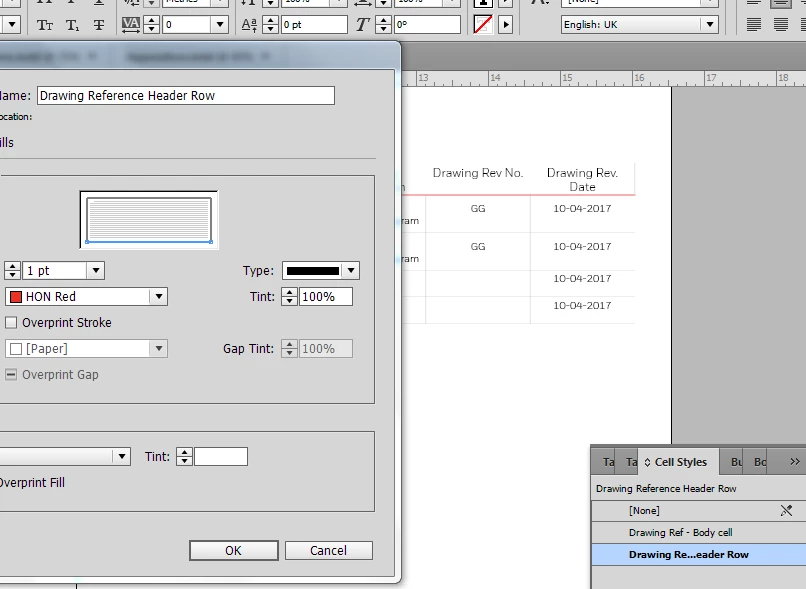
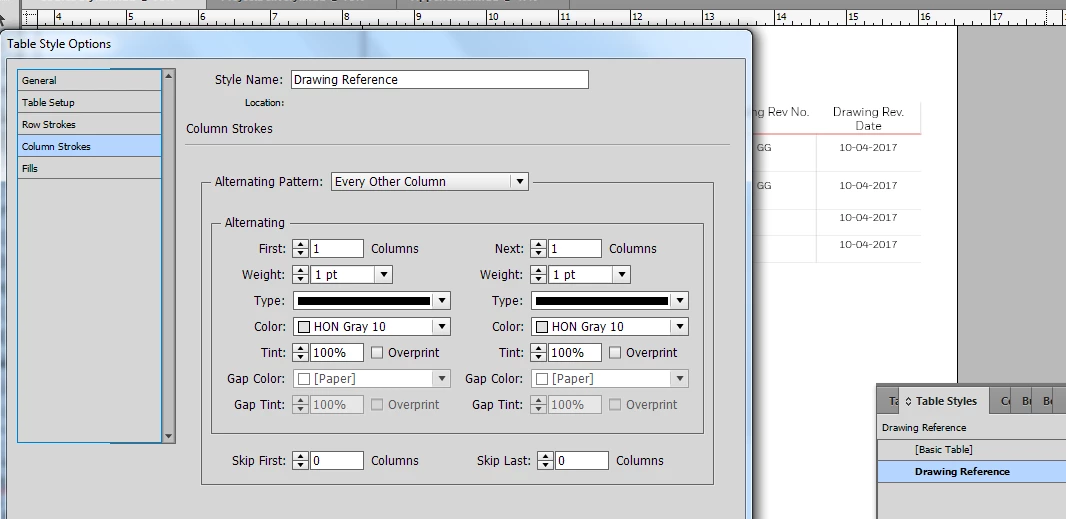
The foll is my table style with a one point column stroke:
    This topic has been closed for replies.
    Correct answer amaarora

    Hi,

    Can you do the following...

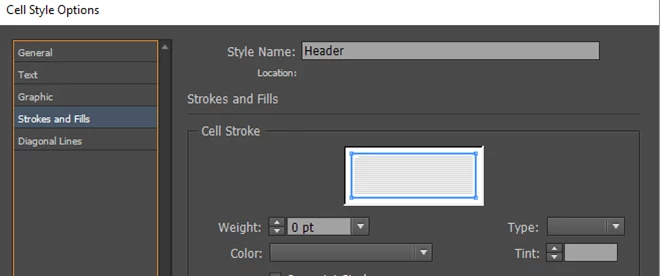
    Edit the cell style applied on the header cell. Select all the stroke lines and set the weight to 0pts first.

    Now check the result. It should set all sides of the header cell strokes to 0pt.

    Now only select the bottom line and set the stroke to desired color and value.

    -Aman

    2 replies

    ashimg23377171
    Inspiring
    October 4, 2017

    Aman, that worked like a charm. Thanks so much.

    amaarora
    amaaroraCorrect answer
    Inspiring
    October 4, 2017

    Hi,

    Can you do the following...

    Edit the cell style applied on the header cell. Select all the stroke lines and set the weight to 0pts first.

    Now check the result. It should set all sides of the header cell strokes to 0pt.

    Now only select the bottom line and set the stroke to desired color and value.

    -Aman