Inspiring
August 4, 2021
Answered
Cannot mask gifs in Indesign
- August 4, 2021
- 3 replies
- 1232 views

"is there a way to use one shape or frame to "punch a hole" in the other image / frame?"
I'm not exactly sure what you are asking here, but to stay with my example:
You could place either an image in that "mask" graphic frame or cut a whole group of objects to the clipboard and paste it into the "mask" graphic frame.
Visit my updated Publish Online document:
https://indd.adobe.com/view/83471a4c-4549-4847-830d-6802501f32e2
A look into the layers panel of page 3:
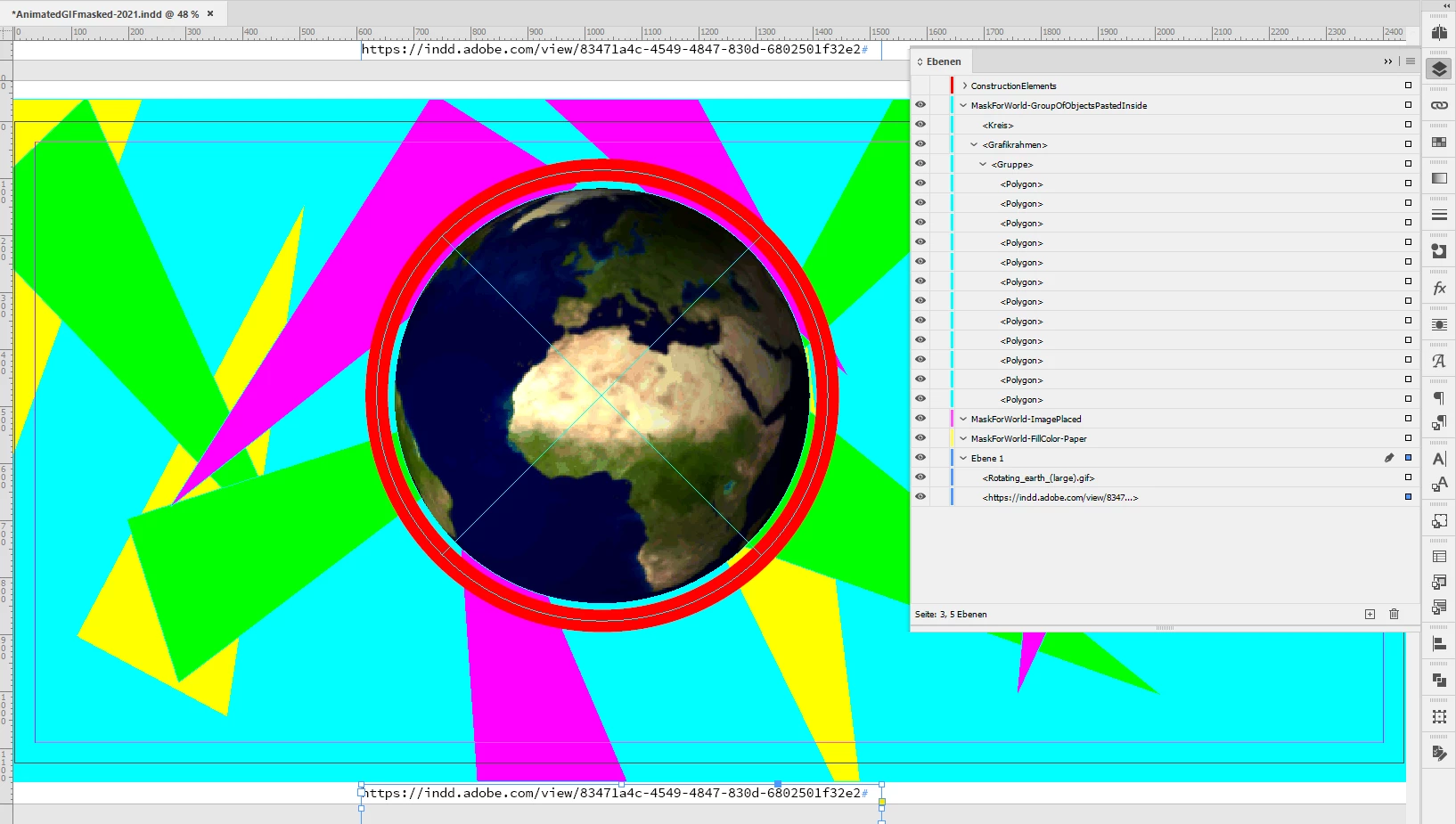
On that page I made a group of triangles, cut them to the clipboard, selected the "mask" graphic frame and with the help of the menu comand Paste Into I brought them inside that frame. The two elements to construct my mask are still on the invisible layer at the top of the list of layers.
With the help of the pathfinder feature you could substract the circle from the rectangle to punch the hole.
Or you could do a compound path out of the circle and the rectangle.
More details:
https://helpx.adobe.com/indesign/using/compound-paths-shapes.html
Regards,
Uwe Laubender
( ACP )
Already have an account? Login
Enter your E-mail address. We'll send you an e-mail with instructions to reset your password.
 AdChoices