


Color OTF font changing color on printer's proofs
- 61 replies
- 11180 views
- Translate
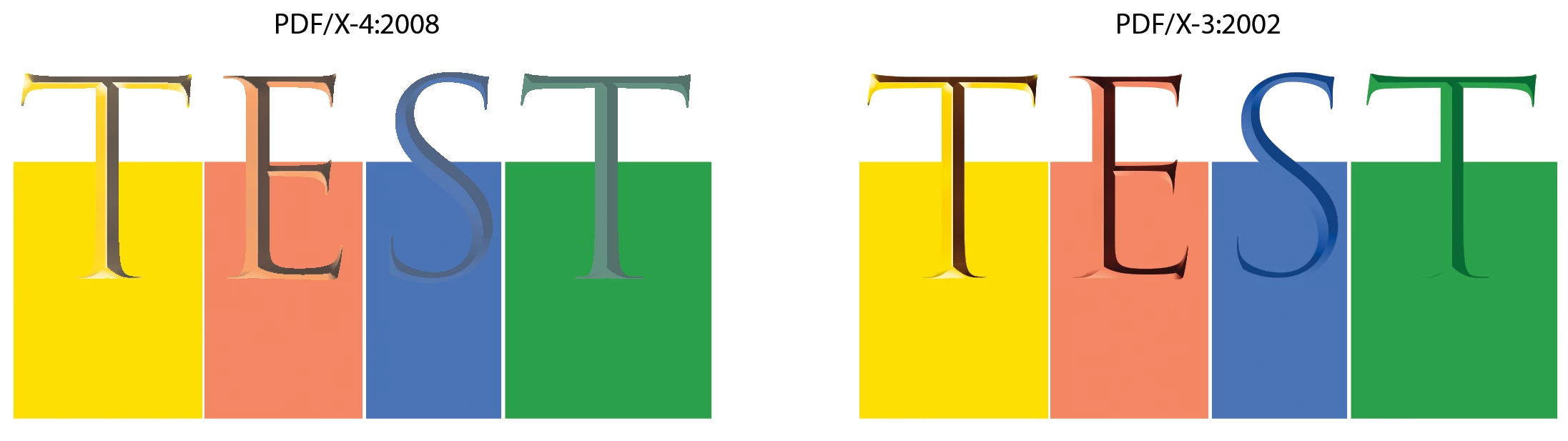
I created an icon font with colors (OTF) using Fontself for Illustrator so I could easily apply colored bullets to a book I was working on. Everything looks great in InDesign, Acrobat, and printed on our color printers, but when I sent the books off for printing, the proofs came back with all the icons in different colors than they appear in my files. The printer said they are different CMYK values after running them through their prepress. I can't figure out how to fix it short of finding each and every one of them in the six books and converting them to outlines manually.
I'm open to suggestions on how to quickly fix this problem so that these books can be printed. Maybe a specific color preset when I make the PDFs? We are currently converting to US Web Coated SWOP V2 on export. Is there a way to force InDesign to convert graphic fonts to outlines when exported to PDF?

 AdChoices