jeffb19846094
Participant
December 14, 2018
Answered

Compound Path as a Text Box

  • December 14, 2018
  • 2 replies
  • 4106 views

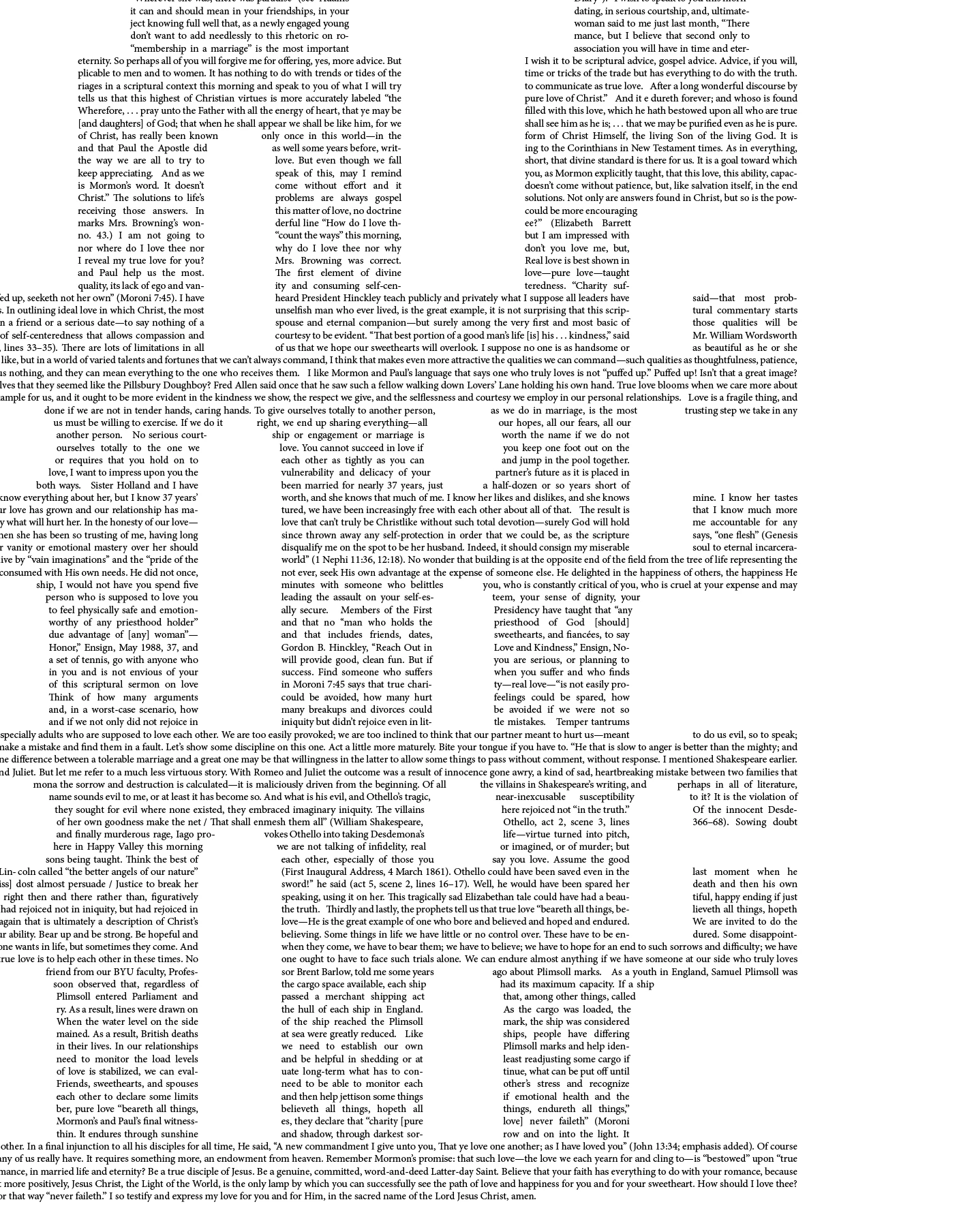
I'm using a compound path created in Illustrator as a text box in InDesign. When I paste my text, it does some weird jumping and creates large gaps on the right of the shapes and I can't figure out why it's happening. I've tried using the silhouette of my shape as the text box, and pasting the inside shapes as separate objects, and then having the text wrap around them, but the same thing happens. Attached is a screen shot of the issue. Any help would be appreciated! Thanks in advance.
This topic has been closed for replies.
Correct answer winterm

I think, what you encountered, is a feature / limitation. InDesign just won’t allow more than 3 gaps in a text line.

Possible workaround - try add columns to text frame.

2 replies

Community Expert
December 15, 2018

Hi Jeff,

I would do this kind of layout with Adobe Illustrator.

There is no restriction in the number of gaps there.

Questions about Illustrator can be posted here:

Illustrator

Regards,
Uwe

Eugenio.NYC
Participating Frequently
December 15, 2018

Hi there

Sometimes what I do I use the text wrap and I invert, maybe you can try

Regards

E

Community Expert
December 15, 2018

Hi Eugenio,

I do not think that invert text wrap will change the rules with the InDesign text composer mechanism.

Here just a simple experiment showing the issue:

Four gaps in a row are ok.

Trouble comes with the fifth one.

Regards,
Uwe

winterm
wintermCorrect answer
Legend
December 14, 2018

I think, what you encountered, is a feature / limitation. InDesign just won’t allow more than 3 gaps in a text line.

Possible workaround - try add columns to text frame.