Participant
June 28, 2017
Answered

Creating discontinued paragraph number + Indexing (Law)

  • June 28, 2017
  • 1 reply
  • 945 views

Hello everybody,

I'm writting to you because I need assistance about a complex layout ..

In some books (Treaty, biology, law etc.) the numbering of the paragraphs is discontinuous (with marginal numbering). This system, which consist in a number of steps, is designed to allow for the integration of new measures and the creation of new ones.

Here is a typical example:

I wrote some remarks in red to better understand this concept.
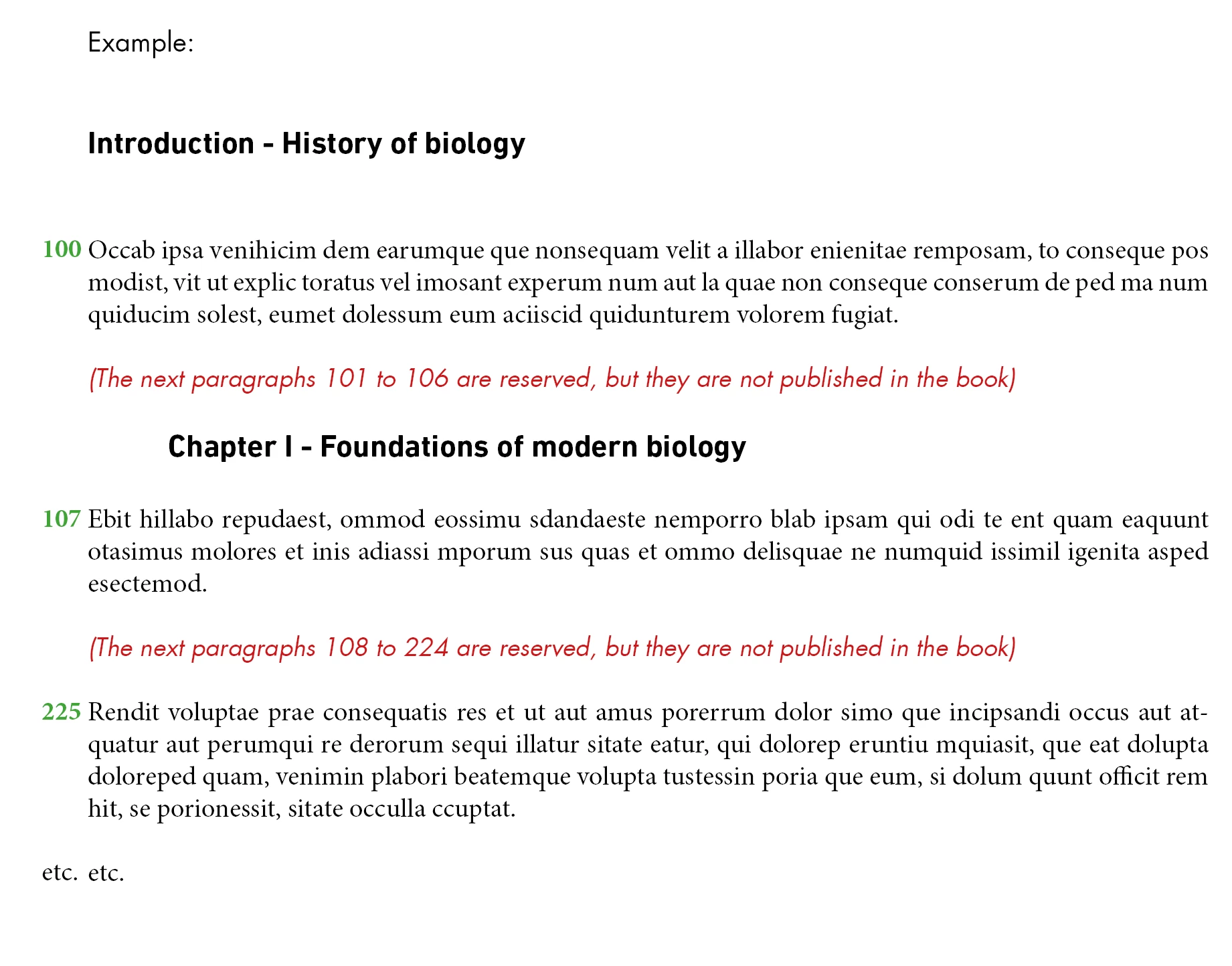
I only managed to do a paragraph numbering with paragraph styles (Normal style) with a green caracter style like:

100

101

102

etc.

I also managed to make anchorages text, but without the possibility of "selecting" the numbering, as in the example.

To conclude, if this formatting is possible, would it be possible to make an index with the style of paragraphs providing its marginal notes numbered?

I'm looking forward to hearing from you,

Pierre
This topic has been closed for replies.
Correct answer Obi-wan Kenobi

For what it worth...

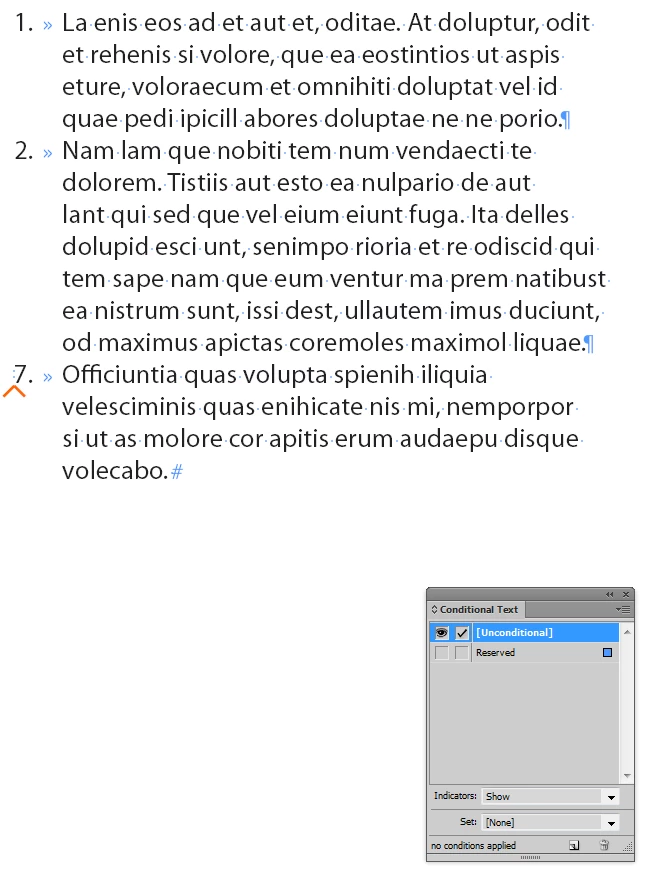
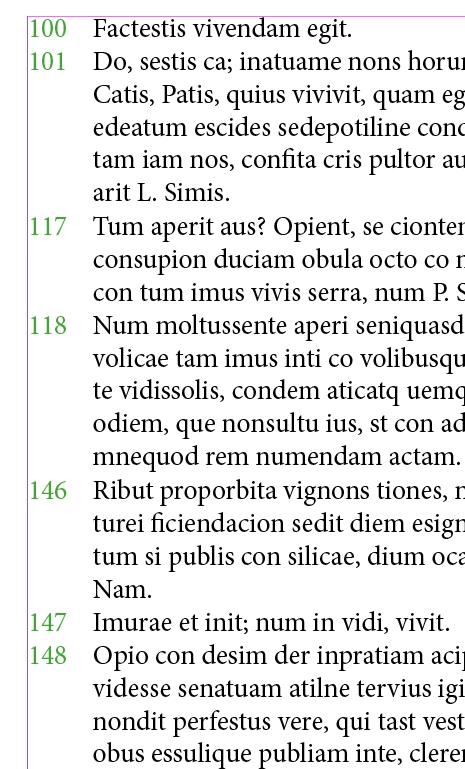
If you could allow yourself to abandon 'live’ numbered list, you could use Conditional Text feature then.

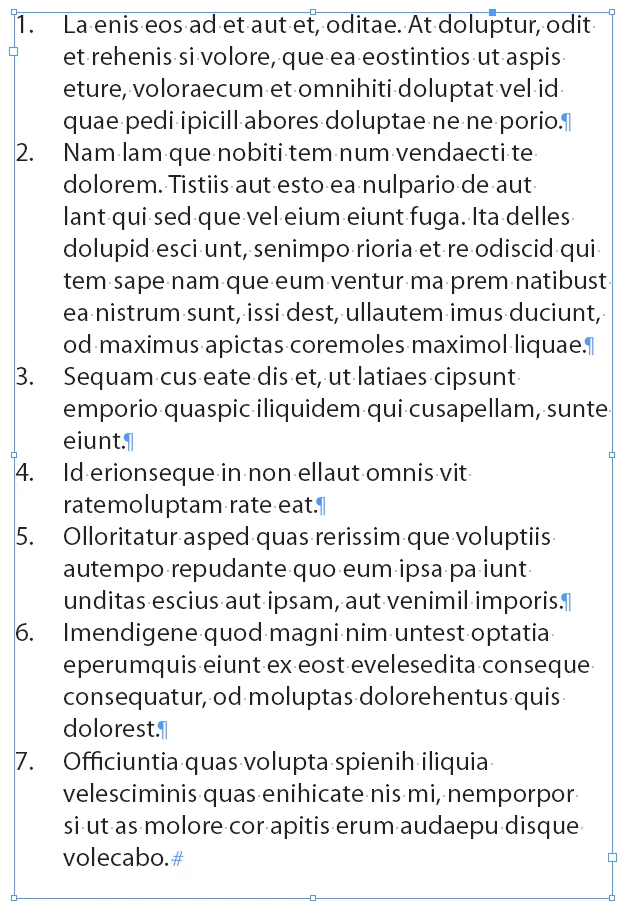
1. Live numbered paragraphs:

2. Type > Bulleted & Numbered Lists > Convert Bullets and Numbering to Text.

3. Create New Condition, apply to 'reserved’ paragraphs:

4. Hide text with condition applied:


Totally auto-numbering!

(^/)

1 reply

Obi-wan Kenobi
Legend
June 28, 2017

Hi,

Make simple!

Use anchored auto-resized auto-num text frames for all the numbers [Green AND Red]!

(^/) 

TradesAuthor
Participant
June 28, 2017

Thank you for this quick response Obiwan !

I see, but the "reserved" numbers should not be displayed, in InDesign neitheir in the paper version.

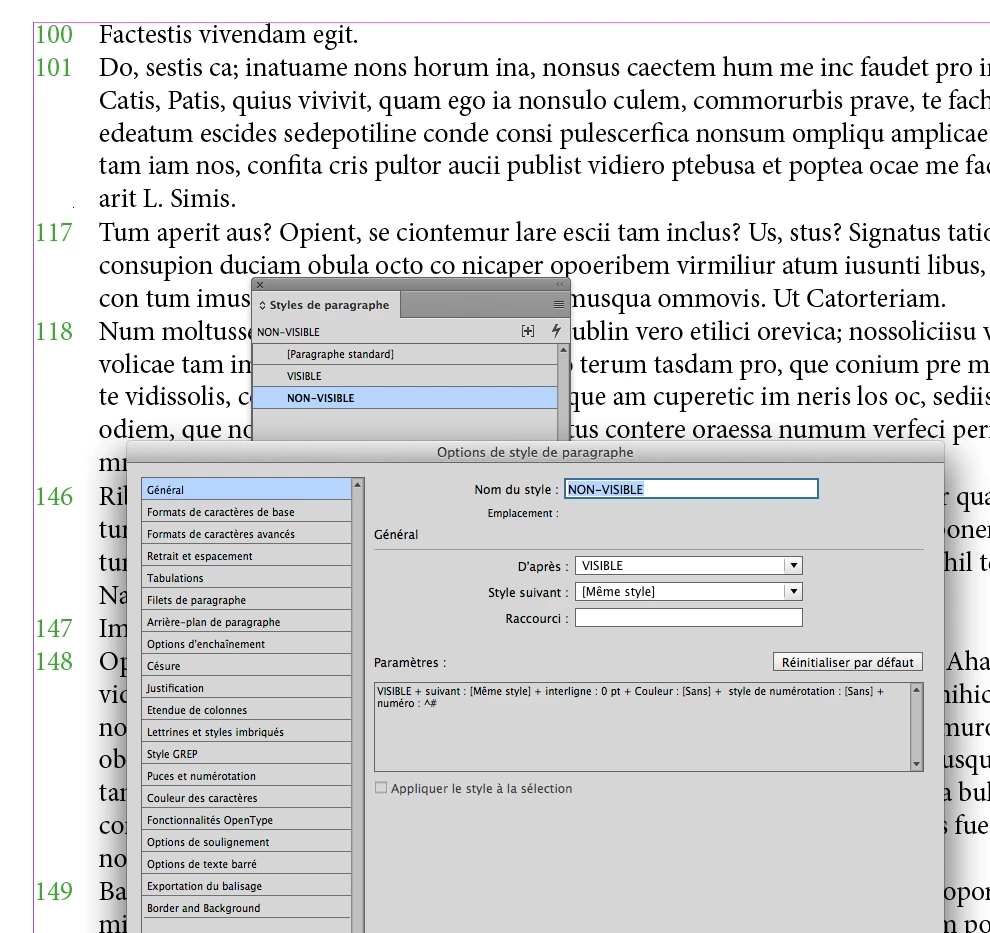
So, is it possible to "hide" numbered paragraphs for give that?

The only way to have this type of numbering is to create real numbered paragraphs. So the idea would be to hide them while waiting to use them ... but how?

Obi-wan Kenobi
Obi-wan KenobiCorrect answer
Legend
June 28, 2017

For what it worth...

If you could allow yourself to abandon 'live’ numbered list, you could use Conditional Text feature then.

1. Live numbered paragraphs:

2. Type > Bulleted & Numbered Lists > Convert Bullets and Numbering to Text.

3. Create New Condition, apply to 'reserved’ paragraphs:

4. Hide text with condition applied:


Totally auto-numbering!

(^/)