Participating Frequently
January 17, 2018
Answered

Custom Preflight Rule for Even/Odd Page Number

  • January 17, 2018
  • 4 replies
  • 3485 views

I have documents in a book that can, for the most part, be moved and reshuffled. However, there are two or three documents that must start on a specific side of the page so that things like illustrations line up correctly.

Is there a way to add a preflight rule that will warn me if updating the page numbers in the book has caused one of these documents to start on the wrong page?

If I can't do this through preflight ... are there any other common options to "Warn me if this document starts on an odd-numbered page"?

And if there are no common options ... is there a creative way I can give myself a big obvious notification that in reordering documents in a book I've caused a document to start on the wrong side of the page?

This topic has been closed for replies.
Correct answer Laubender

Thanks, Rob! Yes, this is exactly how I'm using book and document numbering—and it's also the reason it is possible for a page to be shuffled as I move documents around in the book or add pages to a chapter as in your example.

The behavior is as expected (and as desired), since I want things to be reflowed/adjusted/renumbered throughout the book as individual documents move or change. The only thing I'd like to do is get some kind of warning when that correct behavior causes a "must-be-an-odd/even" page (of which there are only three in this particular book) to be shuffled to the wrong side of the spread. Then I can decide whether to resolve it by adjusting document order, manually adding a blank page, etc.

Edited to add: comparing your example to what I'm doing, let's say that Chapter 1 and Chapter 2 can start on any page (odd or even) but because of a full-spread illustration that spans pages 14 and 15, Chapter 3 absolutely must start on an odd-numbered recto. In the first image of your three screenshots, Chapter 3 starts on the correct page, so I wouldn't need or care about a warning that I had messed up the layout.

In the next two examples, where you've added pages to Chapter 1 and Chapter 2, Chapter 3 now starts on an even-numbered verso and the illustration will be split between spreads.

I want some kind of HEY DUMMY alert when that happens. But nicer. Like ... a preflight error.


Hi Boris,

I think, I found a way using preflight for such a task.

In the category IMAGES and OBJECTS you could preflight if an object is in the margins.

You can define the values for the margins there as well.

The following screenshots from my German InDesign will show this:

1. Illustration on facing pages. No error in preflight.
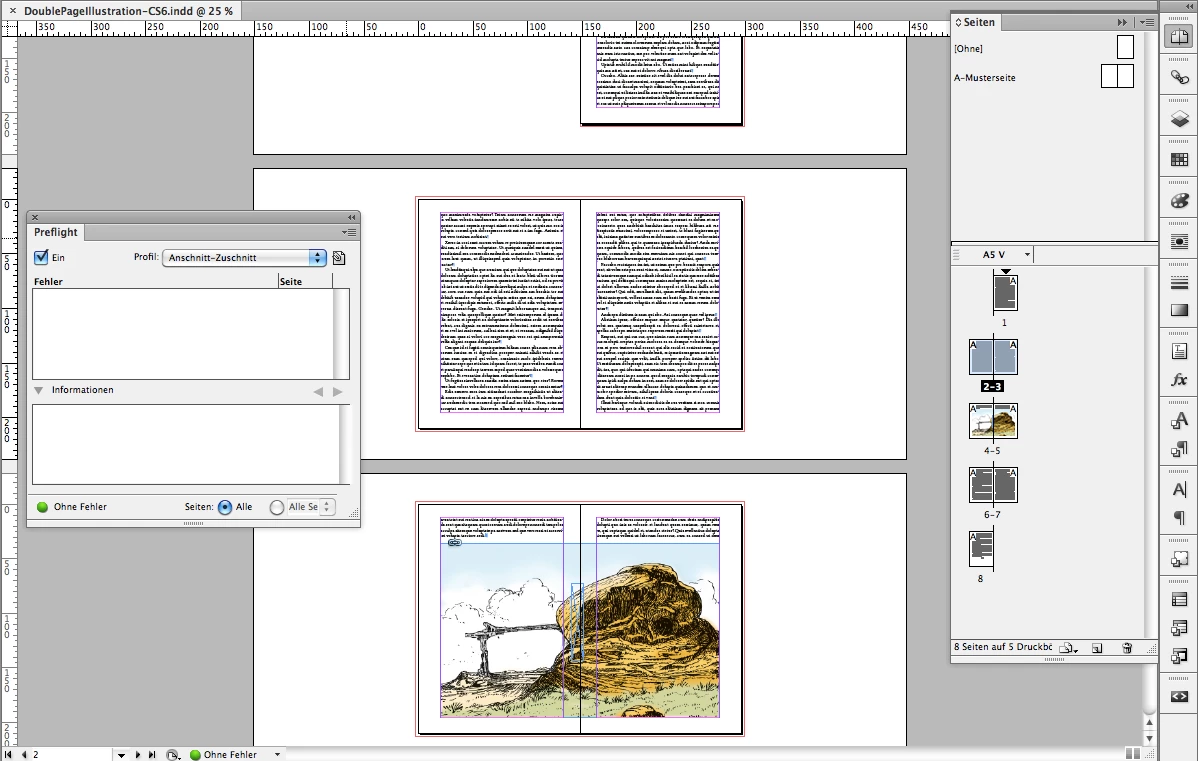
2. Illustration on odd page only. Error in preflight.
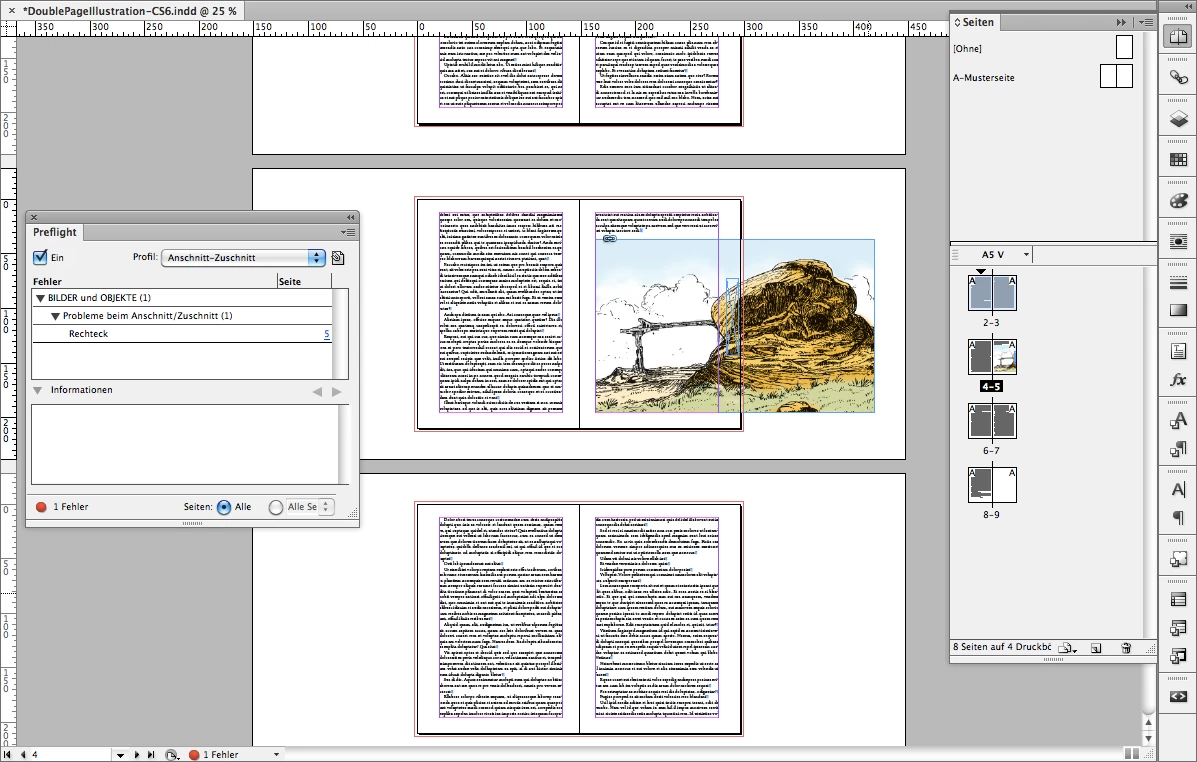
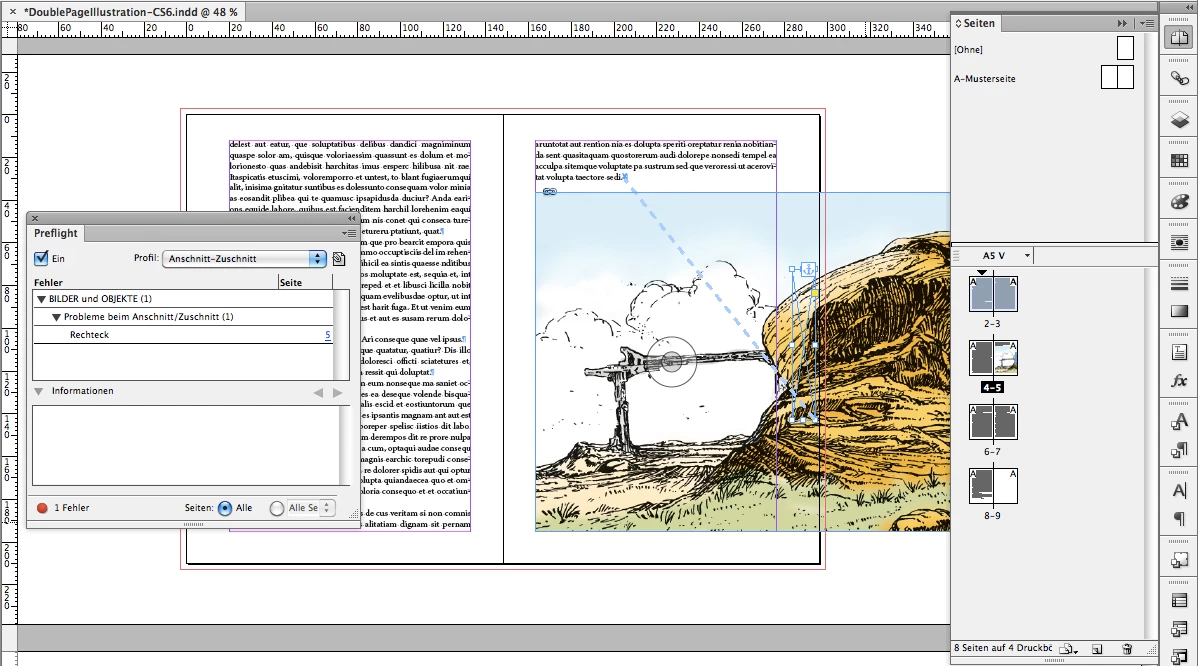
Hint: It's not the big illustration that triggers preflight.

It's a small anchored frame that is running with the illustration and changing its place from inside to outside:
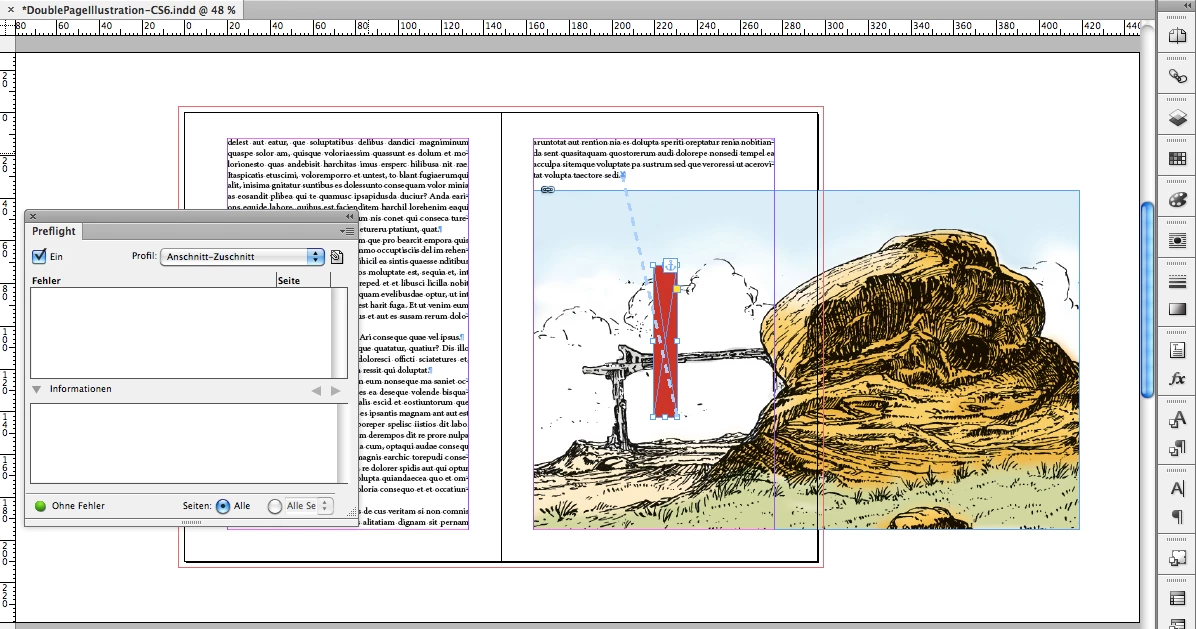
If I move it more inward, no preflight error:
Here my settings in German:
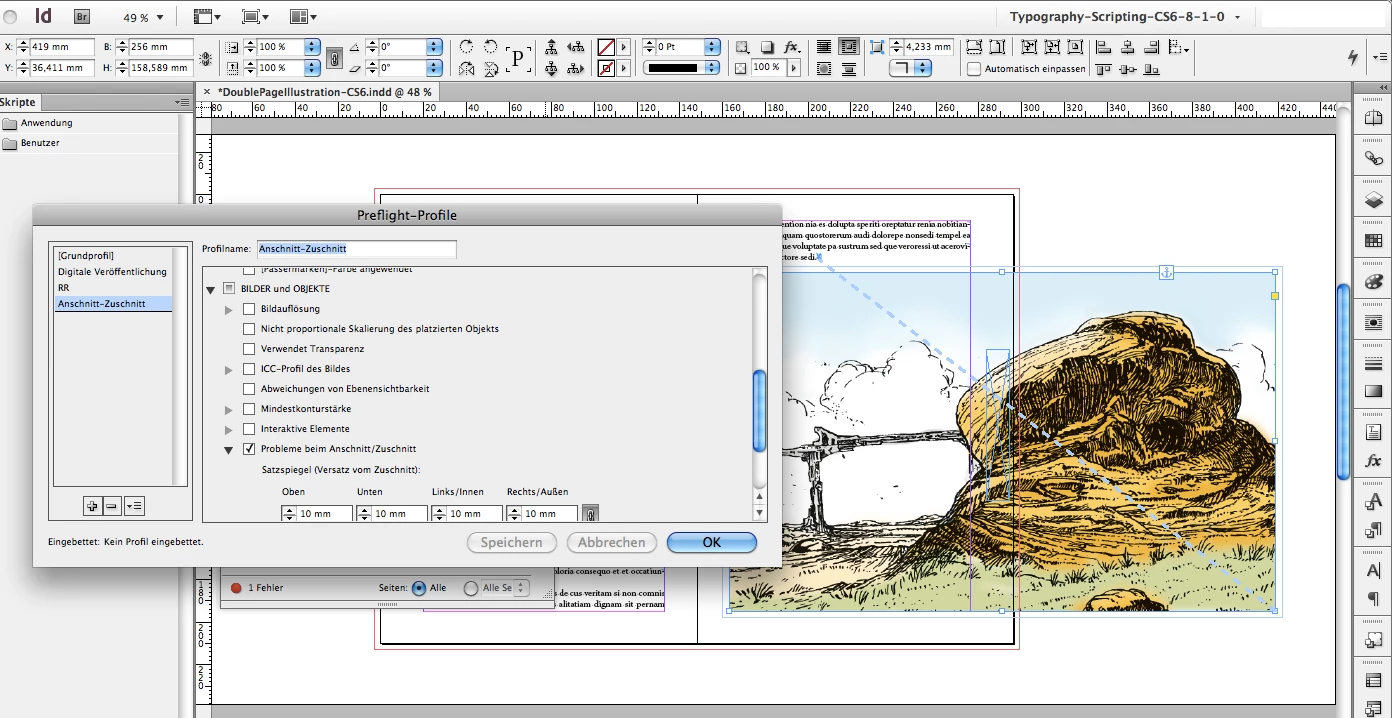
I think, that little trick should do it…

Regards,
Uwe

4 replies

Participating Frequently
January 17, 2018

I really want to get the script working as part of my automation, but for now, so that I can get things proofed and published, here is my workaround.

  • Put all the documents into a book and enable automatic numbering
  • In the document that has to start on a specific page:
    • Make sure Allow Document Pages to Shuffle is checked.
    • Make sure Allow Selected Spread to Shuffle is checked on the first page of the document.
    • Uncheck Allow Selected Spread to Shuffle is unchecked on pages where there is an illustration that must appear on a specific side of the spread (except for the first page, even if the first page has an illustration).
    • Add a new printing layer on top of all other layers. Call the layer "Warnings."
    • Add a new text frame to the Warnings layer and size it exactly twice the width of the document page.
    • Type something like "Wrong Side" in the text frame and set the text to be really big and really red.
    • Set the paragraph options to Align away from spine (for pages that should always appear on the left) or Align towards spine (for pages that should always appear on the right).
  • Reorder documents in the book and watch the page numbers update.

This consistently causes the "Wrong Side" text to be outside the print area when the first page is correct, but plastered over everything else when the first page is wrong.

And it stands out well in a visual preview, too. Here's two examples from the exported PDFs, one where "Bird Watching" starts on the correct (even) page and one where it has been moved earlier in the book and would start on the wrong (odd) page.

Right:

Wrong:

This is probably not what I'll use as my permanent solution, but it's quick, it does the minimum of what I need, and I didn't spend hours tweaking a script to be really awesome and feature-packed (which is what I often do when I should be getting books completed and printed ...).

barbara_a7746676
Community Expert
Community Expert
January 17, 2018

Thanks for posting your workaround!

Participating Frequently
January 17, 2018

Here's an example of what I'm doing and why it matters. From the upcoming issue of our literary journal, this poem has an illustration that spans the gutter, and so it has to start on the left-hand side of the spread:

So, if I reorganize the documents in the book in a way that causes the first page of this poem to be on the right-hand/recto, I want a good way to catch it before sending to the printer.

While a preflight rule would be cool if it were possible, I'd be just as happy with some text or image that is only visible [or within page bounds] when it falls on the "wrong" page ... or a script that would automatically do something (maybe update a layer to be printing/non-printing? set some text? show an alert?).

​This would totally meet the requirement, for example: a big block of warning text in Comic Sans.

barbara_a7746676
Community Expert
Community Expert
January 17, 2018

If you are using paragraph styles, a Keep setting might serve your needs.

Participating Frequently
January 17, 2018

I love the creative thinking of using Paragraph Keep options, and I've been trying to come up with a way to make it work ... but so far all I can cause the option to do is bump the starting point of the text to the "correct" page without actually providing a warning that the document starts on the wrong page.

I don't need a blank page if the document should start on an even-numbered/verso but has been flowed to start on an odd-numbered/recto page ... I need an error notification or something big and ugly that tells me "Hey, this starts on the wrong page!

Something I will continue toying with, as a hack, is to create a frame with keep options or alignment options set in a way that the text will be outside the slug when the page is correctly formatted, but big and ugly and covering up the text

Jongware
Community Expert
Community Expert
January 17, 2018

Nope, no Preflight rule for that. I also cannot think of a way to check with the standard tools. Even making your documents a Book would not work – forcing odd/even pages in there would only add more and more blanks with every change.

You could create a reminder PNG image with Annoying Addy and paste it on the first page of your document ... (Make sure to set it to non-printing!) ( https://forums.adobe.com/thread/783358#thread-message-4642004 )

Participating Frequently
January 17, 2018

I had definitely considered an Annoying Addy (or other image) but what would make it really useful would be some way to show/print/align the image when the even/odd requirement is not met ... that way it could even be on a printing layer, because it would ensure a big red warning in the output proofs!

Making the document collection a book isn't related to solving the odd/even requirement—it's totally about organization of and collaboration on the individual components of the publication. (In my case, it's a literary magazine, and each document is a single author's work.)