
Answered
Double sided flyer
I want to make an double sides flyer.
Do i use two artboards ?
Do i add a bleed and if so how much ?
How do i save it for printing ?
InDesign /illustrator ?
Kind regards
Ingrid

I want to make an double sides flyer.
Do i use two artboards ?
Do i add a bleed and if so how much ?
How do i save it for printing ?
InDesign /illustrator ?
Kind regards
Ingrid
You can do this in either Illustrator or InDesign.
InDesign is the correct tool to use - as it's more of a page layout - but Illustrator would work too.
I would suggest doing this in InDesign.
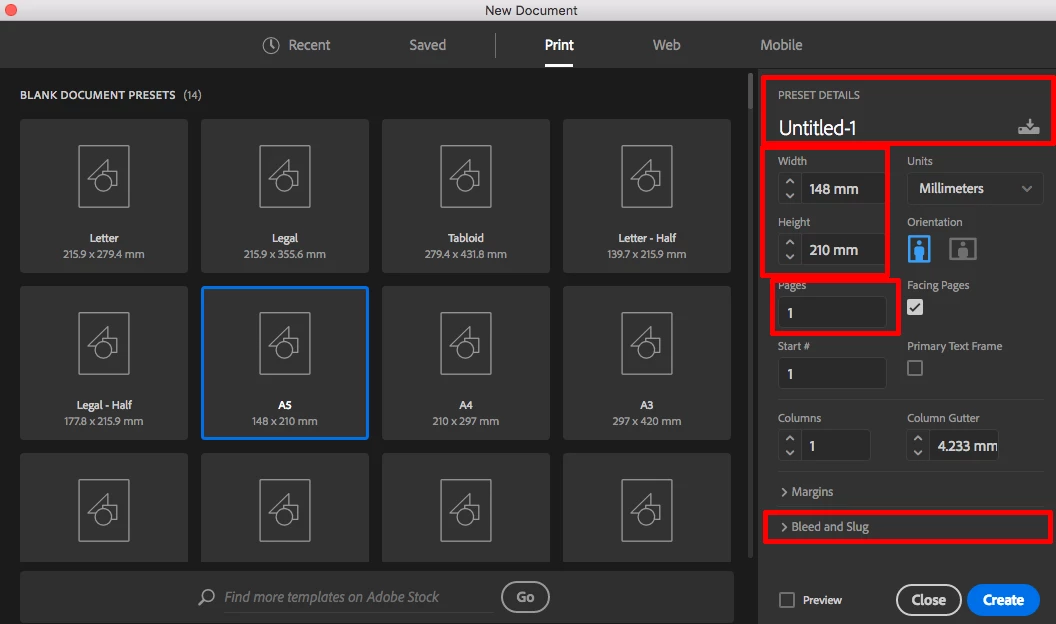
File>New Document
Select <Print> from the top
Select your width and height
Pages (how many you need)
Add a title if you wish
All the above can be altered at any point anyway.
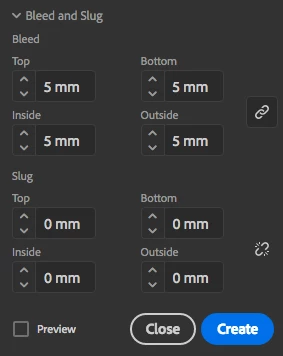
In same panel - select how much bleed you wish to add - 5mm is plenty and 3mm is usual (for me anyway)
Clicking Bleed and Slug brings you the section to add this information (although selecting a print document should automatically add at least 5mm bleed by default imo).
Add the amount of Bleed (your print provider can advise you of that).
Now click the Create button.
A new document is created. Your panels may be different than mine:
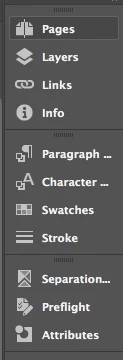
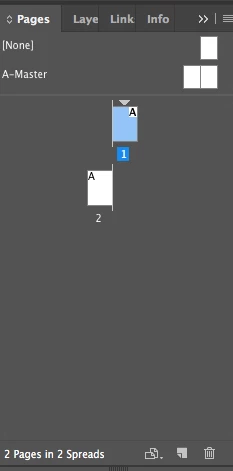
Click the pages panel to reveal the pages in the document.
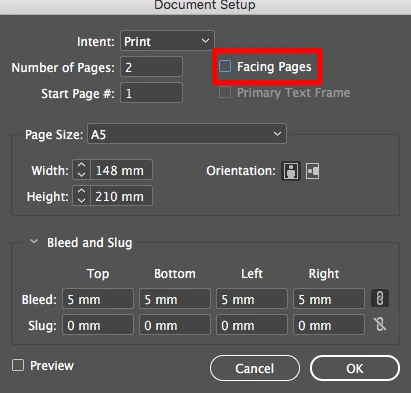
Oops - slight error it's setup as facing pages - no problem
File>Document Setup
Untick Facing Pages
You can also alter your page size, number of pages, bleed etc. from here
Once you are here and have a document started the rest is up to you!
Some practice found here
Already have an account? Login
Enter your E-mail address. We'll send you an e-mail with instructions to reset your password.
 AdChoices