Inspiring
November 5, 2018
Answered

Embed colour profile sRGB when exporting as jpeg not working

  • November 5, 2018
  • 2 replies
  • 4194 views

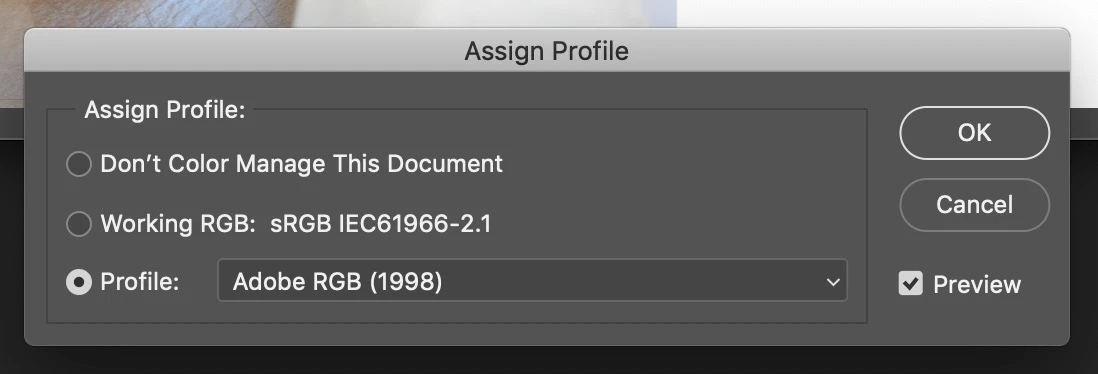
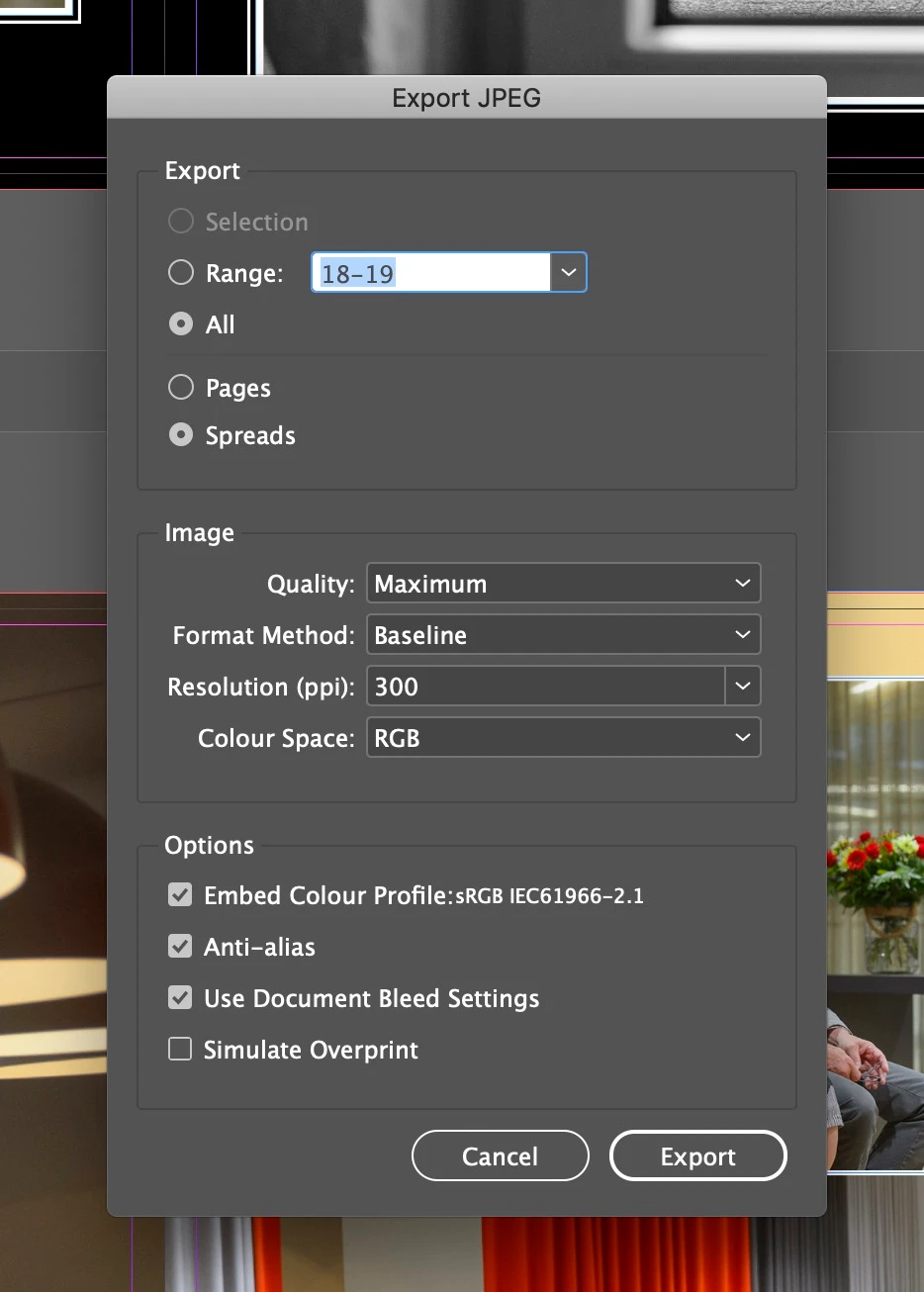
Hello all, I have this problem when exporting a Indesign document to a jpeg file with an sRGB colour profile. Normally when I select Embed colour Profile: sRGB IEC62966-2.1 (see screenshot) it embeds the sRGB profile (as it should.) But now it embeds the Adobe RGB profile, even when selecting to embed sRGB. If I open the file in Photoshop (see next screenshot) it clearly shows me the Adobe RGB profile is embedded and not the sRGB one. Any idea what I am doing wrong here? Or does it maybe have something to do with the new Indesign version?

Kind regards, Eric.
    This topic has been closed for replies.
    Correct answer Sjmeets

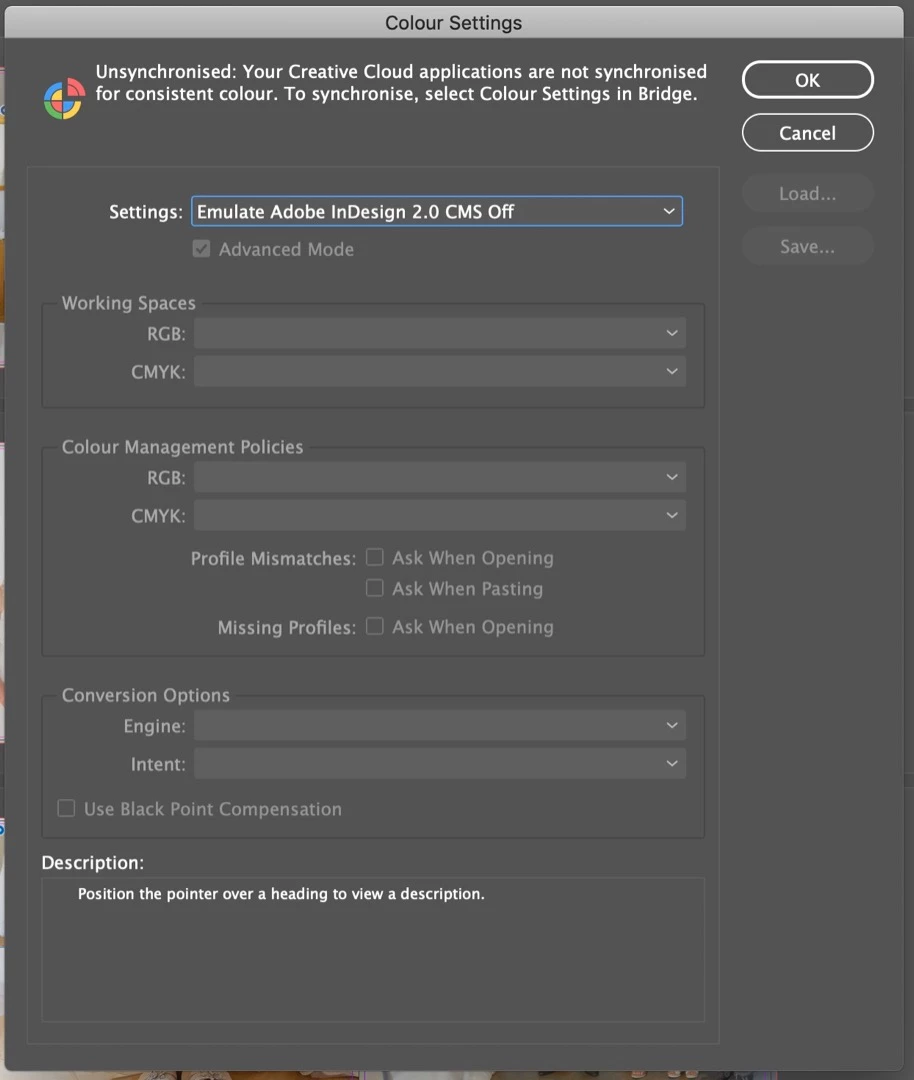
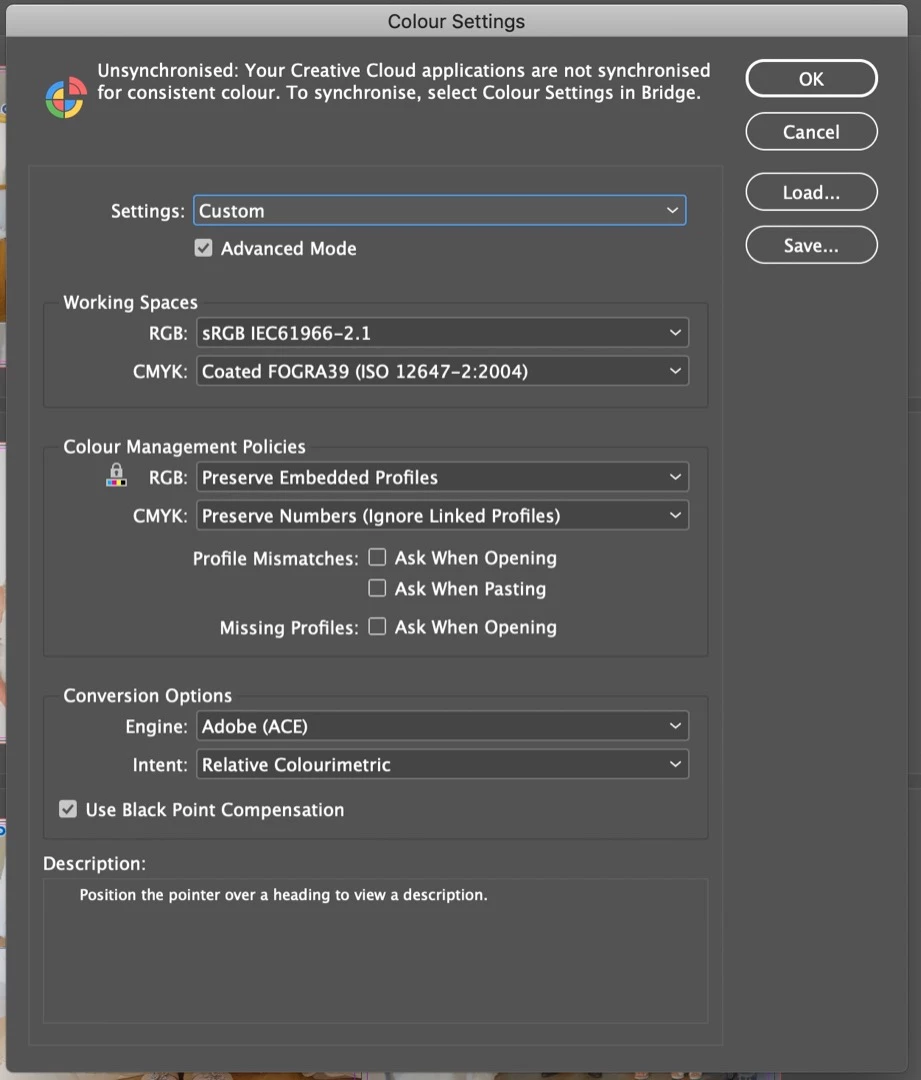
    Ok, I think I found the solution. The Colour Settings in Indesign were set to 'Emulate Adobe Indesign 2.0 CMS off'.... Because of this the sRGB profiles were not getting embedded. I changed it into 'Custom' and left the standard settings as they were (see 2nd screenshot). After this the sRGB profile did get embedded.

    I don't know how this could have happened because I have never changed these settings. Might have something to do with updating Indesign to the newest version....

    2 replies

    SjmeetsAuthorCorrect answer
    Inspiring
    November 6, 2018

    Ok, I think I found the solution. The Colour Settings in Indesign were set to 'Emulate Adobe Indesign 2.0 CMS off'.... Because of this the sRGB profiles were not getting embedded. I changed it into 'Custom' and left the standard settings as they were (see 2nd screenshot). After this the sRGB profile did get embedded.

    I don't know how this could have happened because I have never changed these settings. Might have something to do with updating Indesign to the newest version....

    Community Expert
    November 6, 2018

    Sjmeets  wrote

    …I don't know how this could have happened because I have never changed these settings. Might have something to do with updating Indesign to the newest version....

    That's the reason. You installed InDesign CC 2019 and color management was turned off.

    You may notice that also all other versions of InDesign installed will follow this immediately.

    Regards,
    Uwe

    Legend
    November 5, 2018

    Not sure, but isn't that second dialog suggesting the document has NO profile; it's offering a profile to you, with Adobe RGB top of the list. You haven't shown Adobe RGB was embedded, but that nothing was embedded.

    SjmeetsAuthor
    Inspiring
    November 5, 2018

    No that's not the case. Because if I click on 'Don't Color Manage This Document' or 'Working RGB: sRGB' the colours change even before pressing OK. So the working profile is Adobe RGB.

    rob day
    Community Expert
    Community Expert
    November 5, 2018

    That would happen if your Photoshop's Color Settings RGB Color Management Policy was set to Convert to Working RGB, and the PS Working RGB Space was set to AdobeRGB. Make sure your Photoshop RGB policy is set to Preserve Embedded Profiles before you open the JPEG.