
Participating Frequently
November 27, 2019
Question

ePub issue: text frame issues

  • November 27, 2019
  • 2 replies
  • 836 views

Hi there.

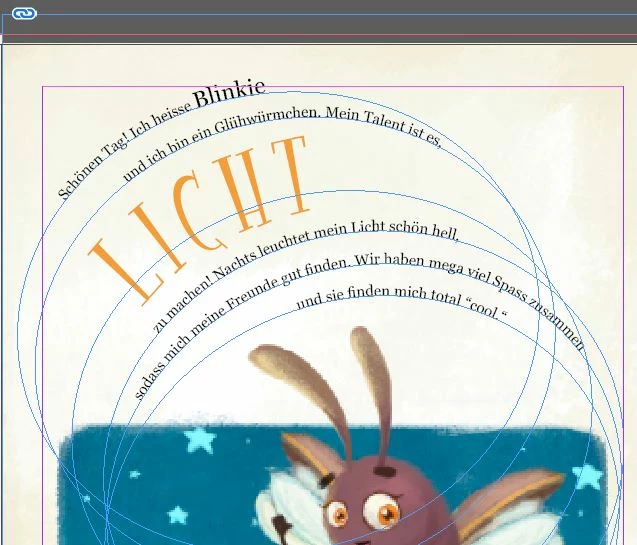
I'm trying to convert my children's book into an ePub but I'm having issues with certain text frames - those that are at an angle i.e. 'rotation angle' not 0%.

Info: I get the following pop-up when I'm exporting to ePub (fixed layout):

The gradient applied on text has been dropped.
 
inDesign view:
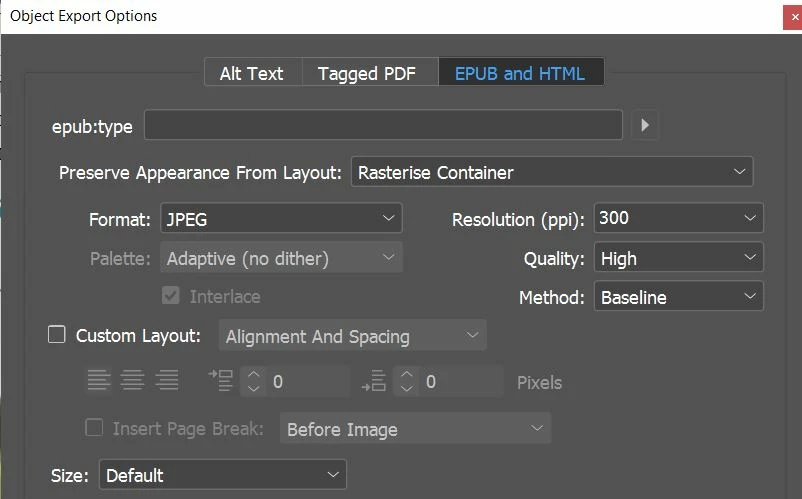
For all the text frames, I set the following:
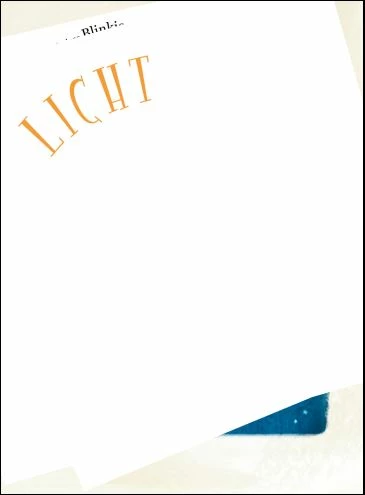
The result was as you can see below:
(Fill is off and transparency at 100%)
I would really appreicate any help you might be able to offer. If you require more info on my settings used then I can post that.
Thanks in advance
Col
This topic has been closed for replies.

2 replies

Community Expert
November 27, 2019

Hi Col,

did you try with Format: PNG ?

PNG should support transparency.


Hm. I still don't understand why your paths with text have to contain effects or transparency.

Can you do a version for the fixed layout EPUB where you do not need transparency?


Regards,
Uwe Laubender

( ACP )

Col_2Author
Participating Frequently
November 27, 2019

Hi Uwe


I just tried changing the format of all of the text frames to PNG format instead of JPEG. Unfortunately, same result.


I have other pages where the text frame is more or less the same but they are rectangular and the text sits inside the frame. They all look fine.

rayek.elfin
Legend
November 29, 2019

Certain effects and combinations of text and effects must be rasterized before publishing to function properly in epubs. Whenever you encounter either disappearing objects or effects which refuse to work in the epub preview, use the following method to fix it.


Select the object/frame or group, and right-mouse click the object/group. In the menu select "Object Export Options".


Use the following settings in the epub tab:


Notice the Rasterize Container option. This will rasterize (convert to a bitmap/image) the object. After applying this, preview the epub once more, and you will discover the effect works as required.


Use jpg for objects which do not require transparency to save a bit on file size, but I strongly advice PNG for text and sharp edged in any case, because PNG maintains sharpness best for these type of graphics. Generally PNG just works best in most cases where these effects or objects disappear.


Also notice the resolution: if you are using the ipad Retina document preset, set this resolution to 72. Do this also when exporting your epub, because InDesign exports the graphics at the native resolution of the device you selected when 72ppi is selected.


There is no reason to use a higher resolution, unless you happen to be working with the non-retina iPad document preset (which is 1024x768) for example, and you want to export to a retina version - in this case (only) you would choose a 72x2=144ppi resolution export to meet these requirements.


If you are working with the Kindle Fire/Nook document preset, again choose 72ppi for both the object export resolution as well as the epub publishing resolution, because any value over 72ppi will generate image assets which are much larger and eat up more file space then required.  Just remember that InDesign will export the images at the exact required selected device's document preset's resolution when 72ppi is used. 


Any more merely serves to bloat the ebook's file size and may reduce viewing performance under circumstances.


PS rasterizing text objects converts these to images, and the text is no longer "real text", of course.


Derek Cross
Community Expert
Community Expert
November 27, 2019

Are you sure that text effect can be reproduced in HTML – what happpens to it if you try Publish Online?

Col_2Author
Participating Frequently
November 27, 2019

Hi Derek

Thanks for your quick reply.

I've very, very new to this. I've already sorted out the print file that I need and, in PDF format it is all fine and correctly rendered. It is exporting into an ePub format that will later be uploaded to Amazon that is causing me issues.

I don't really understand your question in relation to reproducing in HTML, is that something I should be trying?

Thanks

Derek Cross
Community Expert
Community Expert
November 27, 2019

ePub is HTML.