
neoguy32
Known Participant
July 20, 2019
Answered

Font Baseline Problem

  • July 20, 2019
  • 2 replies
  • 2253 views

Hi clever people.

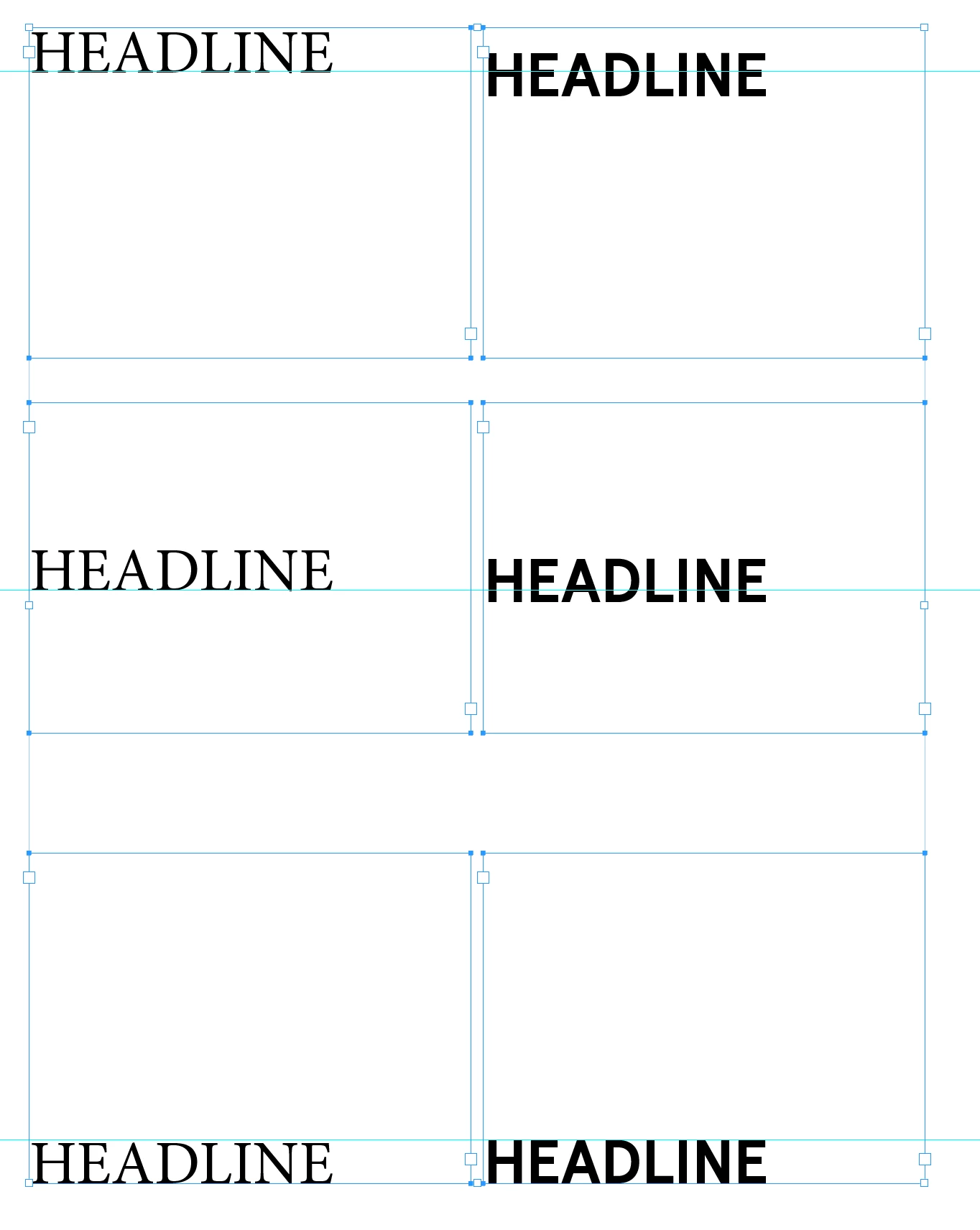
I have a problem in that a font that was supplied by a client is acting weird. It won't top align or centre align. This is probably a problem with the font. Can you point me in the direction of who can solve this, a font guru? As you can see from the picture, text box in indesign the heading won't top align and also when centre in the text box is off centre, the bottom align seems OK.
This topic has been closed for replies.
Correct answer barbara_a7746676

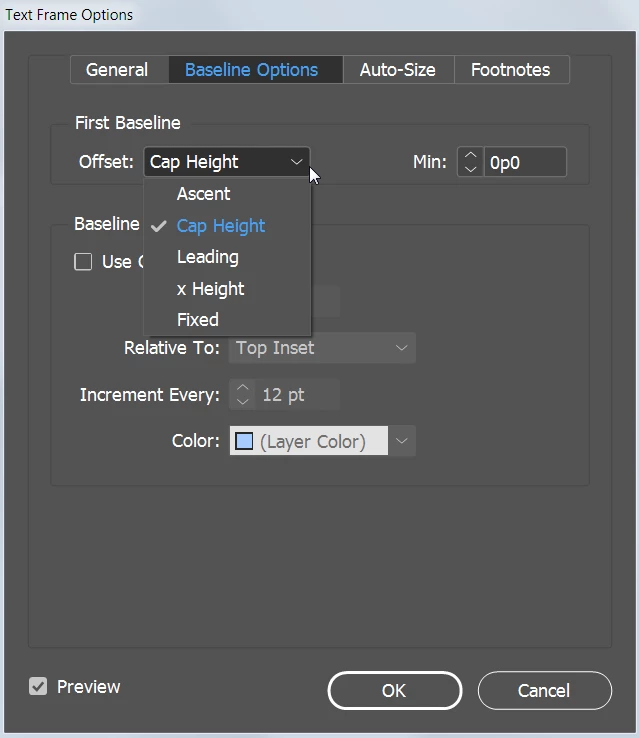
There are several options for aligning text within a frame in the Object > Text Frame Options dialog box. With Preview turned on you can check out which would work best for each font. With the same font you may need a different setting for aligning top and aligning center.

Once you discover the best settings, creating a paragraph style for each will speed up the process in the future.

2 replies

barbara_a7746676
Community Expert
barbara_a7746676Community ExpertCorrect answer
Community Expert
July 20, 2019

There are several options for aligning text within a frame in the Object > Text Frame Options dialog box. With Preview turned on you can check out which would work best for each font. With the same font you may need a different setting for aligning top and aligning center.

Once you discover the best settings, creating a paragraph style for each will speed up the process in the future.

neoguy32
neoguy32Author
Known Participant
July 20, 2019

I know how to baseline shift, offset text in a box Cmmd-B.

I want someone to alter the actual font. Anyone know of anyone?

Get Outlook for iOS<https://aka.ms/o0ukef>

barbara_a7746676
Community Expert
Community Expert
July 20, 2019

This web site lists typographers who will work for a fee. https://www.upwork.com/hire/typography-designer/

Community Expert
July 20, 2019

Hey there, maybe there might be another solution too, but a fast solution might be shifting the baseline downwards or upwards (see screenshot below) and make a Paragraph Style out of it?

And, have you tried the "Baseline Options Tab" in the Text Frame Options Dialogue (select the text frame with the Selection Tool > right click > Text Frame Options ---> or hit Ctrl (or Cmd)-B)?

The problem is, I think, that the font you use has too much space on the top side (so it looks like a font problem, like you wrote).