


- Home
- InDesign
- Discussions
- Re: Get previous xml element of xml comment in doc...
- Re: Get previous xml element of xml comment in doc...

Copy link to clipboard
Copied
Hi,
I need to get previous element of xml comment from indesign document. My selection is xml comment. I need to select previous element (author) of xml comments (basic book). How can I get that xml elemant?

Thanks in advance,
Sudha K


 1 Correct answer

Yes, ALL namespaces must be declared. And especially in the loop, the problem is that evaluateXPathExpression does not »see« the namespace declatration of the parent tags.
Workaround: temporary Declaration of the namespace
_tempNSDeclaration = _comments.parent.xmlAttributes.add( "xmlns:cl", "http://www.namespace.xyz" );
_precTags = _comments.parent.evaluateXPathExpression("child::comment()/preceding-sibling::*[position() = 1]");
_tempNSDeclaration.remove();
Or iterating over _comments.parent.xmlE
...
 16
Replies
16
16
Replies
16


Copy link to clipboard
Copied
Hi,
Like this ... ?
var myXMLelement = app.selection[0];
myXMLelement.parent.select();
alert(myXMLelement.parent.markupTag.name)
Regards
Ronald
Copy link to clipboard
Copied
yes... I can get parent element but i want to get the previous element of comments....
Copy link to clipboard
Copied
What do you mean by get the previous element of comments ?
Copy link to clipboard
Copied
Here "Basic book" is comment tag its my selection. I want the element before this. That means "author" tag.
Copy link to clipboard
Copied
OK,
Try this ...
var myXMLelement = app.selection[0];
myXMLelement.parent.xmlElements.itemByName('author').select();
Copy link to clipboard
Copied
Hi,
Sorry.. Not a specific tag name... In document, I need to get all comment tags and its previous tags.
Using the below code, I can get all comment tag from document. I want to get the previous tag comment tag.
traverseXML(app.activeDocument)
exit()
function traverseXML(ele)
{
if(ele.xmlElements.length > 0)
{
for(var eCnt = 0; eCnt < ele.xmlElements.length; eCnt++)
{
var cElt = ele.xmlElements[eCnt];
if(cElt.xmlComments.length > 0)
{
for(var i = 0; i < cElt.xmlComments.length; i++)
{
var cCmt = cElt.xmlComments;
var cmtContents = cCmt.value;
cCmt.select();
alert("Comment " +cmtContents);
//----------- Need Previous tag of this comment tag----
}
}
if(cElt.xmlElements.length > 0)
{
traverseXML(cElt)
}
}
}
}
Copy link to clipboard
Copied
I looked but no solution yet
Copy link to clipboard
Copied
Hello Sudha,
maybe this works?
var _doc = app.activeDocument,
    _root = _doc.xmlElements[0],
    _comments = _root.evaluateXPathExpression("descendant-or-self::comment()"),
    i;


for(i=0; i<_comments.length; i++) {
  $.writeln("Comment: " + _comments.value);
  $.writeln("Previous Tag: " + _comments.parent.evaluateXPathExpression("child::comment()/preceding-sibling::*[position() = 1]")[0].xmlContent.contents);
}
But it depends on the whole structure, e.g. if several comments exists in the book-tag.
Or if you only want the previous tag (without comment).
_prevXMLTags = _root.evaluateXPathExpression("descendant-or-self::comment()/preceding-sibling::*[position() = 1]");Roland
Copy link to clipboard
Copied
Good job Roland 
Copy link to clipboard
Copied
Hi,
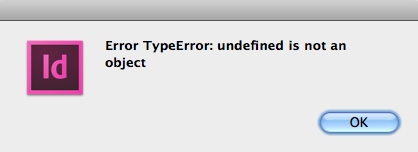
When I using the code for both comment and previous element, its throwing error in document. .

But its running for the below one. I dono the reason.

- Sudha K

Copy link to clipboard
Copied
HI sudha
In the above screen short you have selected xml an attribute not an element
Copy link to clipboard
Copied
I am used document for process, not used selection. I have placed that screenshot for xml structure to know the issue.
Copy link to clipboard
Copied
Probably you have one or more comments without preceding tags!?
var _doc = app.activeDocument,
    _root = _doc.xmlElements[0],
    _comments = _root.evaluateXPathExpression("descendant-or-self::comment()"),
    _precTags,
    _precTagContent,
    i;


for(i=0; i<_comments.length; i++) {

  $.writeln("Comment: " + _comments.value);

  _precTags = _comments.parent.evaluateXPathExpression("child::comment()/preceding-sibling::*[position() = 1]");

  if(_precTags.length > 0) {
    _precTagContent = _precTags[0].xmlContent.contents;
  } else {
    _precTagContent = "No preceding tag!";
  }

  $.writeln("Preceding Tag: " + _precTagContent);
}
Roland
Copy link to clipboard
Copied
Yes, document contains more comments. Some comments dont have previous tag, only having parent tag. I tested tag length but for me its returned only 0. I dono the issue.
Tag name contains prefix. So need I add any namespace or anything else to test??
Copy link to clipboard
Copied
Yes, ALL namespaces must be declared. And especially in the loop, the problem is that evaluateXPathExpression does not »see« the namespace declatration of the parent tags.
Workaround: temporary Declaration of the namespace
_tempNSDeclaration = _comments.parent.xmlAttributes.add( "xmlns:cl", "http://www.namespace.xyz" );
_precTags = _comments.parent.evaluateXPathExpression("child::comment()/preceding-sibling::*[position() = 1]");
_tempNSDeclaration.remove();
Or iterating over _comments.parent.xmlElements
By the way, it is easier to help you, if you provide a test file with the complete structure.
Roland
Copy link to clipboard
Copied
Hi Rolan,
Sorry for the late reply...
Thank you... Its working fine for me...
My doubt is, why we are adding namespace to comment parents?? Document root node contains namespace... is it not enough??


Get ready! An upgraded Adobe Community experience is coming in January.
Learn more
 AdChoices