

shuaces
Participant
May 26, 2020
Answered

GREP to find all the space before the last word of a paragraph.

  • May 26, 2020
  • 3 replies
  • 2431 views

I need to find all the space before the last word of a paragraph. to replace it with a Non breaking space to avoid a single word in a line. 

For example:
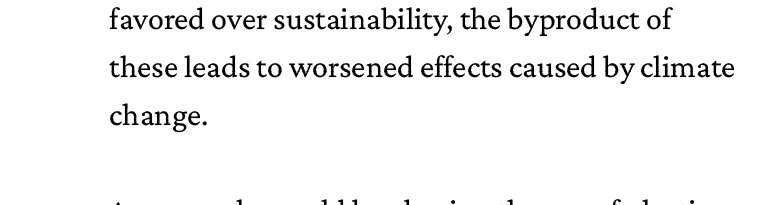
to avoid the word "change" being alone, I replaced the space before it with a non breaking space.
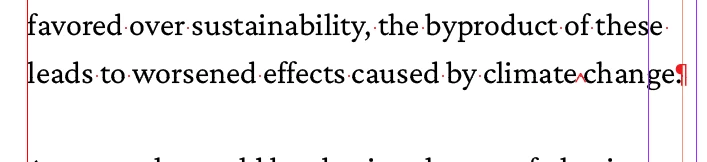
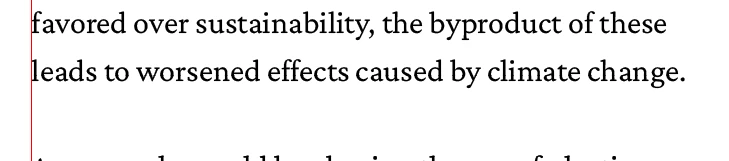
If you have other suggestion to solve this, feel free to comment.

Thank you in advance.


This topic has been closed for replies.
Correct answer Barb Binder

A better approach—IMHO—is to use a GREP style to eliminate short words from appearing alone on the last line.

  1. Create a character style that enables No Break (it's a checkbox in Basic Character Formats).
  2. Add a nested GREP style to your Body paragraph style to assign your new character style to: .{8}\z


This means: assign the character style to a string of 8 letters at the end of a paragraph or at the end of the tory. The number can be adjusted a bit, if that makes you happy to apply it to 9 or 10 characters, for example, dependent on line length.


Not only will you not have the issue with long words not able to break—whick would be awful—but this works in realtime so as you edit the document it will dynamically adjust. Find/change only happens when you run it.


~Barb 

3 replies

Barb Binder
Community Expert
Barb BinderCommunity ExpertCorrect answer
Community Expert
May 26, 2020

A better approach—IMHO—is to use a GREP style to eliminate short words from appearing alone on the last line.

  1. Create a character style that enables No Break (it's a checkbox in Basic Character Formats).
  2. Add a nested GREP style to your Body paragraph style to assign your new character style to: .{8}\z


This means: assign the character style to a string of 8 letters at the end of a paragraph or at the end of the tory. The number can be adjusted a bit, if that makes you happy to apply it to 9 or 10 characters, for example, dependent on line length.


Not only will you not have the issue with long words not able to break—whick would be awful—but this works in realtime so as you edit the document it will dynamically adjust. Find/change only happens when you run it.


~Barb 

~Barb at Rocky Mountain Training
pixxxelschubser
Community Expert
Community Expert
May 26, 2020

Hi @shuaces,

you have small columns in your document.

That's why my question: Do you really mean this is a good idea?


What is if there are very long or very short words at the end of your paragraphs?


Nevertheless - I did use a similar grep style in a paragraph style for this example:

( *?)(?=\w+[.!?]\r)


Community Expert
May 26, 2020

Find Grep

( *?)(\w+?\r)

Change To

~S$2


-Manan

-Manan