

keithm1972
Inspiring
January 23, 2021
Answered

How to align layer GROUPS without making a mess?

  • January 23, 2021
  • 2 replies
  • 446 views

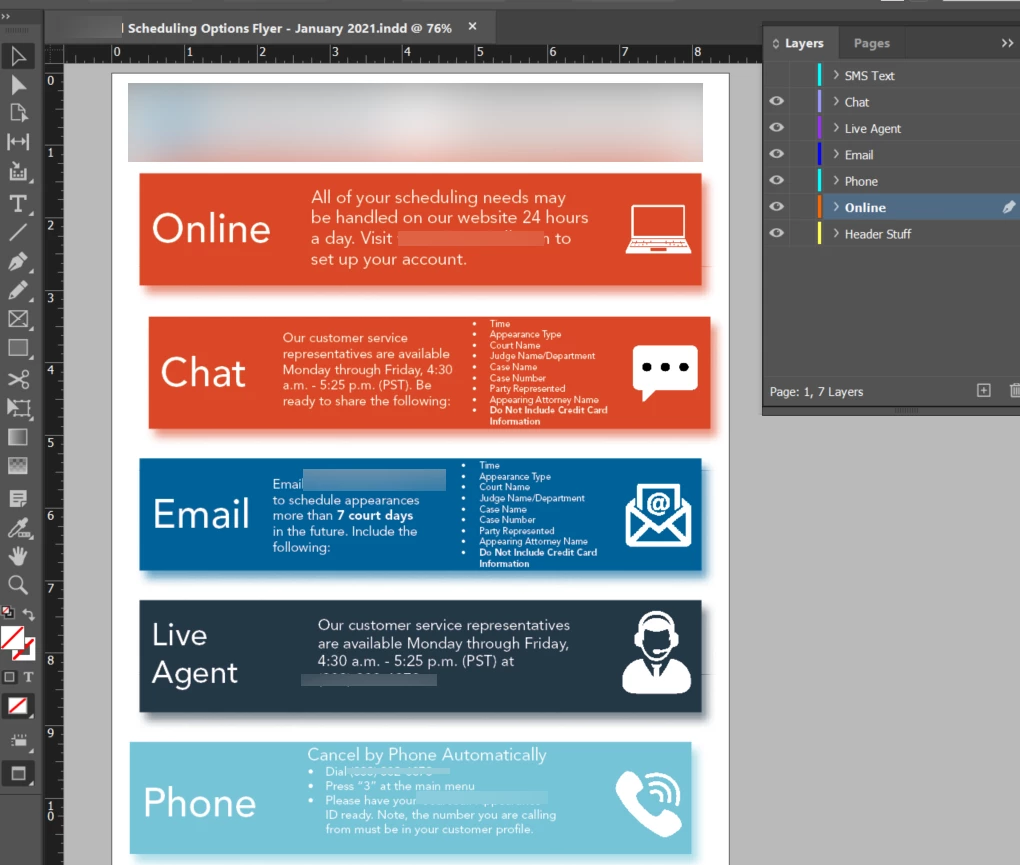
I'm created the below document and was asked to make some changes, starting with moving a few blocks around. I created layer groups for each option (chat, email, etc.) and moved all the layers into their proper groups.


Great, I can move around the blocks, keeping their content intact!


But how do I align them once moved? For example, if I click left align or left distribute every layer group collapses into a mess.


Or is there a better way to do this? Thanks.
This topic has been closed for replies.
Correct answer Eugene Tyson

As @barbara_a7746676  mentions - you need to group all the items.

Just because they are in a Layer doesn't mean they are grouped. 

Between the Eye and the Colour in the Layers panel - click this and it should select all items on that Layer.

Then go to Object>Group (or something like that).


Now you can align that Layer that is grouped.

2 replies

Eugene TysonCommunity ExpertCorrect answer
Community Expert
January 23, 2021

As @barbara_a7746676  mentions - you need to group all the items.

Just because they are in a Layer doesn't mean they are grouped. 

Between the Eye and the Colour in the Layers panel - click this and it should select all items on that Layer.

Then go to Object>Group (or something like that).


Now you can align that Layer that is grouped.

barbara_a7746676
Community Expert
Community Expert
January 23, 2021

Before aligning, group all of the objects within each layer. That way the objects on each individual layer will be treated as a single object.

You will still be able to reposition individual objects within the group using the Group Selection tool.