Participant
July 21, 2018
Answered

How to choose Short-Edge binding on Mac OS Sierra?

  • July 21, 2018
  • 1 reply
  • 2357 views

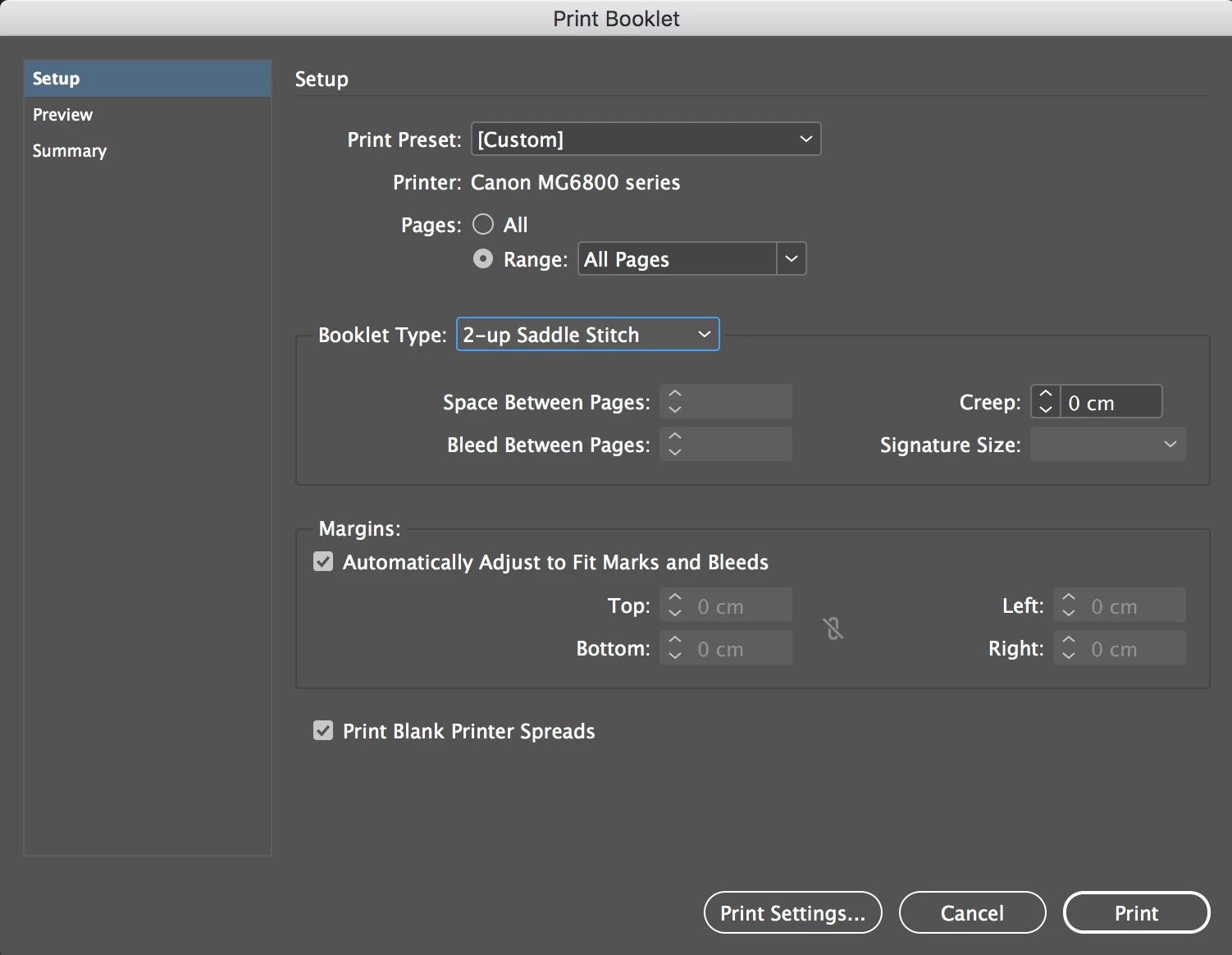
Hi, I'm having trouble locating the short-edge binding setting within my print booklet settings/presets. I think it is set to long-edge binding by default and this is not the appropriate setting for my jobs. I have attached an image of my printing box, which looks different to most screenshots I've seen online for this issue. I have the option to select the type of print (2 up saddle-stitch etc) but none for binding type.

My printer is a Canon MG6851 and has been able to do this type of printing before - automatically without me finding short-edge settling. Please help! Thank you.
This topic has been closed for replies.
Correct answer rob day

Sorry, my first post was wrong, changing the orientation could work but the total dimension of the document's spread would have to fit the A4 Page Size. Print Booklet imposes printer spreads, so you are printing spreads that will get folded.

Looks like your document's page dimension is also A4 (21 x 29.7cm), so to print spreads, the paper would have to be at least 42 x 29.7. If the document is landscape 29.7 x 21, you would need to print on 60 x 21.

1 reply

rob day
Community Expert
Community Expert
July 21, 2018

Your page width is shorter than the height. Setting the Orientation is just going to rotate the print area. Can you setup a custom page size for the Canon?

Participant
July 21, 2018

I'm unsure if I can set a custom page size - do you mean paper size by this? The paper I'm using is size A4 and width/height in settings are the dimensions of this size.

rob day
Community Expert
rob dayCommunity ExpertCorrect answer
Community Expert
July 22, 2018

Sorry, my first post was wrong, changing the orientation could work but the total dimension of the document's spread would have to fit the A4 Page Size. Print Booklet imposes printer spreads, so you are printing spreads that will get folded.

Looks like your document's page dimension is also A4 (21 x 29.7cm), so to print spreads, the paper would have to be at least 42 x 29.7. If the document is landscape 29.7 x 21, you would need to print on 60 x 21.