JW Designs
Participant
February 16, 2019
Answered

Importing Photoshop layers into InDesign - then updating PSD file

  • February 16, 2019
  • 3 replies
  • 2634 views

I have a scenario where I have a Photoshop file of an iPhone with multiple layers for various screens. I can import this file into InDesign and check "Choose import options". My doc shows 12 or so of the phone with various screens. Problem is, if I need to modify any of the layers later in Photoshop, InDesign forgets the specific layers I chose to appear in each of the 12 phones and I need to import the 12 again. In other words, and my question is, if I make any change to the PSD file, will need re-import each instance again and that the way it goes?? Thanks, John
    This topic has been closed for replies.
    Correct answer Migintosh

    I'm not sure of why it's doing that, but it doesn't do it for me. Here's a test.

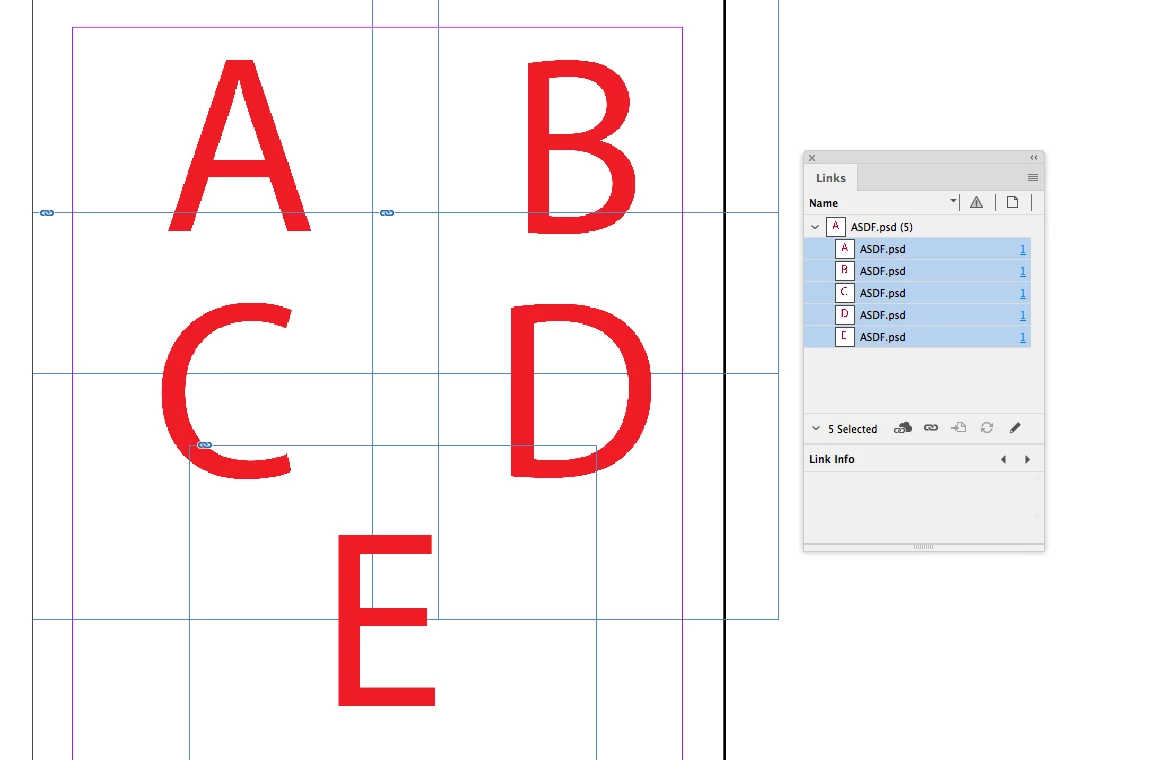
    I start with this:

    …with a PS doc with 5 layers. Then I update one of the layers in Photoshop, and I get this:

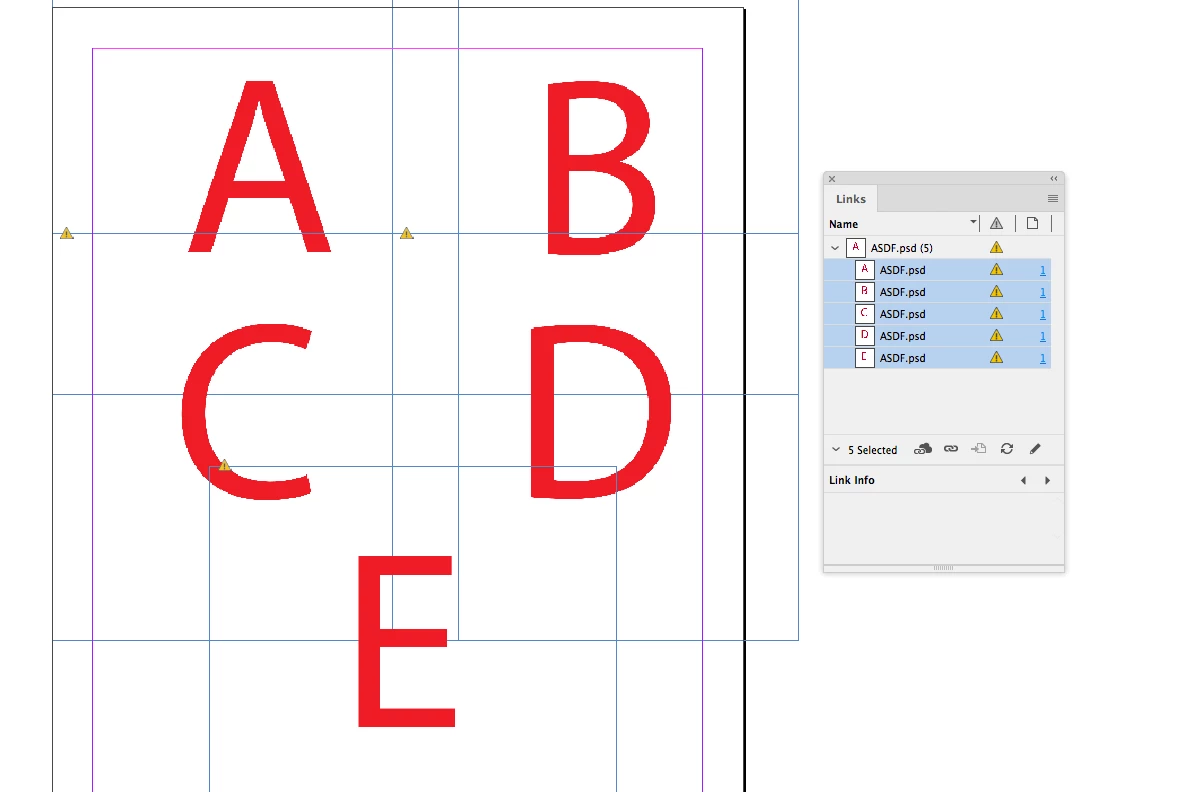
    …where the links are modified. When I update the links, I get this:

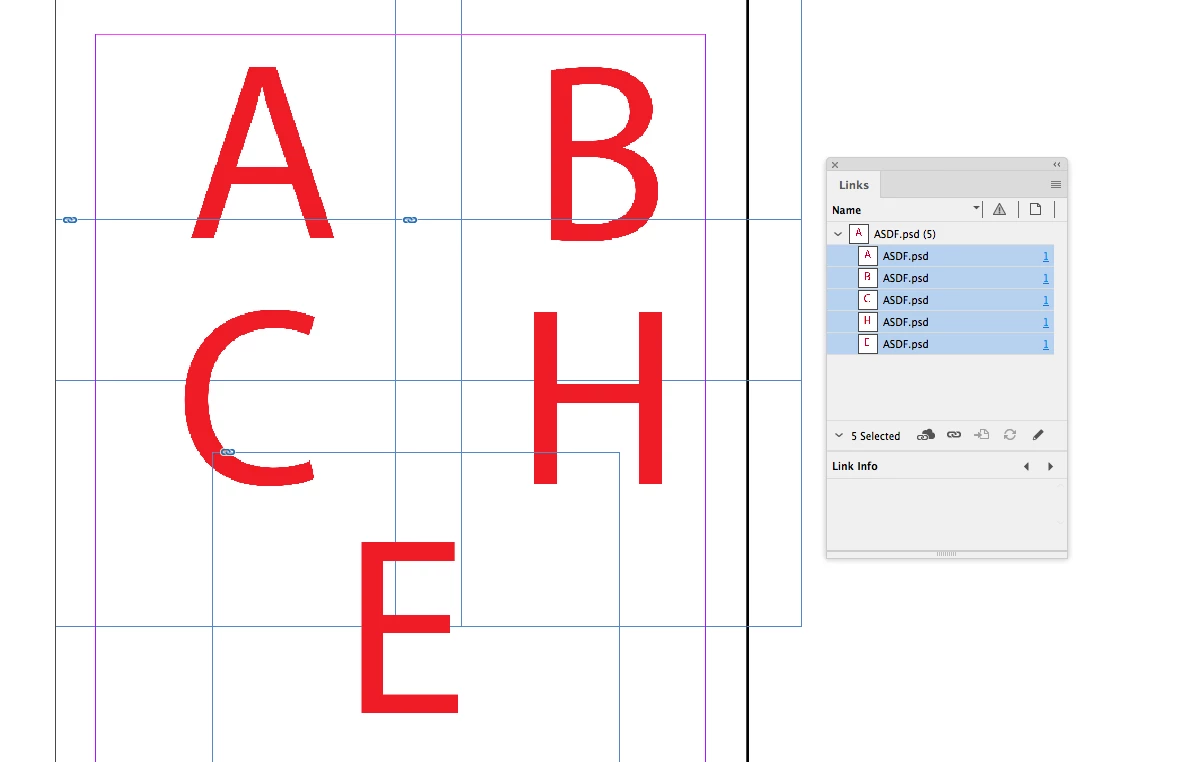
    …where only the one layer I changed (D to H) has changed, and the links window shows all images are up to date.

    3 replies

    Willi Adelberger
    Community Expert
    Community Expert
    February 17, 2019

    In Photoshop use LAYER COMPOSITIONS and save the different layer states as different Layer Comps. In InDesign select the specific layer comps and InDesign will remember those states.

    JW Designs
    Participant
    February 21, 2019

    Thank you! It was right in front of my face... Layer Comps

    BobLevine
    Community Expert
    Community Expert
    February 16, 2019

    Check your options. There’s an option to keep the overrides when updating the file.

    JW Designs
    Participant
    February 16, 2019

    Thanks. Keep in mind that my INDD file has this PSD file of the phone, placed 10 times, each with different layers of the PSD file chosen. I think it only happens if I ADD a new layer to the PSD file. If I modify an existing layer all of the 10 instances remain the same.

    MigintoshCorrect answer
    Legend
    February 16, 2019

    I'm not sure of why it's doing that, but it doesn't do it for me. Here's a test.

    I start with this:

    …with a PS doc with 5 layers. Then I update one of the layers in Photoshop, and I get this:

    …where the links are modified. When I update the links, I get this:

    …where only the one layer I changed (D to H) has changed, and the links window shows all images are up to date.