
ricka16502488
Participant
March 17, 2019
Question

InDesign 5.5 on High Sierra

  • March 17, 2019
  • 3 replies
  • 929 views

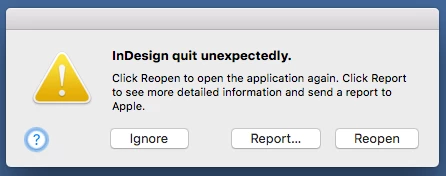
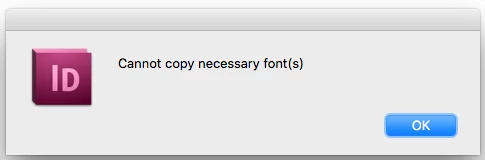
I get this alert message every time I quit InDesign 5.5, and also with Photoshop and Illustrator on iMac (27-inch, Late 2012) running macOS High Sierra. Also when I package a job, it won't allow me to package the fonts. I have reinstalled the Adobe software. Everything was fine running a previous Mac OS 10.8.5 Mountain Lion. Email me direct at [ email address removed ]
[ email address removed by moderator for security reasons ]

[ moved from Forum comments to InDesign by moderator ]

[title renamed for clarity — was “My InDesign 5.5”]

This topic has been closed for replies.

3 replies

Bill Silbert
Community Expert
Community Expert
March 17, 2019

To run CS 5.5 successfully you will need to have OS X Yosemite (10.10) or earlier installed. If you are unable to roll back your OS on your current Mac then you might consider buying a used Mac from eBay with an earlier OS and running InDesign on that.

Derek Cross
Community Expert
Community Expert
March 17, 2019

InDesign 5.5 is not supported by Adobe running under High Sierra. You should consider upgrading to InDesign CC2018/2019.

rob day
Community Expert
Community Expert
March 17, 2019

Have you tried trashing InDesign’s Preferences and Caches folders? A reinstall wouldn’t necessarily rebuild the prefs.

InDesign 5.5 is not supported in High Sierra. If you can’t drop back to an earlier OS try installing the legacy version of Java and see if that helps

Download Java for OS X 2017-001

rob day
Community Expert
Community Expert
March 17, 2019

Give the Java 6 install a try before giving up. CS6 is also not supported under High Sierra, but I have it running without any problems along with Java 6.