
InDesign CS6 Drop Shadow Pixelated
Someone please help!!!
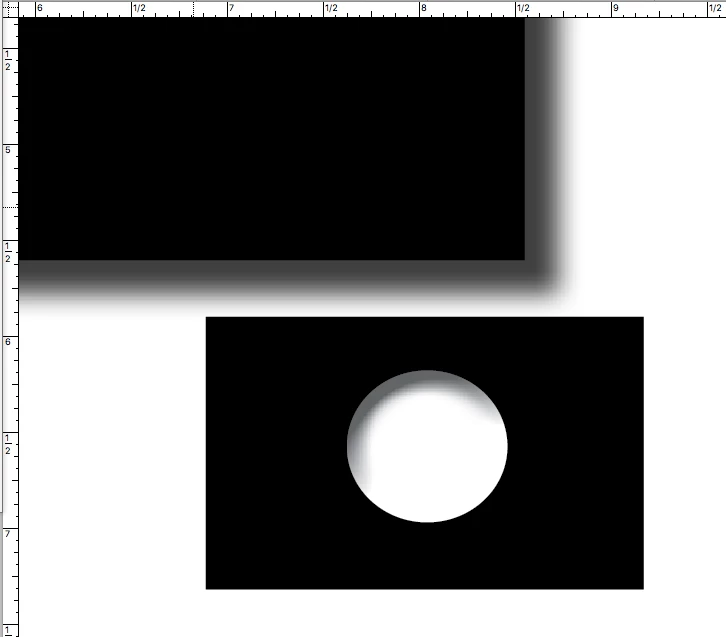
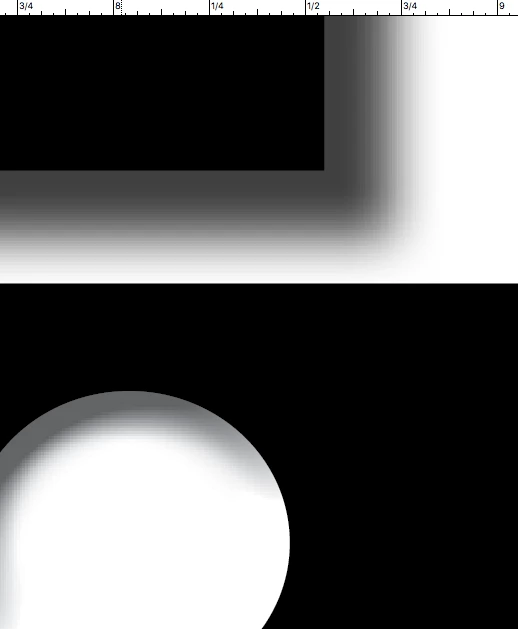
No matter if my document is large or small or the object i work with is placed or a vector shape, applying a drop shadow effect or bevel & emboss effect display a pixelated blend!!
Ive search a million forums and have seen a ton of people with the same problem and never an answer that fixes it.
I never used to have this problem with older versions of indesign so I'm hoping its a setting fix!
My problem is with the screen display, not printing. Even when i export as pdf and open it in acrobat, the drop shadows are pixelated. Ive set everything that i could to high res (including display performance) Ive tried transparency flattener but that doesn't change anything. Ive tried different blend modes and opacities. Color mode is in CMYK.
Here is a screen shot to show what i mean. Since the problem is within the effects shadows and blending, it must be a transparency quality issue. I don't know!
I know this should not look like this.
-Ryan
 AdChoices