Participant
February 20, 2018
Question

InDesign imagecatalog script is not putting images in numerical order

  • February 20, 2018
  • 1 reply
  • 554 views

Hello,

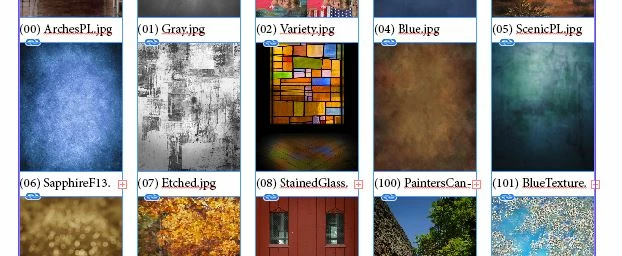
I am trying to make a contact sheet in image number order without inserting leading 0's. Right now, it jumps from (08) to (100). Any suggestions?

Thanks! 
This topic has been closed for replies.

1 reply

Inspiring
February 20, 2018

Unless you rename your files, you will need to create your own list of files to use. Below is a sample AppleScript that will create a new list of file names (newList) that you can then use to place the files. This will only work if all files are in the same folder and all have the same name extension. The files used for testing were named "Image_01.jpg" thru various numbers to "Image_104.jpg". This should give you an idea of how to proceed.

set lastNumber to 104

set folderRef to choose folder

set fileList to list folder folderRef

set newList to {}

set prefix to "00"

set theRange to -2

repeat with i from 1 to lastNumber

  set theNumber to text -1 thru theRange of (prefix & i)

  if i > 99 then

  set prefix to "000"

  set theRange to -3

  end if

--you will need to change the following based on how files are named

  if ("Image_" & theNumber & ".jpg") is in fileList then

  set end of newList to "Image_" & theNumber & ".jpg"

  end if

end repeat

newList
