

Indesign-to-PDF export won't print all imagery on page
I used the latest version of InDesign to create 12 pages of graphic layouts. I then exported the layouts as PDFs.
I then went to print the PDFs. All 12 PDF pages printed just fine, except for Page 6, which contains the most complex imagery of the 12 layouts. When I print Page 6, half of the images simply print as empty black frames with no imagery inside.
Okay, time for more background information. I'm a Mac user. The problem printing only occurs when printing the PDF from Apple's "Preview" App. When using Adobe Acrobat it prints fine. Attached are two photos. The first shows what happens when I print the Page 6 PDF using Preview, and the second shows what happens when I print the same PDF using Acrobat.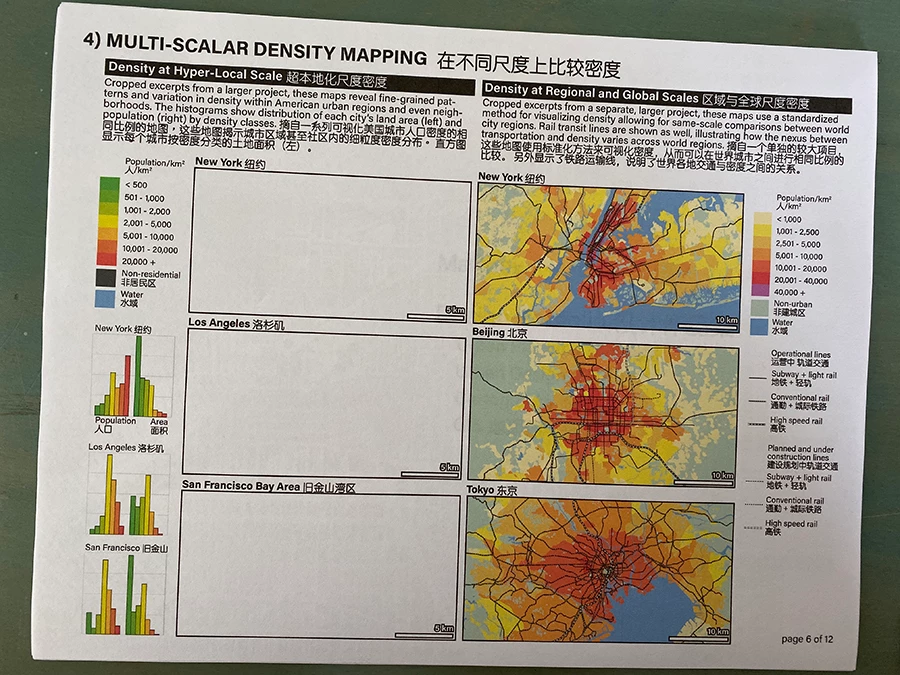
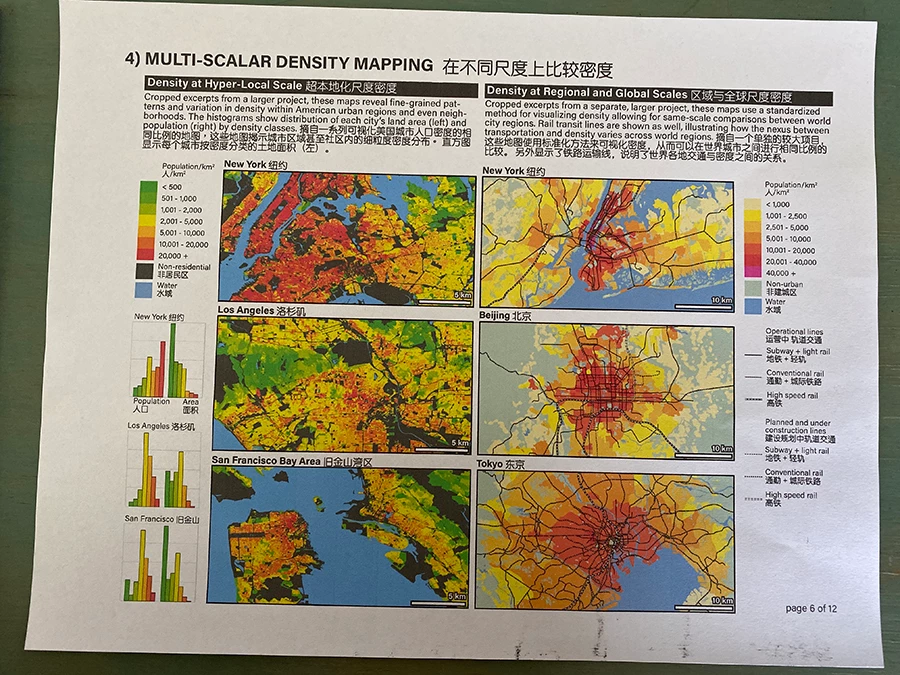
The problem PDF is 300 dpi resolution and 2.6 MB large. When I reduce the resolution to 150 dpi and 1.3 MB, and try printing it using Preview, it prints without problem.
I'm not honestly sure where the source of the problem is, with InDesign, or with Preview, or with my Mac's printer connection. I spent significant time on the phone with AppleCare support trying to troubleshoot the problem, and the result of that was that I don't think the problem is with my Mac's software or printer. I'm able to print PDFs with complex 300 dpi imagery and greater than 2.6 MB using Preview all the time. And my printer doesn't do this with any other documents. So I'm pretty sure that the problem is somehow in InDesign, but I'm not sure where. By the way, the missing images were originally PNG images that I placed into the Page 6 layout in InDesign. It occured to me that it might be a problem of broken links, but I went back to the InDesign document and the links are all fine.
I realize that I can just use Acrobat for my printing needs and avoid the problem, however I still want to get to the bottom of this, because I need to be sending this PDF out to prospective employers and want to make sure that any prospective employers who open and print this PDF with whatever software they happen to use as their default PDF viewer (could be Acrobat, could be Preview) don't get the same printing error I did.
Any advice would be greatly appreciated. Thank you!
 AdChoices