
IonPetrus
Participant
September 9, 2020
Answered

Index, pagereferences

  • September 9, 2020
  • 1 reply
  • 484 views

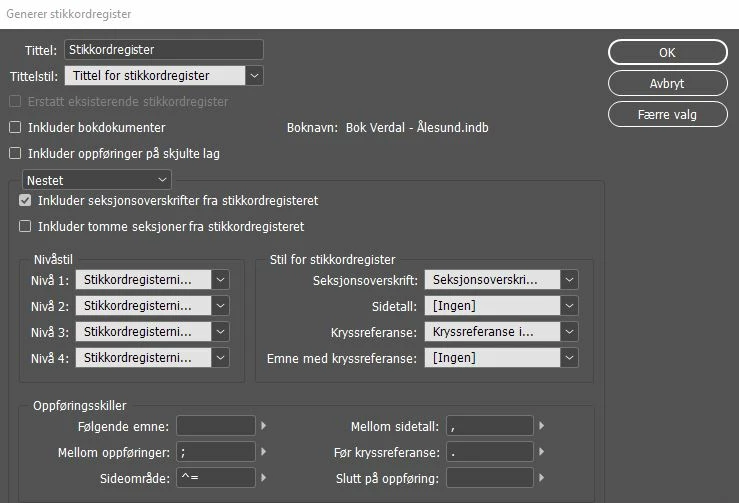
In my index, page numbers goes like this: 1, 2, 3, 4, 5, 9. I would like them to apear like this: 1- 5, 9. In container i have placed the code ^=, but It don't work. What shal I do?

This topic has been closed for replies.
Correct answer Randy Hagan

You need to make your change further upstream for your page reference entry:
 

  1. Remove the page reference entries for pages 2,3,4 and 5.
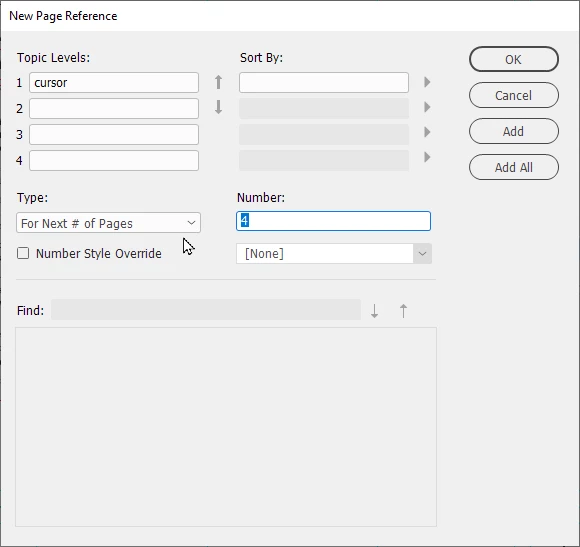
  2. Go to the page reference entry for page 1 (you can do that by double-clicking on it in the Index panel) and change it from the default Current Page in your Type: options box and change it to For Next # of Pages, then add 4 in the following Number: edit box, as shown below:


When you run your index, you'll get the result you're looking for.


Hope this helps,


Randy


1 reply

Randy Hagan
Community Expert
Randy HaganCommunity ExpertCorrect answer
Community Expert
September 9, 2020

You need to make your change further upstream for your page reference entry:


  1. Remove the page reference entries for pages 2,3,4 and 5.
  2. Go to the page reference entry for page 1 (you can do that by double-clicking on it in the Index panel) and change it from the default Current Page in your Type: options box and change it to For Next # of Pages, then add 4 in the following Number: edit box, as shown below:


When you run your index, you'll get the result you're looking for.


Hope this helps,


Randy


FRIdNGE
September 9, 2020

10 years ago! …


… If no time to really loose! …


https://creativepro.com/files/kahrel/indesign/index_update.html


No comment!


(^/)  The Jedi