

Answered
Install Hebrew or Arabic version of InDesign
In order to install Hebrew or Arabic version if InDesign, please follow the steps below:
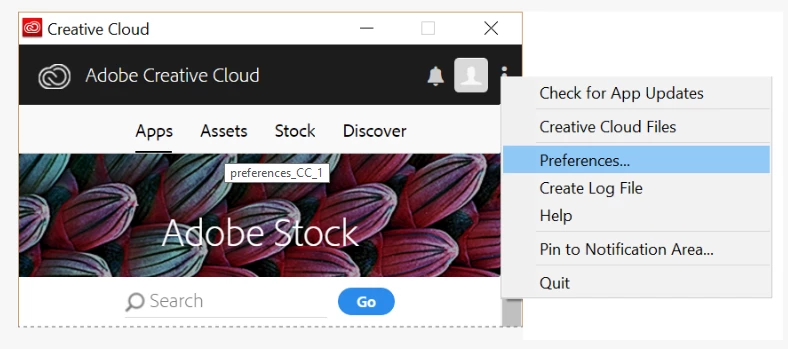
- Open the Creative Cloud app and change the App Language from the Preferences
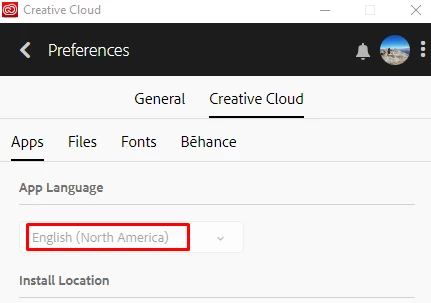
- Choose Arabic or Hebrew from the list
- Go back to the Apps list and click the Install button
Please check this help article for more details: https://helpx.adobe.com/indesign/kb/access-install-hebrew-arabic-indesign-illustrator-CC.html
 AdChoices