
Inspiring
March 7, 2017
Answered

Lates Indesign CC keeps asking me to save files...

  • March 7, 2017
  • 4 replies
  • 4335 views

Hi,

Usually when I close an opened file from Indesign, it promts me to save the file if changes has been made to the file. After the recent update it asks me to save the file when I am closing it even if it hasn't been touched after openeing. Is this a bug or a problem on my machine only?

Kind regards

Peter
This topic has been closed for replies.
Correct answer Barb Binder

After the recent update it asks me to save the file when I am closing it even if it hasn't been touched after openeing.

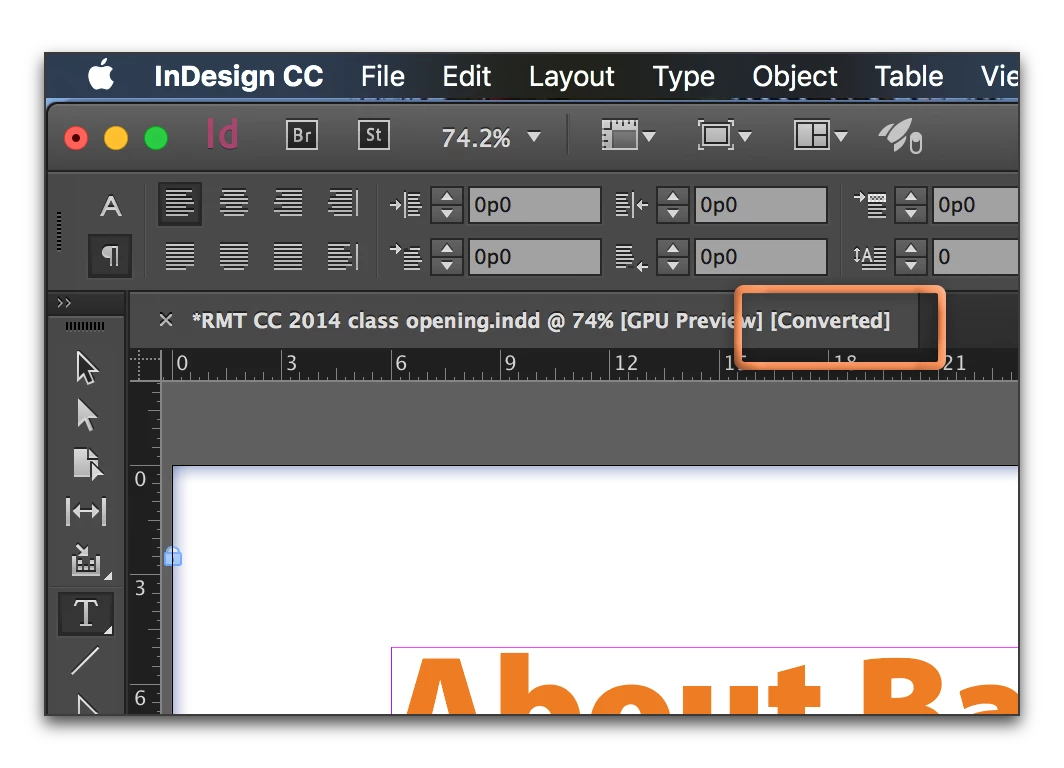
In that specific scenario, InDesign is likely converting the file from the old version (i.e., 2015) to the new version (i.e. 2017) and needs to be saved to remain in the current version. Watch for the word [Converted] on the tab bar:

4 replies

Community Expert
November 17, 2020

Hi Brian,

I think this is a new bug with InDesign 2021 version 16.0.0.77. A report was done at InDesign UserVoice. Vote for fixing the issue:


InDesign 16.0 saves Converted files in last used folder, not containing folder
Rich, Oct 21, 2020

https://indesign.uservoice.com/forums/601180-adobe-indesign-bugs/suggestions/41695588-indesign-16-0-saves-converted-files-in-last-used-f


Rob Day wrote an ExtendScript (JavaScript) to workaround this issue:

https://community.adobe.com/t5/indesign/ctrl-s-doesn-t-save-my-document-anymore-it-saves-as/m-p/11566247#M402360


Regards,
Uwe Laubender

( ACP )

nimble neurons
Participating Frequently
February 19, 2020

I don't have a [converted] in the filesnames that Indesign forces me to resave anyway. It would be great to figure this out, it takes forever to close multiple files even though no changes were made.

Participant
November 17, 2020

I agree this has been a problem for a long time now. It's very inconvenient. I'm hoping Adobe will listen and come up with a fix for this soon. Here is a very similar issue: I use the key command for save (command, s) hoping to save over the file I have open with changes I've just made - into the same location with the same name as the original - like I've done for years. Instead, a "Save As" dialog box opens up to the last location I saved a file on my computer. I then have to go through all my client folders to locate the folder this file lives in and save over the original copy. These little time wasters are completely maddening. 

Barb Binder
Community Expert
Barb BinderCommunity ExpertCorrect answer
Community Expert
March 7, 2017

After the recent update it asks me to save the file when I am closing it even if it hasn't been touched after openeing.

In that specific scenario, InDesign is likely converting the file from the old version (i.e., 2015) to the new version (i.e. 2017) and needs to be saved to remain in the current version. Watch for the word [Converted] on the tab bar:

~Barb at Rocky Mountain Training
Inspiring
April 17, 2017

I'm afraid that's not it.

The problem I'm having is even with new created files. They are not converted from a previous version of Indesign.

Barb Binder
Community Expert
Community Expert
April 17, 2017

If you save the open file in your video, close and reopen, does it happen again?

~Barb at Rocky Mountain Training
Eric Dumas
Community Expert
Community Expert
March 7, 2017

Hi,

There is a similar issue covered in this post. Re: InDesign file opens as unsaved

If yours is different, please include more details about your operating system, version of InDesign, location of your files (local, network, cloud...)