Participant
February 16, 2017
Answered

Link panel doesn't show my selected image (feedback)

  • February 16, 2017
  • 2 replies
  • 2191 views

Hello everyone,

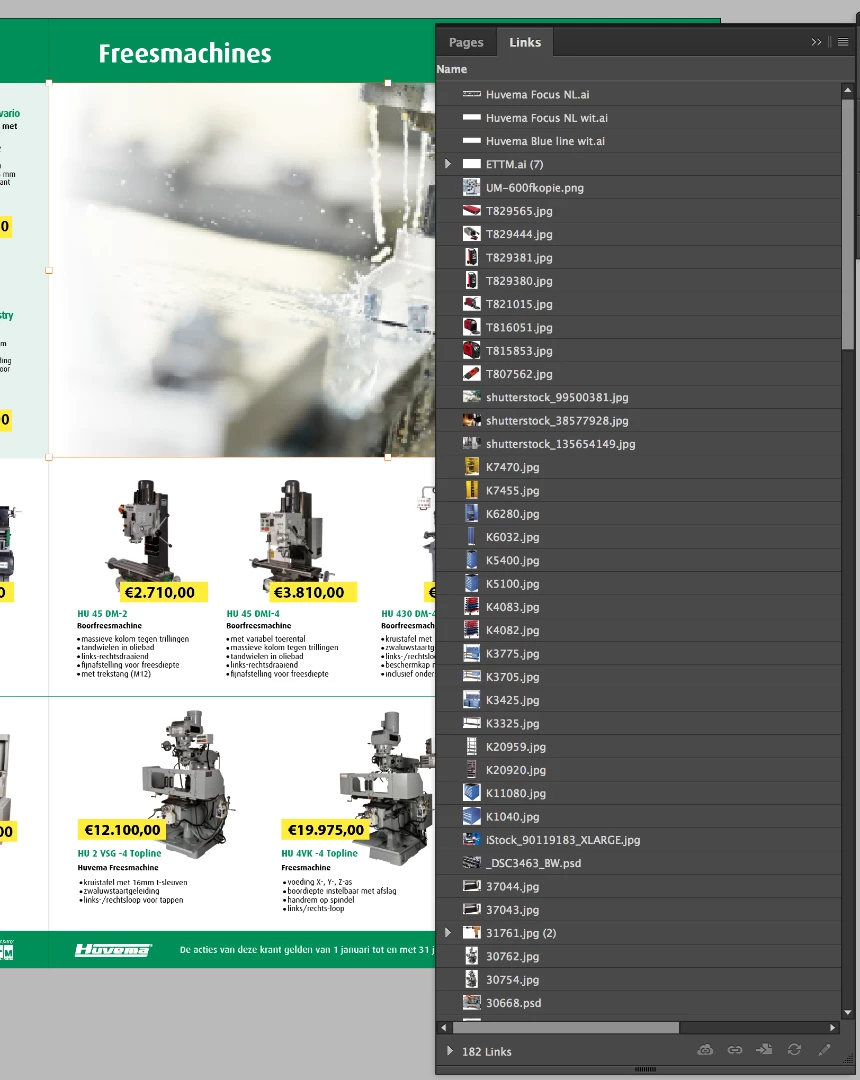
I've been trying to find a solution why my link panel doesn't show my image when I clicked one of my images. Normally this feedback works. As you can see I clicked on the big image ( the big rectangle selected with an orange line).

Did I click on something without knowing?

Thanks in advance,
Marielle

    This topic has been closed for replies.
    Correct answer mariellev25070081

    Hi together,

    drag and drop an image from the finder to an InDesign page usually would create a link to the file.

    If it is not selected in the Links panel after selecting the placed image in the layout one could check:

    1. Select the placed image and copy it to the clipboard

    2. Add a new document

    3. Paste the image from the clipboard

    4. Inspect the Links panel

    The file name should be visible.

    If not, you indeed pasted a bunch of pixels only.

    If it is indeed a linked image file go back to your complex layout:

    De-select all, select the image or the graphic frame holding the image again.

    That should show the link.

    If that fails, select the graphic frame holding the image, open your Layer's panel and try to detect the currently selected object.

    The name in the Layers panel should reflect the file name.

    Regards,
    Uwe


    Hi Uwe,

    I have no idea what I did right now, I started my computer several days later and now it just works again. I will keep your feedback in mind when I encounter the same problem. Thank you a lot for your feedback (Others too)

    Kind regards,
    Marielle

    2 replies

    Community Expert
    February 20, 2017

    Hi Marielle,

    oh, hm…

    Did you try to scroll down the in the Links panel?

    Regards,
    Uwe

    vinny38
    Legend
    February 16, 2017

    Hi

    This is quite typical of a copy/paste graphic. Are you sure this image was placed?

    Participant
    February 16, 2017

    Hey,

    Well I used a rectangle frame tool and placed the image (from finder) in it. Some images are drag and dropped for the second time, like I had a image in a rectangle frame and I dragged a new image into... but I think I dit this for several times and I normally got my "feedback" in the link panel.

    Eric Dumas
    Community Expert
    Community Expert
    February 16, 2017

    That can create an insert without a link, like the copy-paste mentioned above.

    I don't think it can be "upgraded" to a linked file.

    You will have to delete the content then select the frame to File>Place the file.