
Participant
October 21, 2019
Question

missing characters in high quality PDF

  • October 21, 2019
  • 3 replies
  • 1249 views

Hi,

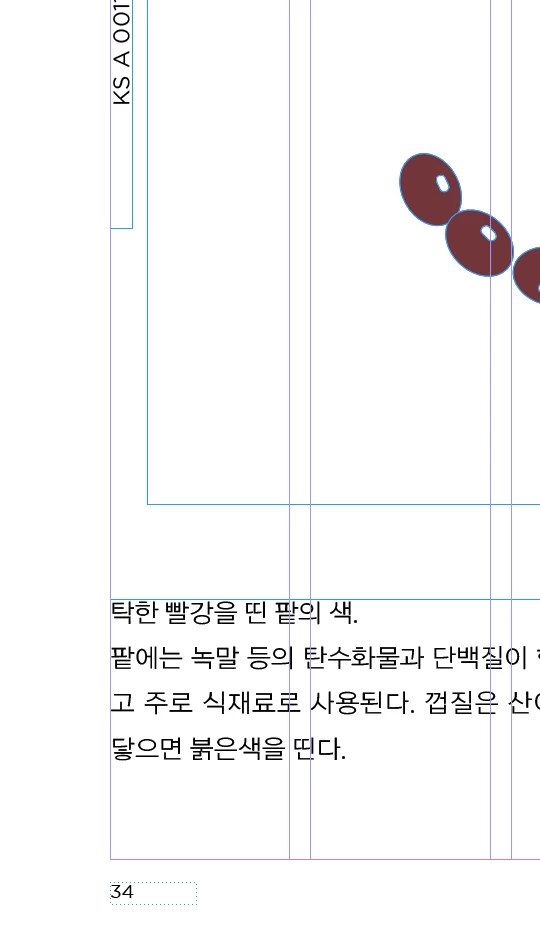
when I export high quality PDF, some characters are missing in PDF. Even the missing letters are alive in Indesign file!

I wonder why this happens.

I found missing letters when the offset printing has started, we had to change CTP.
it was so terrible!!!

 

[Moved from generic Start/Help forum to the specific Program forum... Mod]
[To find a forum for your program please start at https://community.adobe.com/]

    This topic has been closed for replies.

    3 replies

    Community Expert
    October 22, 2019

    Hi,

    as far as I can see from your screenshots all text of the page is missing.

    I assume that the automatic page number is coming from a master.


    I do not suppose it's a non-printing layer, because the layer color of the graphic is the same as the layer color of the text frames.

    What else could be the case? Non printing text frames perhaps.

    https://helpx.adobe.com/indesign/using/grouping-locking-duplicating-objects.html#create_nonprinting_objects


    To check that spread by spread turn on Overprint Preview. Can you still see the text?

    Also see into Separation Preview. Can you still see the text?

    https://helpx.adobe.com/indesign/using/preparing-print-separations.html#preview_color_separations


    Further things to consider: What's the color of the text? Is it a spot color or is it [Black] ?

    If spot color, is that spot color perhaps redirected to a different spot color that in effect is something like a white color?

    For that check the settings in your Ink Manager ( you can reach it in your Swatches Panel ). Look if any spot colors are aliased.

    https://helpx.adobe.com/indesign/using/inks-separations-screen-frequency.html


    Regards,
    Uwe Laubender

    ( ACP )


    Gusgsm
    Inspiring
    October 21, 2019

    Hello,


    Avoid any preset that it's not PDF/X. If you can, use the PDF/X-4 and tweak it to your necessities. If not, use the older PDF/X-1a preset.


    Afterwards —at least for the first runs—, go to "Acrobat - Tools - Print production - Preflight" and check that the PDF are PDF/X-1a or PDF/X-4 compliant ("PDF/X Compatibility" section, just "Analysis").


    Never ever send a PDF to production without preflighting it.


    Best regards.

    Michael Bullo
    Community Expert
    Community Expert
    October 21, 2019

    There are multiple ways to tell InDesign not to export different elements within a document. Here are a couple you might want to check...


    It's possible to tell an entire layer not to print. Within the Layers panel look for layer names that are italicised. Double clicking on a layer name will open the Layer Options where you can toggle the Print Layer option.


    The Attributes panel is found within the Output section of the Window menu. With something selected within your document you can toggle the Nonprinting option.