Hi Jamie,
over the weekend I had the chance to look into your linked InDesign document.
No bug with InDesign's footnote or endnote feature. Why? You are not using this.
The expressions are simple text.
What I found out: If you set one of the brackets to character direction Left-to-Right it will work as expected.
See the screenshots below ( from my German InDesign ) :
I marked the bracket where I tried this with Magenta. It's the one that immediately follows the number. And, as it turns out, this marked one is the opening bracket, not the closing one.
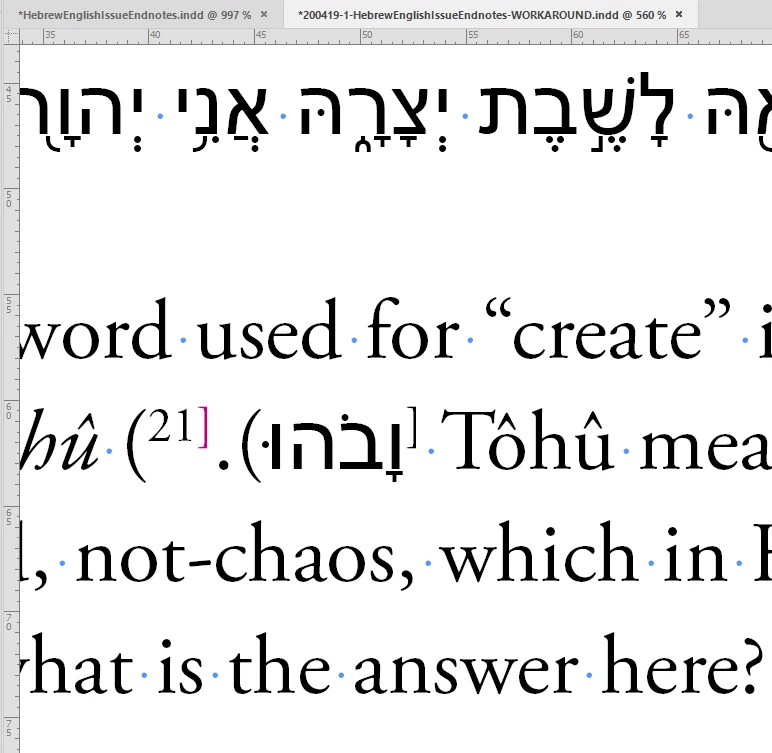
Note: The current value for character direction of the marked bracket is: Default. It's not Left-to-Right, it's not Right-to-Left, it's just Default.
I changed that to value Left-to-Right and now all pieces fall into place:
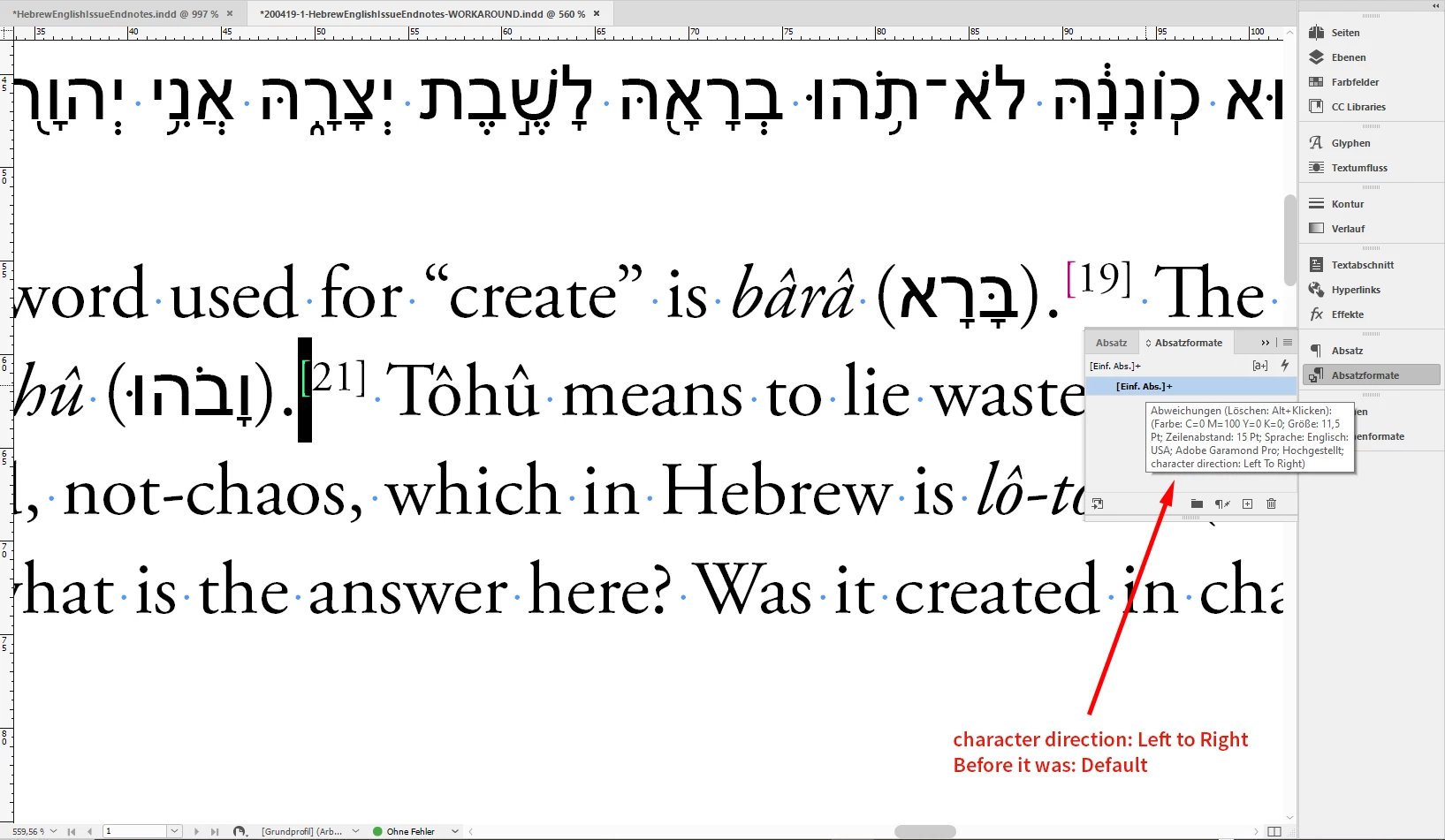
As you can see from the overrides on the Basic Paragraph Style:
Character direction for the selected bracket is now Left To Right.
If you are using the Middle East version of InDesign you should be able to do that in a second using the Character panel. Also with Text or GREP Find/Replace. With my German version of InDesign I had to use a little script that works with the selection of text. Written in ExtendScript ( JavaScript ) the code goes like that:
/*
	Set character direction of selected text to:
	LEFT_TO_RIGHT_DIRECTION

	When no text is selected the script will do nothing.

	Save the code with a text editor as text-only file with suffix: *.jsx
	Put it to your Scripts folder following this:

	Installing a “script” by Marc Autret:
	http://www.indiscripts.com/pages/help#hd0sb2

*/

( function()
{
	if( app.documents.length == 0 ){ return };
	if( app.selection.length != 1 ){ return };

	if( !app.selection[0].hasOwnProperty( "baselineShift" ) ){ return };

	app.selection[0].characterDirection = CharacterDirectionOptions.LEFT_TO_RIGHT_DIRECTION;

	var charDirection = app.selection[0].characterDirection.toString() ;

	var scriptName = File( $.fileName ).name ;
	alert( scriptName +"\r"+ "Character Direction changed to:" +"\r"+ charDirection ) ;

}() )
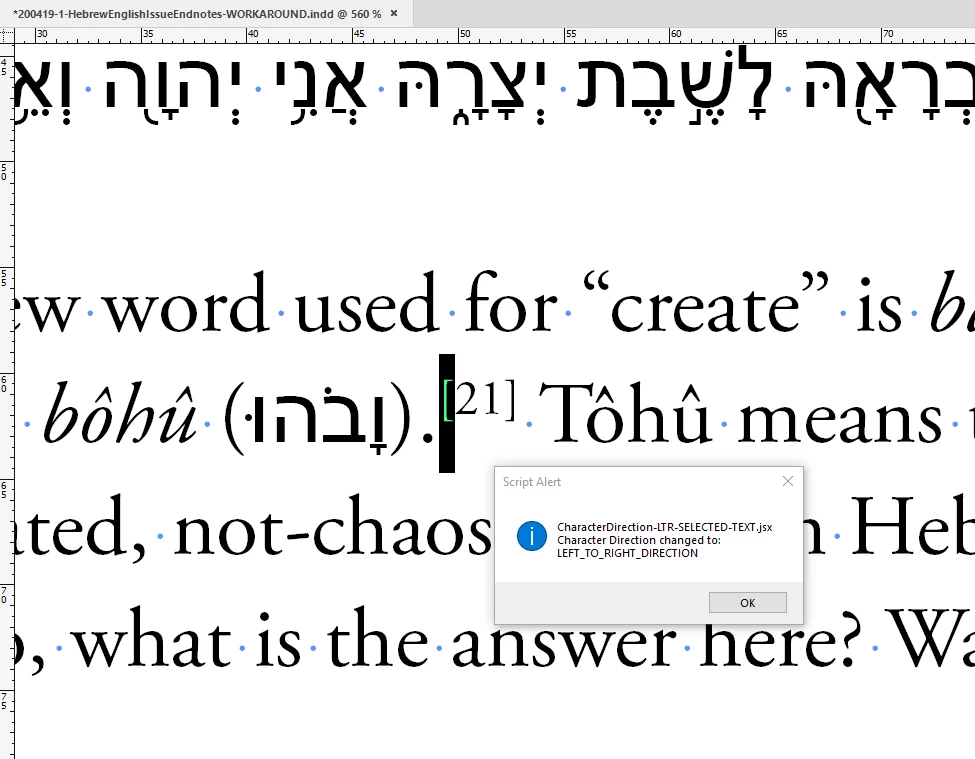
After running the script you will get an alert like that:
Regards,
Uwe Laubender
( ACP )


 AdChoices