Known Participant
May 9, 2018
Answered

mobile template size

  • May 9, 2018
  • 4 replies
  • 16502 views

Hi

I am designing for the iphone X the standard template is 1125 x 2436 px that comes with indesign,

But this is huge, the text size is around 50pt for headings and 35pt  for body text when placed on this template.

Do I actually need to set my artwork to the viewpoint size of 375 x 812 pixels?

Just a bit confused with what size to set the artwork.

Any help much appreciated as I haven't done design for mobile.

Regards
    This topic has been closed for replies.
    Correct answer Steve Werner

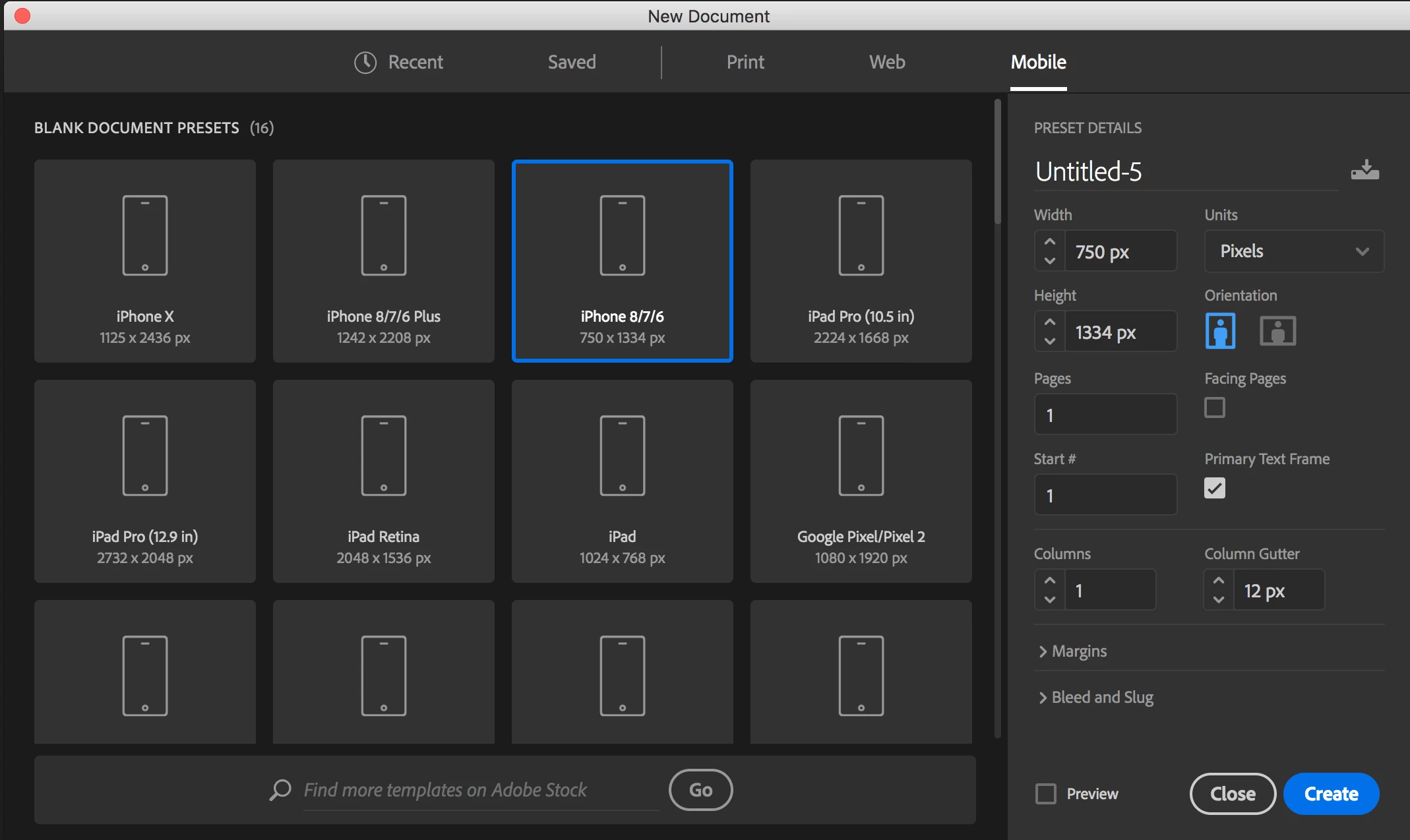
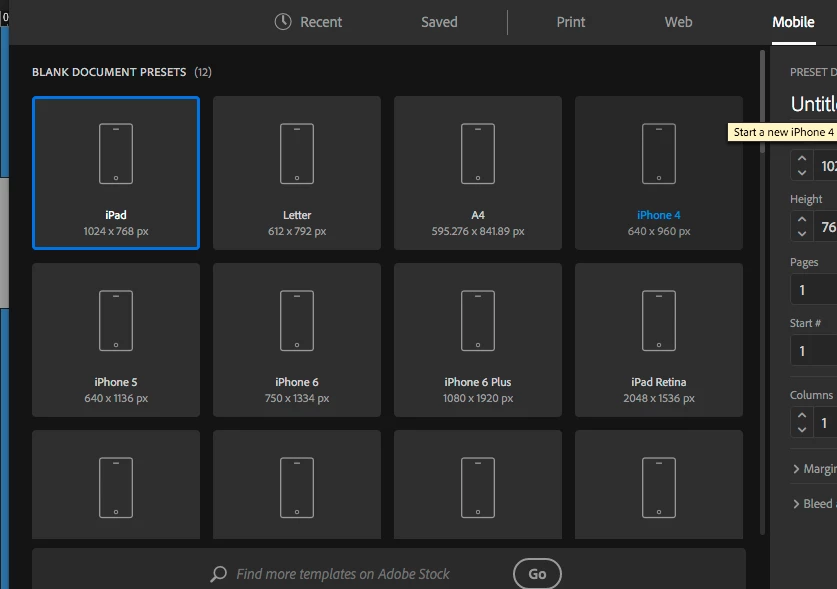
    1125x2436 is not an option in the mobile preset template sizes in indesign.  see screenshot below. Depending on the iphone you want there are different sizes and none are that you mention.  I would do the iphone 6 preset at 750px by 1334px from the screenshot below presets.


    Here are the presets in the current version of InDesign CC 2018.1. Note the one Jonathan listed now shows for iPhone 8/7/6:

    4 replies

    Known Participant
    May 9, 2018

    Hi yes its just a mockup, and yes I have done an alternate layout, just checking that the size of this alternate layout for iphone is right, is the template for Iphone size 1125x2436 right for artwork size or is this the resolution, then what would be the actual artworkl size be? sorry just confused about what actual size to set the iphone mobile at.

    Regards

    Community Expert
    May 9, 2018

    Have you looked into Adobe XD

    Known Participant
    May 9, 2018

    Hi I don't need to go to prototype its just for visual purposes only.

    Known Participant
    May 9, 2018

    The artwork is for visuals to see what they would look like on the various platforms..

    Known Participant
    May 9, 2018

    Could you explain how you go from desktop to mobile then from indesign.

    I have designed some artwork to the desktop size and then some to the iphone size, is there a way around this?

    Many thanks for your help.

    BobLevine
    Community Expert
    Community Expert
    May 9, 2018

    You’re not providing anywhere near enough information and still haven’t confirmed it’s a PDF.

    BobLevine
    Community Expert
    Community Expert
    May 9, 2018

    What EXACTLY are you designing?

    Known Participant
    May 9, 2018

    I have created a desktop version of a booking form which I am now translating to mobile.

    BobLevine
    Community Expert
    Community Expert
    May 9, 2018

    Is this a PDF? If so, it’s simply going to scale to the phone’s screen.

    You’re doing a lot of work for nothing.