
keithconover
Inspiring
February 25, 2021
Question

New Page > New Odd Page kills Span Columns

  • February 25, 2021
  • 2 replies
  • 788 views

I have a style called H1-new-page. That is, Heading 1, and specifically to start on the next new page. (Occasionally I want to use H1 without the new-page, so I have a separate H1 style for that.)

I have it set to span columns. Works fine every time, and looks like this:
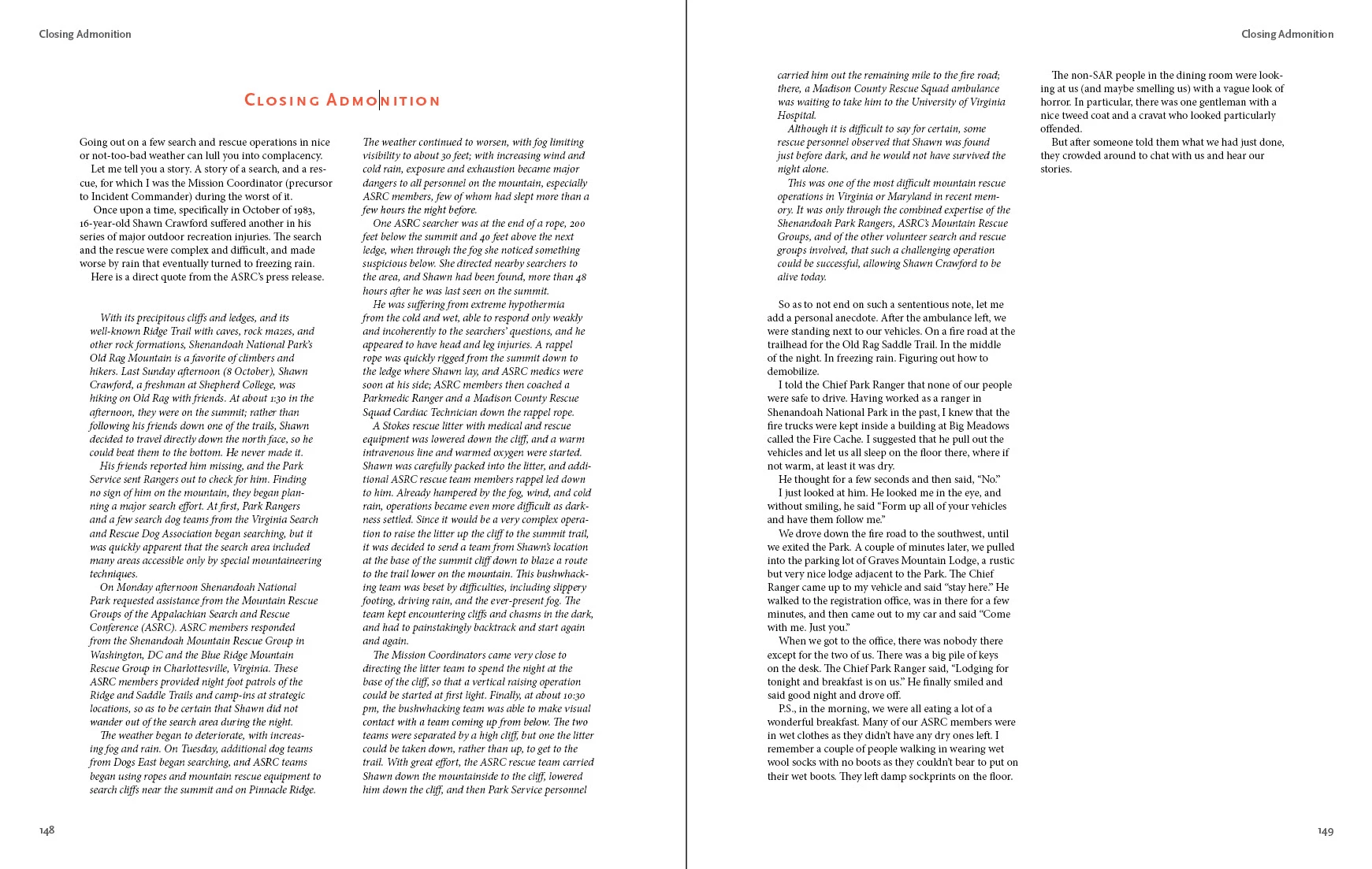
After some reflection, I decided that there are both graphic design and efficiency issues (in particular, not having to deal with graphics that extend into the margin away from the spine suddenly extending into the margin towards the spine) to make a duplicate of this style, called H1-new-odd-page. Unsurprisingly, it is exactly the same as H1-new-page except that, instead of starting on a new page, it starts on the next new odd page. But this is what happens:
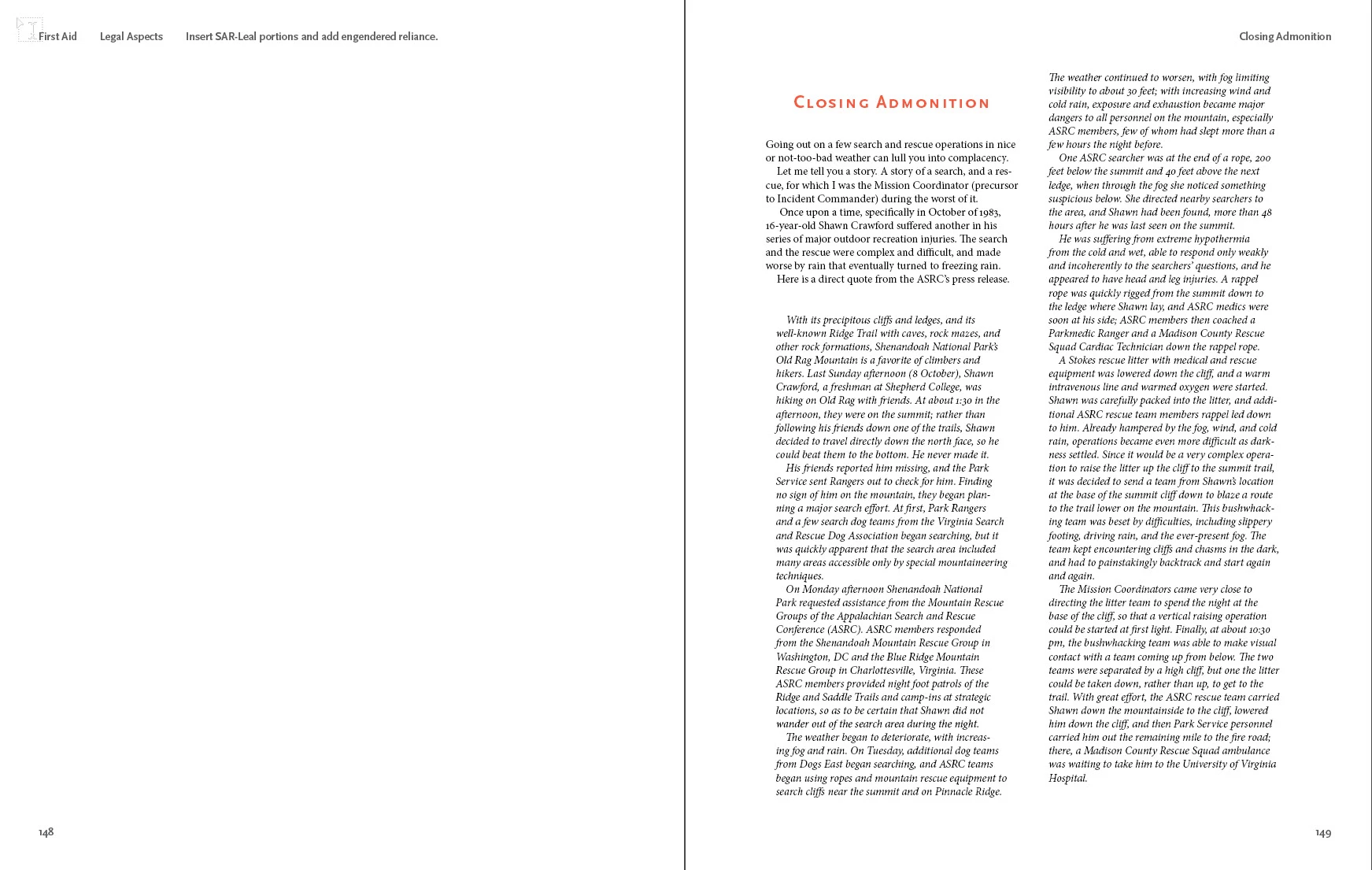
Yes, it now starts on the next odd page. Perhaps because of the word "odd" it shows odd behavior: the heading, which still says to span all columns in the paragraph style (or if I switch it to span 2 columns) instead spans no columns.

If changing from H1-new-page to H1 new-odd-page moves the text from an even page to an odd page, it doesn't span columns.

If changing from H1-new-page to H1 new-odd-page does not move the text from an even page to an odd page, it still spans columns.

Is this a bug or just a feature I just don't understand?


This topic has been closed for replies.

2 replies

Participating Frequently
November 25, 2021

Hi. Did you ever find a solution? I'm on Monterey now, with the latest ID 2022 and I've just come across the bug. Start on next 'odd' page does indeed, in my case, prevent a span columns 😞

Did you ever find a solution or submit a bug report?

Thanks.

Participating Frequently
November 25, 2021

Okay, I just found the solution. The problem occurs if there is an empty text frame on the even page, so prior to the one where you are jumping to. As soon as I put some text into the left text frame, or removed it altogether, the span columns started working. Hope this helps.

Noel Bürgler @Topix AG
Inspiring
February 26, 2021

Hello

Can you control the following paragraph format setting:


I suspect you have set "on next odd page". However, you need to set the following;

Paragraph Format Options > Break Options > Paragraph Start > On Next Page.


Did this work?

---Noel Bürgler | Adobe Community – Helping InDesign-Users | MacBook Pro 15", macOS Big Sur 11.2 Beta, InDesign 16.0.2---
Noel Bürgler @Topix AG
Inspiring
February 26, 2021

https://we.tl/t-Wgnxvamvpk

File: heading.indd

Size: 1’019’904 Byte


Here you can have my file – my settings are working

---Noel Bürgler | Adobe Community – Helping InDesign-Users | MacBook Pro 15", macOS Big Sur 11.2 Beta, InDesign 16.0.2---
keithconover
Inspiring
February 26, 2021

Thank you Noel, I specifically wanted to change from On Next Page to On Next Odd Page, so switching back to On Next Page won't do what I want.